


Catégorie du blog
Showing 1-15 of 32.
SOLIDWORKS FAO
Découvrez le logiciel complémentaire SOLIDWORKS CAM.




Comment installer SOLIDWORKS CAM Standard et CAM Professional | Guide étape par étape
 Par Aric Duprey le 4 mai 2026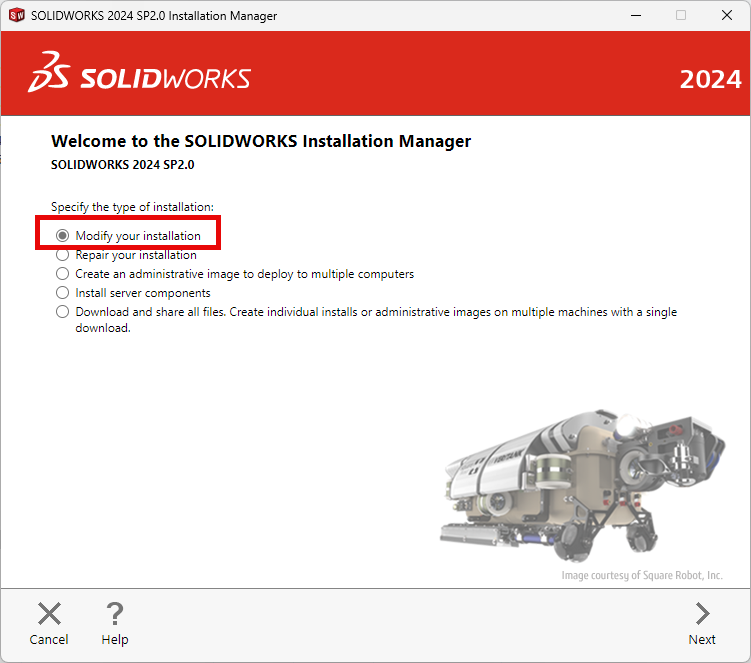
Ce blog explique comment installer les modules complémentaires SOLIDWORKS CAM Standard et SOLIDWORKS CAM Pro. Cela vous permettra de créer des parcours d'outils sur votre pièce, puis d'envoyer ces informations à votre machine CNC pour la fabrication. Pour que SOLIDWORKS CAM Standard fonctionne, vous devez disposer d'abonnements SOLIDWORKS à jour.
Qu'est-ce que la base de données technologique SOLIDWORKS CAM ?
 Par TriMech Solutions, LLC le 16 décembre 2022
Vous avez peut-être lu un article de blog ou regardé un webinaire sur SOLIDWORKS CAM et entendu parler de la « base de données technologique », que nous comparons souvent à un manuel d'usinage que l'on aurait toujours à portée de main…
Fonctionnalités multi-surfaces et contournage sur 3 axes avec SOLIDWORKS CAM
 Par Shawn McEachern le 21 juin 2021
For milling complex multi-surface features, SOLIDWORKS CAM is equipped with three tool paths to quickly and easily program most challenges. Machine time can be a different story in these cases: Area Clearance: Area Clearance is…
Plans de dégagement, de passe rapide et d'avance pour plus de rapidité et de sécurité avec SOLIDWORKS CAM
Par Shawn McEachern le 18 juin 2021
Finding the right balance of speed and safety is critical for SOLIDWORKS CAM programmers. Clearance, Rapid and Feed Planes allow us to control how far away the tool will engage or clear the work. Keeping…
Limiter le déplacement de l'outil à l'aide des zones de confinement dans SOLIDWORKS CAM
Par Shawn McEachern le 14 juin 2021
Here is a simple example of how you can restrict tool movement using Contain Areas in SOLIDWORKS CAM. A huge time saver when programming parts with targeted cutting. Contain Areas can be defined by sketches,…
Évitez les zones problématiques avec SOLIDWORKS CAM Standard
Par Shawn McEachern le 3 juin 2021
Regardless of what we machine clamping is a reality. SOLIDWORKS CAM Standard Avoid Areas is a great feature to prevent your tool from crashing into a fixture or clamping. Avoid Areas Feature Avoid areas can be…
Définition des stratégies de fonctionnalités par défaut pour l'AFR dans SOLIDWORKS CAM
Par Shawn McEachern le 28 mai 2021
In SOLIDWORKS CAM 2019 and higher, you may select the strategies you prefer when using Automatic Feature Recognition (AFR). These strategies can be specified for any type of feature. Simply select the Feature and the…
Création interactive de fonctions de fraisage avec SOLIDWORKS CAM
Par Shawn McEachern le 20 mai 2021
Automatic Feature Recognition (AFR) is a powerful time saver. However, you may find yourself in a situation where you may want more control over your program. In SOLIDWORKS CAM, you may define interactively the milling…
Prolongez la durée de vie des outils grâce à l'ébauche à grande vitesse dans SOLIDWORKS CAM Professional avec VoluMill
Par Shawn McEachern le 12 mai 2021
SOLIDWORKS CAM VoluMill is ideal for complex 3D shapes as its algorithms result in more intelligent toolpaths to machine pockets, slots, and arbitrary shapes. VoluMill toolpaths, unlike a trochoidal toolpath, are designed so that the…
Les onglets automatiques sont une nouveauté de SOLIDWORKS CAM 2020
Par Shawn McEachern le 11 mai 2021
In SOLIDWORKS CAM 2020 we are now able automatically create Tabs on Contour Operations. Whether you are trying to avoid fixtures/clamping or stopping flyers, this new feature is another huge time saver. This feature is…
Comment définir l'avance et la vitesse de fraisage dans SOLIDWORKS CAM ?
Par Shawn McEachern le 10 juin 2020
In SOLIDWORKS CAM there are three places were Milling Speed and Feed information can be utilized. In the tool, by editing any tool and selecting Cutting Parameters we can disassociate the tool from the Material…
Comment créer des outils et des crêtes d'outils pour le fraisage dans SOLIDWORKS CAM ?
Par Shawn McEachern le 4 juin 2020
In order to create a solid program, we need an accurate representation of our tools. SOLIDWORKS CAM has many pre-built standard tools for us to customize for our machining purposes. We may also add our…
Déplacement et reconnexion de votre TechDB SOLIDWORKS CAM
Par Shawn McEachern le 26 mai 2020
Having many programmers sharing one SOLIDWORKS CAM TechDB will dramatically decrease production time while proving consistent results to the shop floor. By placing your TechDB in a network folder all users have share strategies, tools…
Création automatique de chanfreins dans SOLIDWORKS CAM
Par Shawn McEachern le 22 mai 2020
Creating chamfers in SOLIDWORKS CAM used to be a tedious experience. Previously chamfers had to be programming into the operation strategies or created with many curve features at the end of the program. New in…
Comment importer et mettre à jour la base de données technique SOLIDWORKS CAM vers une version plus récente
Par Shawn McEachern le 14 mai 2020
The Import Database Function allows you to import changes from another SOLIDWORKS CAM TechDB, as well as, update a TechDB to a newer version of SOLIDWORKS CAM. Here is the default location for the TechDB…

Services de conception
De la conception à la fabrication en passant par la production à grande échelle, TriMech Design Services aide les créateurs, les start-ups, les inventeurs et les petits fabricants à commercialiser leurs produits.
Articles les plus populaires

Recommandations matérielles pour SOLIDWORKS 2024
TriMech a élaboré ce guide des configurations matérielles recommandées pour SOLIDWORKS 2024 afin de vous aider dans le processus de mise à niveau ou d'achat de nouveau matériel pour SOLIDWORKS.

IMPORTANT ! Activez le transfert avant de passer à SOLIDWORKS 2024
Avant d'installer SOLIDWORKS 2024, vous devez transférer l'activation depuis votre version précédente de SOLIDWORKS afin de vous assurer qu'elle soit disponible pour l'activation de SOLIDWORKS 2024.

Comparaison des offres SOLIDWORKS
Quelle est la différence entre les logiciels de CAO 3D SOLIDWORKS® Standard, Professional et Premium ? Découvrez les fonctionnalités incluses dans chacune des trois offres SOLIDWORKS.