


Javelin / TriMech Auteur

Wayne White
Utilisation de la commande « Split Body » et des ensembles géométriques pour la conception de moules
 Par Wayne White le 28 janvier 2026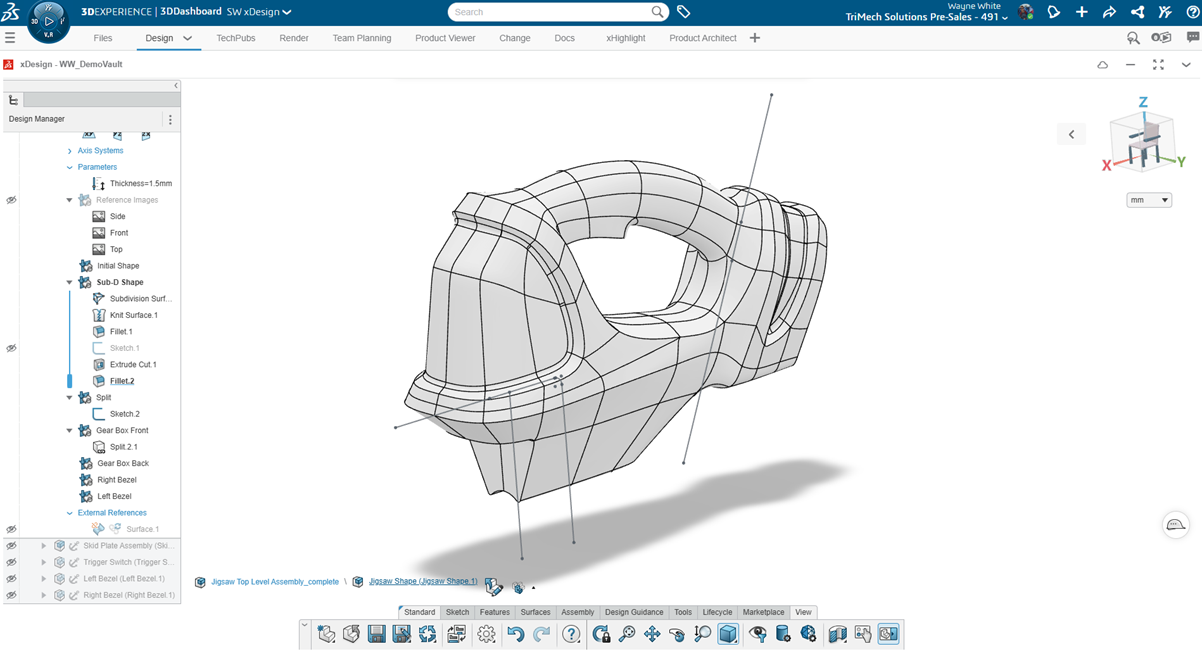
One of the critical aspects of designing for injection molding is being able to accurately and efficiently perform a split body to prepare for a core and cavity. SOLIDWORKS xDesign has purpose-built tools to help split your models to better prepare for mold design purposes….
Améliorer la productivité grâce aux filtres 3DEXPERIENCE
Par Wayne White le 17 novembre 2025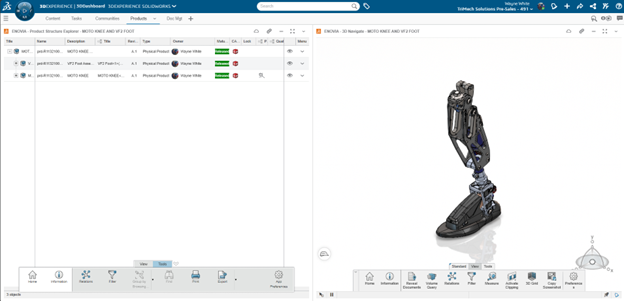
The 3DEXPERIENCE platform is a powerful business experience designed to help organizations create collaborative experiences for their customers. While data on the platform is easily searchable, mastering 3DEXPERIENCE filters can greatly streamline finding the exact model or document you are looking for. Filters allow users…
Maîtrisez la création de motifs linéaires et circulaires dans SOLIDWORKS xDesign
Par Wayne White le 2 octobre 2025
Patterning in SOLIDWORKS xDesign is at the heart of CAD modeling, enabling designers to create precise, repetitive features and design geometry. There are a couple of core options related to patterning, including linear and circular options. For a deeper exploration of SOLIDWORKS xDesign, we can…
Maîtriser la modélisation de surfaces dans xShape et xDesign
Par Wayne White le 22 septembre 2025
Découvrez comment xShape et xDesign simplifient la modélisation des surfaces pour les modèles CAO complexes. Découvrez des outils essentiels tels que « Supprimer une face », « Décalage » et « Épaissir » pour obtenir une géométrie précise.
Utilisation de l'outil « Combine » dans SOLIDWORKS xDesign pour la conception de moules
Par Wayne White le 25 août 2025
SOLIDWORKS xDesign allows for advanced feature creation, including Boolean operations. Leveraging advanced features like the Combine tool in xDesign can allow for the rapid creation of a rudimentary core and cavity tooling split for injection molding. There are more advanced, dedicated mold tools in SOLIDWORKS…
Édition en contexte avec SOLIDWORKS xDesign
Par Wayne White le 13 août 2025
In-context editing allows designers to create models in the context of other geometry by referencing existing features, faces, or planes. This lets them create parametric relationships between parts that you wouldn’t necessarily be able to do otherwise and cuts down on the time needed for…
Création de plans d'assemblage dans 3DEXPERIENCE
Par Wayne White le 7 juillet 2025
Assembly drawings are important at the end of the design process to capture manufacturing information. Designers need a way to document the parts with respect to the whole product assembly. Drawings traditionally indicate a product list with a bill of materials table further detailing the…
Modifications de conception dans SOLIDWORKS xDesign avec les relations contextuelles
Par Wayne White le 20 juin 2025
Very rarely does a design hit the mark on the first attempt. Making changes is a fundamental step of creating, evolving, and improving your designs and products. SOLIDWORKS xDesign makes the iterative process of making changes extremely quick by providing streamlined tools and time-saving menus….
Passez à la vitesse supérieure avec 3DEXPERIENCE Cloud PLM Professional
Par Wayne White le 23 avril 2025
3DEXPERIENCE Cloud PLM Professional offre des fonctionnalités avancées pour optimiser la conception connectée au cloud et le contrôle des versions. Mais quels sont les rôles 3DEXPERIENCE inclus et comment peuvent-ils aider votre équipe ?
3DEXPERIENCE vs SOLIDWORKS PDM : analyse technique
Par Wayne White le 2 avril 2025
Proprietary information and data is the most critical aspect of any organization. Having centrally located data is mission-critical to ensure correct parts are ordered and files are not duplicated. Understanding history, who made changes, and why changes were executed is the essence of design, engineering,…
Boostez votre productivité avec 3DEXPERIENCE Cloud PLM Standard
Par Wayne White le 14 mars 2025
L'offre standard 3DEXPERIENCE Cloud PLM propose des fonctionnalités courantes qui vous permettent d'aller au-delà de la simple gestion des données pour vous orienter vers la planification de projets et la gestion des nomenclatures
3DInterconnect : Comment gérer les relations CAO importées avec 3DEXPERIENCE
Par Wayne White le 24 février 2025
3DInterconnect is a SOLIDWORKS technology that allows users to easily open non-native SOLIDWORKS files. It was introduced in 2017 and has changed how we can communicate between teams using various CAD applications. For example, you might work with a vendor that uses Autodesk or Siemens…
Utilisation de 3DEXPERIENCE avec SOLIDWORKS Premium Routing
Par Wayne White le 17 février 2025
Cet article présente les étapes essentielles pour connecter votre environnement SOLIDWORKS Premium Routing à votre plateforme 3DEXPERIENCE.
Guide de l'administrateur : premiers pas avec 3DEXPERIENCE Works PDM (ENOVIA)
Par Wayne White le 13 septembre 2024
Vous venez donc d'acheter un produit 3DEXPERIENCE, et votre équipe prévoit de commencer à exploiter la puissance d'ENOVIA (gestion des données) au sein de la plateforme. Par où commencer ?
3DEXPERIENCE on Cloud : mise à jour simultanée des plans et des modèles
Par Wayne White le 4 septembre 2024
Il n'existe aucun moyen de garantir systématiquement la synchronisation entre le modèle et les plans de révision dans 3DEXPERIENCE sur le cloud. Il est toutefois possible de mettre à jour simultanément le plan et la référence.