


Pin Swapping in SOLIDWORKS PCB

Article by Joseph Lyon updated December 27, 2017
Article
Pin swapping is a useful tool in PCB design to ensure optimal component placement and routing. Swapping electrically compatible pins can significantly decrease net crossovers. Fewer net crossovers reduces the number of vias and track length required to route complex components such as connectors or FPGA devices. SOLIDWORKS PCB allows the ability to swap pin and net assignments both interactively and automatically.

Pin Swapping Procedure
- Enable the selected component for swapping:
- Highlight component > Select Properties > Check Enable Pin Swaps

- Configure the component pins to be swapped:
- Tools > Pin/Part Swapping > Configure > Select Component > Configure Component > Highlight pins to be swapped > Add to Pin-Swap Group > New


- Modify project options to define how swap changes are merged in the schematic:
- Project > Content > Project Options > Options > Check Changing Schematic Pins

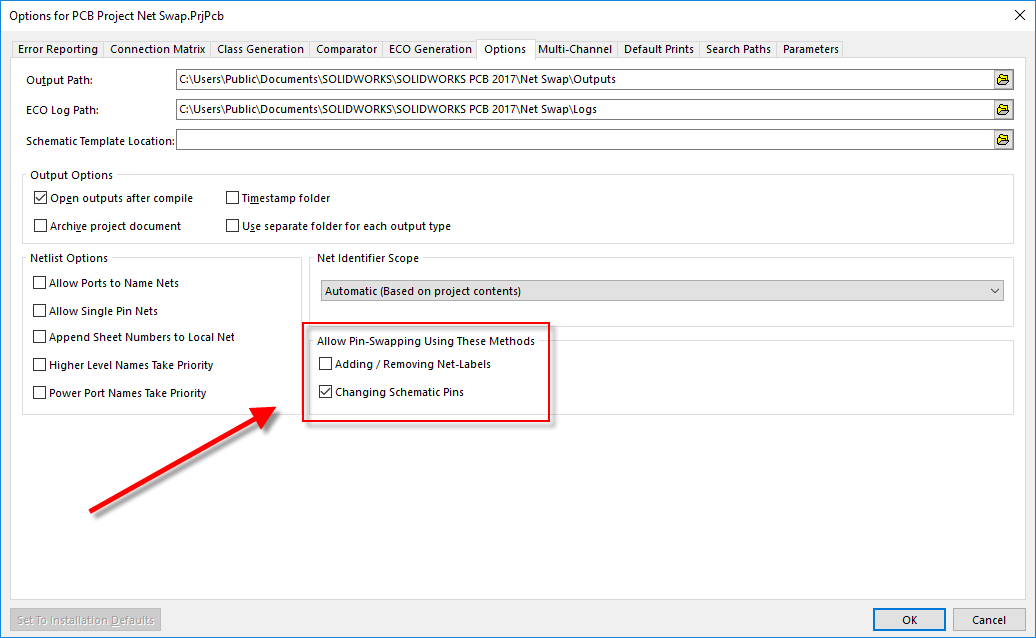
- Pin and net swap changes can be handled in two ways on the schematic. The first way is by swapping the pins on the component symbol itself. The second is swapping the net labels on the wires. Note, the latter requires original connectivity to be established through net labels, not hard wiring.
- Re-compile the project and save all documents before swapping:
- Right click project > Recompile project

Recompile the Project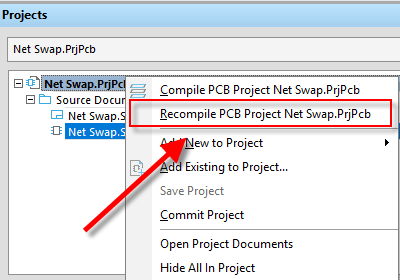
- Right click project > Recompile project
- Two methods exist to swap pins and nets:
- Interactive Pin/Net Swapping – Swap individual pins by selecting each pair at a time.
- Automatic Pin/Net Optimizer – Swaps all pins in the group to reduce the number of net crossovers and overall routing length. Iterative swapping is also available after the initial pass.
Before Pin Swap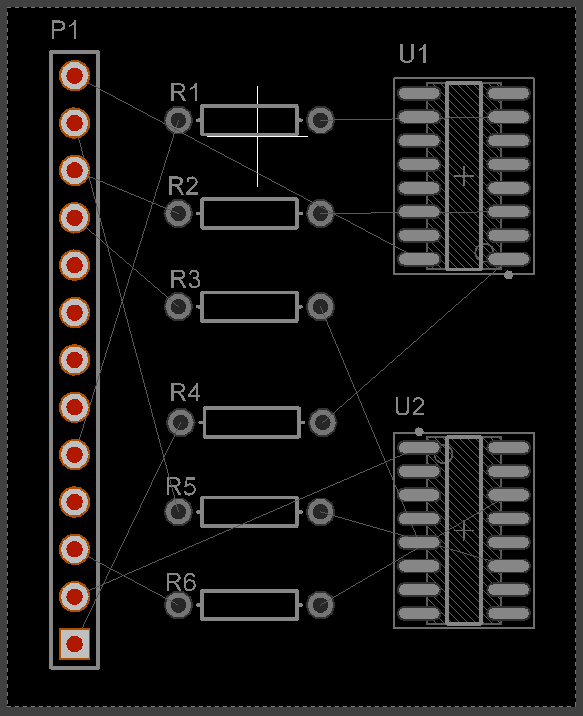
After Automatic Pin/Net Swap Optimizer
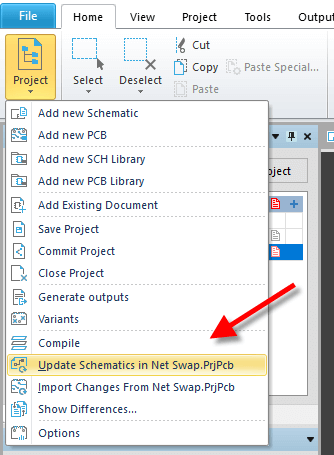
- Pin and net changes can be merged to the schematic from the project menu:
- Home > Project > Update Schematics
To learn more about SOLIDWORKS PCB
Visit our SOLIDWORKS PCB product page, check out our other PCB blog articles, follow us on YouTube or give us a call at 1-877-219-6757 to speak with an electrical expert.
Related Links
Certified SOLIDWORKS Services available from Javelin
Javelin can help you to:
Posts related to 'Pin Swapping in SOLIDWORKS PCB'
