


Blog Tag
Showing 1-15 of 91.
SOLIDWORKS Error
Tech tips and tutorials for dealing with common SOLIDWORKS errors

How to Fix “The SOLIDWORKS Document Manager Library is Invalid” Error
Getting the SOLIDWORKS Document Manager Library is Invalid error? Learn how to fix it by repairing your installation or registering the required DLL files. Step-by-step guide included.
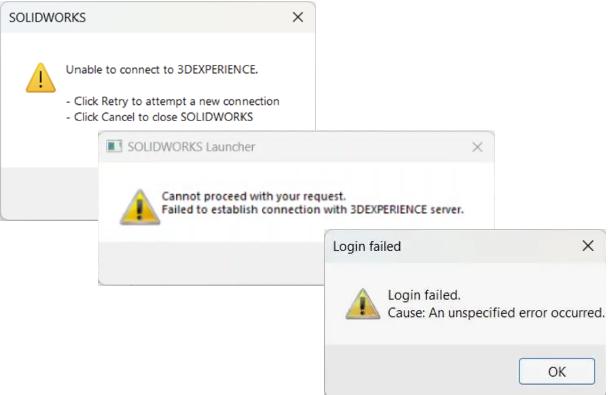
Troubleshooting 3DEXPERIENCE Connection Errors
The 3DEXPERIENCE platform enhances collaboration and eliminates geographical barriers for designers. As this is an online platform, a solid connection…

Fixing SOLIDWORKS Routing Drag and Drop Failed
The “Drag and Drop failed” error is a common issue encountered when working with SOLIDWORKS Routing. This error is not…

Fixing Corrupted SOLIDWORKS Drawing Views
Recently, I was working with a SOLIDWORKS drawing that had several sheets in it, and every possible kind of view…

Fixing “This Version of SOLIDWORKS Has Not Been Commissioned Properly” Error
“This version of SOLIDWORKS has not been commissioned properly” error is caused by old licensing data that did not get properly removed, learn how to fix the issue.

Resolving SOLIDWORKS Installation Manager Error Messages
The SOLIDWORKS Installation Manager is a lightweight application used to download and install all of the SOLIDWORKS products. This can…

How to Fix the “Standalone License File Failure” Error During SOLIDWORKS Startup
If you try to launch SOLIDWORKS and receive an error message stating a “Standalone license file failure” you likely have a…

SOLIDWORKS Save As Previous Versions – Incompatible Items & Errors
What happens when you try a SOLIDWORKS Save As Previous Version, but receive an error that you have incompatible items or “other” items preventing the save from completing? To start, let’s go over the difference between these items and what they mean.

SOLIDWORKS 2022 Electrical 3D Add-in Error – Could Not Obtain a License
If you are experiencing a SOLIDWORKS 2022 Electrical 3D add-in error, learn how to resolve the issue in this blog.

Checked out file opening as “Read-only” from SOLIDWORKS PDM
Have you ever checked out a file in PDM, made changes only to realize that when you wanted to do a “Check in” you couldn’t as the file was “Read-only”?

SOLIDWORKS Visualize Error: “Your system does not meet the minimum memory requirements”
Are you receiving this SOLIDWORKS Visualize error message: “Your system does not meet the minimum memory requirements. The application will now quit.” when trying to open the program?

Troubleshoot SOLIDWORKS Activation Wizard Error 72
Learn how to effectively resolve the SOLIDWORKS Activation Wizard Error 72 with our detailed, easy-to-follow troubleshooting guide.

Troubleshooting SOLIDWORKS Electrical SQL Password Issues
“Microsoft SQL Server failed to install” error message mainly has to do with the SOLIDWORKS Electrical SQL password inputted not meeting the “strong” password requirements.

Double-clicking SOLIDWORKS files are printing instead of opening?
When you double-click on a SOLIDWORKS file, is it printing on a nearby or recently used printer instead of opening in SOLIDWORKS? This is most likely an issue with your SOLIDWORKS file associations.

SOLIDWORKS Newer Version of this Application is Already Installed Error
The SOLIDWORKS newer version error stems from the updates made to Visual Basic for Applications (VBA) version 7.1. Learn how to resolve the error