


Blog Category
Showing 1-15 of 30.
SIMULIA
SIMULIA powerful collaborative simulation solutions for SOLIDWORKS




Simulating Rotating Components with Fluid Dynamics Engineer
 By Suman Sudhakaran on June 10, 2026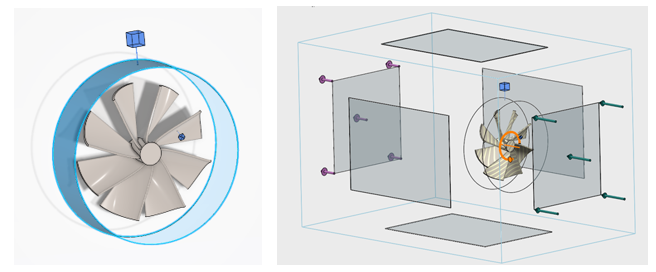
The Fluid Dynamics Engineer role on 3DEXPERIENCE contains a rotating zone feature that allows you to simulate realities such as a cooling fan inside an electronics enclosure or analyze turbines with great fidelity. Rotating zones…
How to Use Particle Simulations on 3DEXPERIENCE
By Suman Sudhakaran on March 23, 2026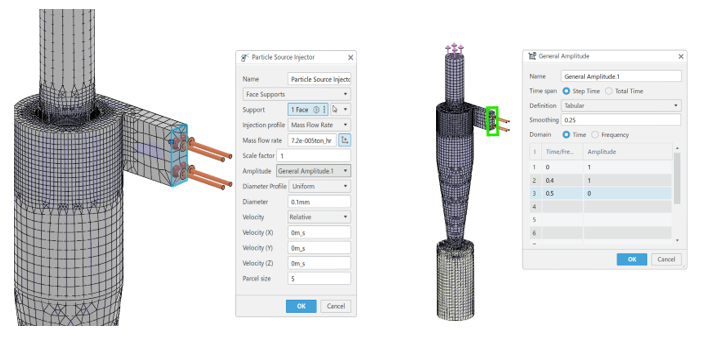
Particles, whether liquid droplets, bubbles, or solids, interact with fluid flows in complex ways. These interactions influence product performance, efficiency, and safety. Understanding behavior within fluid flow with particle simulations is critical for industries ranging…
Improving Simulation Results with SIMULIA’s Material Modeling
By Suman Sudhakaran on March 6, 2026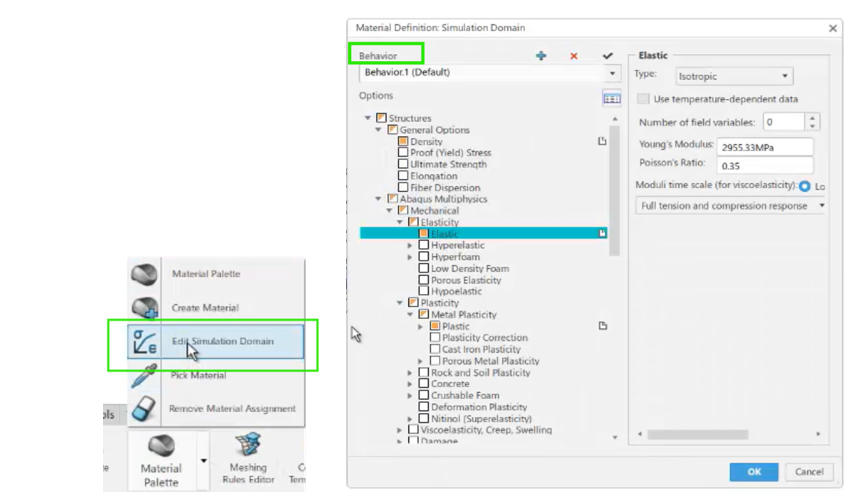
SOLIDWORKS Simulation Premium users can use different material models, such as nonlinear elastic, nonlinear plastic, Von Mises, or Tresca, to achieve accurate simulation results. However, a more realistic simulation requires advanced material modeling capabilities, such…
Computational Fluid Dynamics with Geometry-Based Methods
By Suman Sudhakaran on January 19, 2026
The accuracy of simulation results depends on the quality of the mesh used to represent the actual geometry. Historically, computational fluid dynamics (CFD) simulations have relied on mesh-based approaches. Using a geometry-based approach has several…
How to Simulate Fluid-Structure Interaction Using 3DEXPERIENCE
By Suman Sudhakaran on December 5, 2025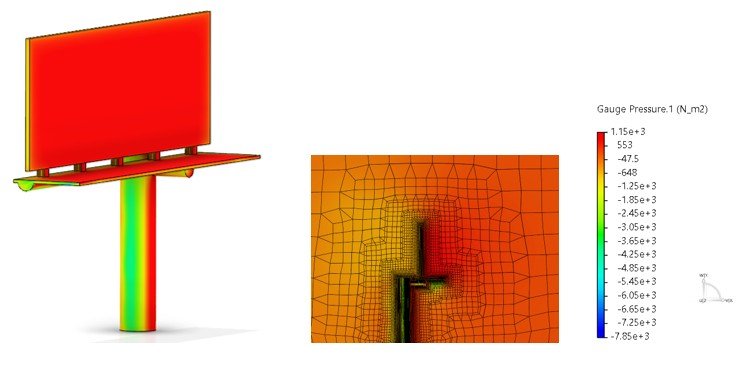
Simulation tools on the 3DEXPERIENCE platform empower designers and engineers to solve fluid-structure interaction (FSI) problems. With advanced meshing capabilities, robust solvers, and cloud computing, 3DEXPERIENCE simulation can streamline your product design process. The computational…
Simulating Two-Shot Injection Molding with 3DEXPERIENCE
By Suman Sudhakaran on November 7, 2025
The two-shot injection molding process has transformed the plastic product design and manufacturing by allowing you to create parts of two different materials. This innovative technology provides the best of both rigid plastic for strength…
Elevating SOLIDWORKS Plastics Simulation with Abaqus Tools
By Suman Sudhakaran on October 27, 2025
As product design engineers, we occasionally encounter disconnected workflows using different software packages and not being able to transfer data from one app to another easily. For example, insights gained from a plastics simulation might…
Expanding SOLIDWORKS Simulation Premium Boundaries with SIMULIA Apps on 3DEXPERIENCE
By Suman Sudhakaran on August 12, 2024
When SOLIDWORKS Simulation Premium encounters limitations with complex geometries and intricate physics, SIMULIA apps on the 3DEXPERIENCE platform offer a powerful next step, enabling engineers to efficiently handle nonlinear structural problems with robust solver capabilities and advanced material models.
Finite Element Model Representations in Structural Simulation Apps on 3DEXPERIENCE platform
By Suman Sudhakaran on March 4, 2024
SIMULIA applications on the 3DEXPERIENCE Platform offer realistic simulation solutions for a wide range of problems. For structural analyses, the finite element analysis program requires users to create a finite element mesh that closely represents…
How to transfer your SOLIDWORKS Simulation Study to SIMULIA
 By Malak Souissi on November 21, 2022
Ever thought of to transfer your SOLIDWORKS Simulation study to the 3DEXPERIENCE Platform for faster processing and better results? This article is a good start for you… How does transferring your study work? The 3DEXPERIENCE…
What is SIMULIA and is it the Best Analysis/Simulation Option for Me?
 By TriMech Solutions, LLC on July 14, 2022
In this webinar we will answer the question “what is SIMULIA” and discuss the additional capabilities that SIMULIA software provides.
Leveraging ABAQUS in SIMULIA to Solve Complex FEA Problems
 By Dassault Systèmes on April 21, 2022
Dassault Systèmes has a well-established commitment to the Simulation space, within the 3DEXPERIENCE Works Simulation SIMULIA brand. This commitment includes cutting-edge products like ABAQUS, FE-SAFE, TOSCA as well as the SOLIDWORKS Desktop Simulation tools. SOLIDWORKS…
Electromagnetic Simulation for Antenna Design and Placement/IOT
By Dassault Systèmes on April 19, 2022
Over the past 10 years, smartphones and smart devices have transformed the way we communicate. Over 1 billion devices are sold each year and around half the world’s population own a smartphone. The high value…
Advanced simulation software reduces late changes and costs
By TriMech Solutions, LLC on March 15, 2022
TriMech has continued to grow the suite of products that we can support to help our clients handle a wider variety of problems. Today I want to specifically talk about the Simulia product line including its capabilities…
SOLIDWORKS Electromagnetics Engineer EM Field Analysis Capabilities
By Dassault Systèmes on March 10, 2022
See how easily SOLIDWORKS interacts with Electromagnetics Engineer to test EM energy. Watch the video to see how Electromagnetics Engineer EM field analysis is used to determine the impact of electromagnetics when charging a wireless…

Design Services
From concept to manufacturing to scale, TriMech Design Services helps makers, startups, inventors, small manufacturers get to market.
Most Popular Posts

SOLIDWORKS 2024 Hardware Recommendations
TriMech has compiled this recommended SOLIDWORKS 2024 hardware guide to aid you in the process of upgrading or purchasing new hardware for SOLIDWORKS.

IMPORTANT! Transfer Activation Prior to Upgrading to SOLIDWORKS 2024
Prior to installing SOLIDWORKS 2024, you need to transfer activation from your prior release of SOLIDWORKS to ensure it’s available to activate SOLIDWORKS 2024.

SOLIDWORKS Packages Comparison
What is the difference between SOLIDWORKS® Standard, Professional and Premium 3D CAD software? Learn about the features included in each of the three SOLIDWORKS offerings.