


SOLIDWORKS Simulation No Penetration Contact Advanced Options

Article by Scott Durksen, CSWE updated August 31, 2018
Article
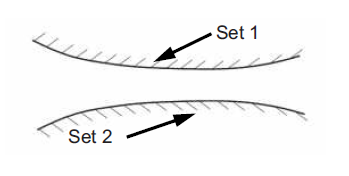
When defining a No Penetration Contact Set in SOLIDWORKS Simulation you have some Advanced Options. There are 3 available: ‘Node to Node’, ‘Node to Surface’ and ‘Surface to Surface’. There are some key things to know about each SOLIDWORKS Simulation No Penetration Contact option.

Firstly, if you don’t see these options you must go to Simulation > Options > Default Options > Mesh and enable ‘Show advanced options for contact set definitions‘.

NOTE: If you don’t enable this option, No Penetration Contact Sets will default to ‘Node to Surface’. However if you set the individual Study properties to ‘Improve accuracy for no penetration contacting surfaces’, any NEW contact sets added will default to Surface to Surface. Existing Contact Sets will not be affected by changing this study property.

Node to Node
This is a scenario where the faces selected MUST be touching. There cannot be any initial gap. Also this is only for situations where there is very little sliding or change of the contact region. It is the fastest of No Penetration contacts, but will not give accurate contact pressures. It’s assuming the nodes are in the same location on each contacting face and won’t move with respect to each other. Due to this, you must have a Global Compatible Bonded Contact so the initial mesh joins the nodes at the same location.

Also this option will only be available when you using the Standard mesher. If it’s set to Curvature-Based, the option will be greyed out. If it’s using Standard, you add the Contact Set and then switch to Curvature-Based, it will give an error.

Large Displacement mode is not supported for Node to Node contacts.
Node to Surface
This option can take into account initial gaps between faces. It does not require a compatible mesh. The advantages are that you don’t need to know the exact location of the point of contact and the direction of contacting forces are determined automatically from the component deformation. However this represents individual node interaction from the source selection with respect to the target edge or surface. Therefore contact stresses won’t be very accurate as it’s an individual node contact calculation. We’d typically apply this option where we expect edge-to-face contact and not concerned about contacting stress.

Surface to Surface
As with Node-to-Surface, this can account for initial gaps and does not require a compatible mesh. This is a further generalized option that will provide more accurate results for complex situations and apply to various situations. It may take longer to solve but could be required if contacting stresses are of importance. This applies an algorithm between two surfaces and therefore typically used in a face-to-face situation.
Related Links
Certified SOLIDWORKS Services available from Javelin
Javelin can help you to:
Posts related to 'SOLIDWORKS Simulation No Penetration Contact Advanced Options'
