SOLIDWORKS 2025 Drawings

Video by TriMech Solutions, LLC updated October 4, 2024

Like this Video? Get Live Online Training from Javelin
Take a live online training course with a Certified Instructor and become a SOLIDWORKS Expert.
About the Video
Speed up SOLIDWORKS 2025 Drawing creation and ensure standardization with the latest drawing enhancements.
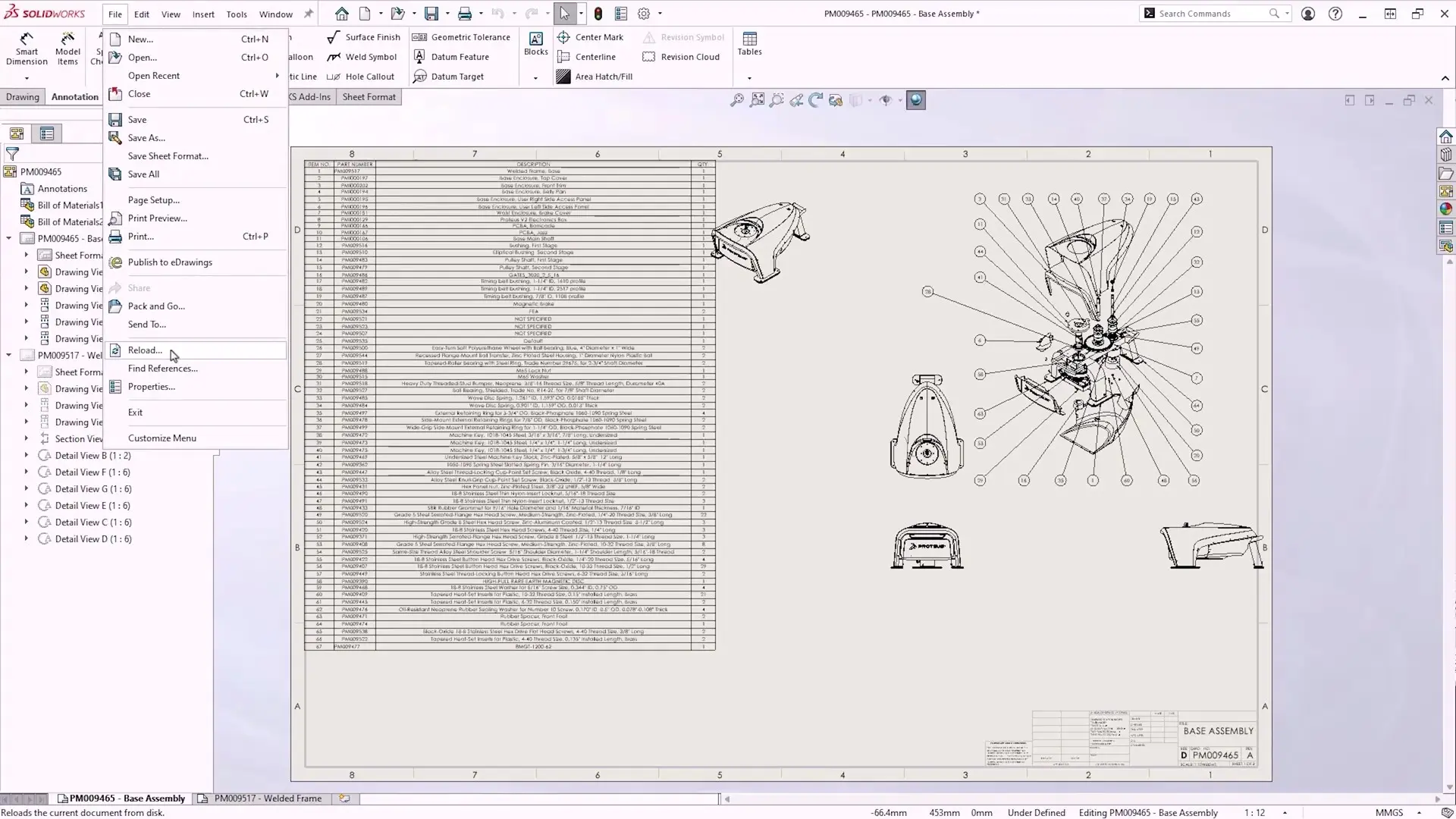
Reload Drawings
In SOLIDWORKS 2025, we now have the ability to reload drawings. With this option, users can revert to the last saved version on disk with a single click. There’s no longer any need to close the drawing without saving and then reopen it, and a dialog box appears to highlight any potential loss of changes.
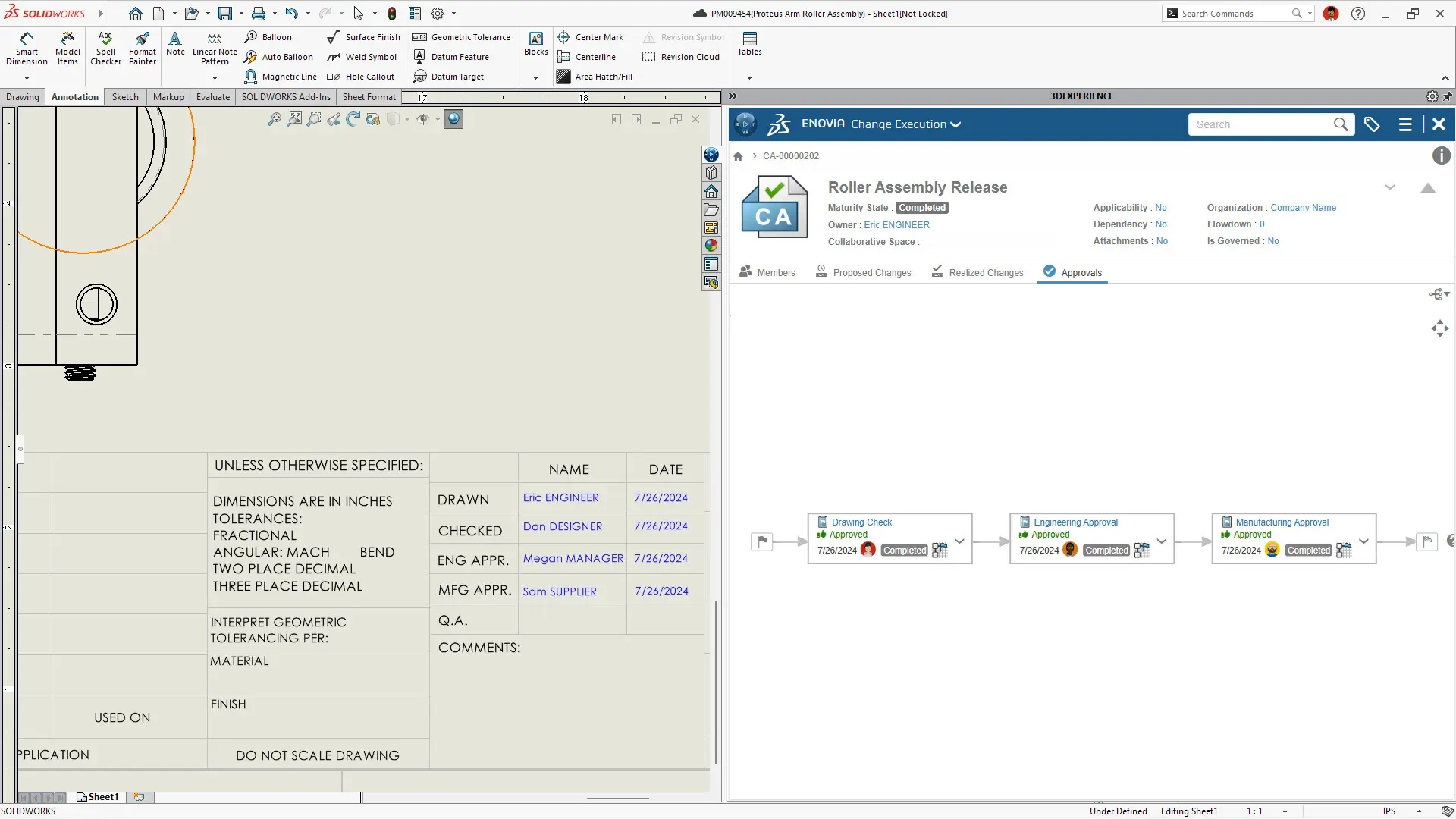
Multi-Approval Stamps
Enforce company rules with multi-approval stamps on drawings anytime, on any connected device
BOM Quantity Override for Detailed Cut Lists
Gain more flexibility for detailed cut lists that appear in a BOM table. In the bill of materials PropertyManager, you can choose an option to display the quantity for structural members in the BOM table as QUANTITY or LENGTH x QUANTITY using a new option.

Content related to 'SOLIDWORKS 2025 Drawings'