


Blog Tag
Showing 16-30 of 32.
Customize SOLIDWORKS
Learn how to Customize SOLIDWORKS tools and user interface

How to personalize SOLIDWORKS with a Custom Tab
To each their own. Whatever floats your boat. These are the cliché quotes I think about when it comes to…

SOLIDWORKS VBA Macro Code to Save Drawing as a PDF
Usually when we want to speed up process tasks in SOLIDWORKS, we tend to search for Macros that can do…

Keyboard Shortcuts (hotkeys) in SOLIDWORKS
Are you using the same function so often in SOLIDWORKS that you wish you could make it happen faster and…

Generating all SOLIDWORKS Toolbox Sizes in One Step when using a Customized Toolbox
The SOLIDWORKS Toolbox add-in uses a database to store information on available SOLIDWORKS Toolbox Sizes and Properties of hardware. The database…

My SOLIDWORKS Task Pane is missing?
One of my favorite toolbars is the SOLIDWORKS Task Pane. In case you don’t know it by name, I’m referring…
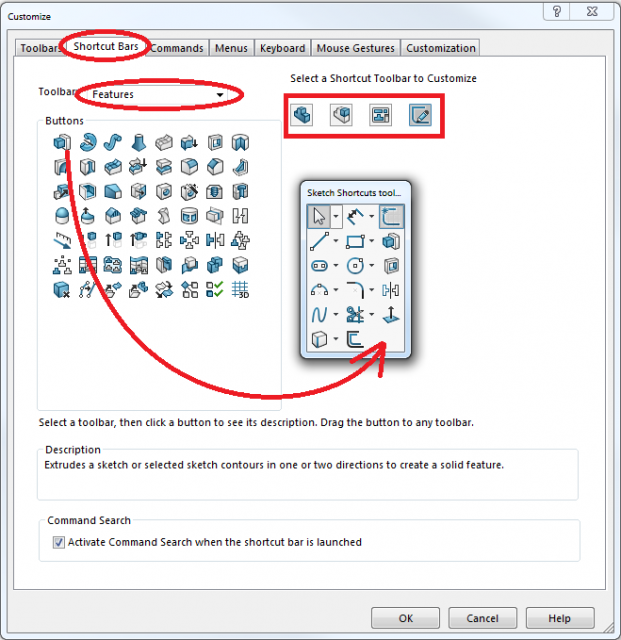
The SOLIDWORKS Shortcut Bar (S-Key) will help to keep your commands close
In your office, do you keep things nearby where they are to be used, or far away? Do you keep…
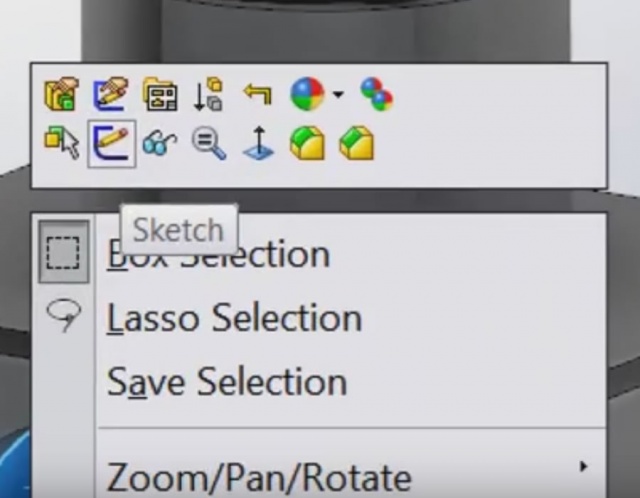
How to customize SOLIDWORKS Feature Manager Context Sensitive Popup Menus [VIDEO]
With every release of SOLIDWORKS, we gain new methods of customizing the user interface to our specific needs. As a follow…

SOLIDWORKS Hatch Pattern Customization
SOLIDWORKS has a good amount of standard hatch patterns that you can use in your drawings. But there are some occasions…

New in SOLIDWORKS 2015 Professional – Select By View [VIDEO]
When speaking with folks who are new to the SolidWorks sphere of influence, I will typically mention the ability to…

New in SOLIDWORKS 2015! – The Split Feature can now split Surface Bodies! [VIDEO]
As we climb up the steep hill that is the list of new enhancements to SOLIDWORKS 2015, I wanted to…

Customize Context Sensitive Popup Menus within the Graphics Area [VIDEO]
With every release of SolidWorks, we gain new methods of customizing the user interface to our specific needs – the…

SOLIDWORKS Tutorial: Step-by-Step Guide to Drawing Templates and Sheet Formats [VIDEO]
Many people get confused when it comes to creating custom Drawing Templates and Sheet Formats in SOLIDWORKS. It’s not as…

Customize SOLIDWORKS Mouse Gestures and add your own commands
In the 2010 release of SOLIDWORKS, Mouse Gestures were introduced. In SOLIDWORKS 2012 this functionality has been further enhanced with…

How to customize the SOLIDWORKS CommandManager
The CommandManager was first introduced in SOLIDWORKS several years ago as basically just a “super toolbar”. However it has been enhanced…

Create a New Standard in the SOLIDWORKS Hole Wizard and Toolbox
These instructions are intended to create a New Standard in the SolidWorks Hole Wizard and Toolbox for additional tapped holes. …