


Blog Tag
Showing 46-54 of 54.
SOLIDWORKS Installation
SOLIDWORKS Installation procedure & best practice from certified experts

How to resolve the ‘Toolbox is currently in use’ issue when installing SOLIDWORKS
The ‘Toolbox is currently in use’ issue can occur if users are accessing Toolbox during a SOLIDWORKS installation, but it can also be…

Why You Need LOCAL Administrative Rights to Install SOLIDWORKS
Perhaps the most common reason for failed installations our customers encounter is a lack of proper permissions to install SOLIDWORKS….
SolidWorks Installations – Ensure Full Permissions with Local Admin Accounts [VIDEO]
When you are about to install/upgrade/modify SolidWorks on your workstation, it is very important to be logged into the computer…

How to manually download SOLIDWORKS software and service packs
The installation file set for SOLIDWORKS is quite large and can take some time to download. In many cases, all…
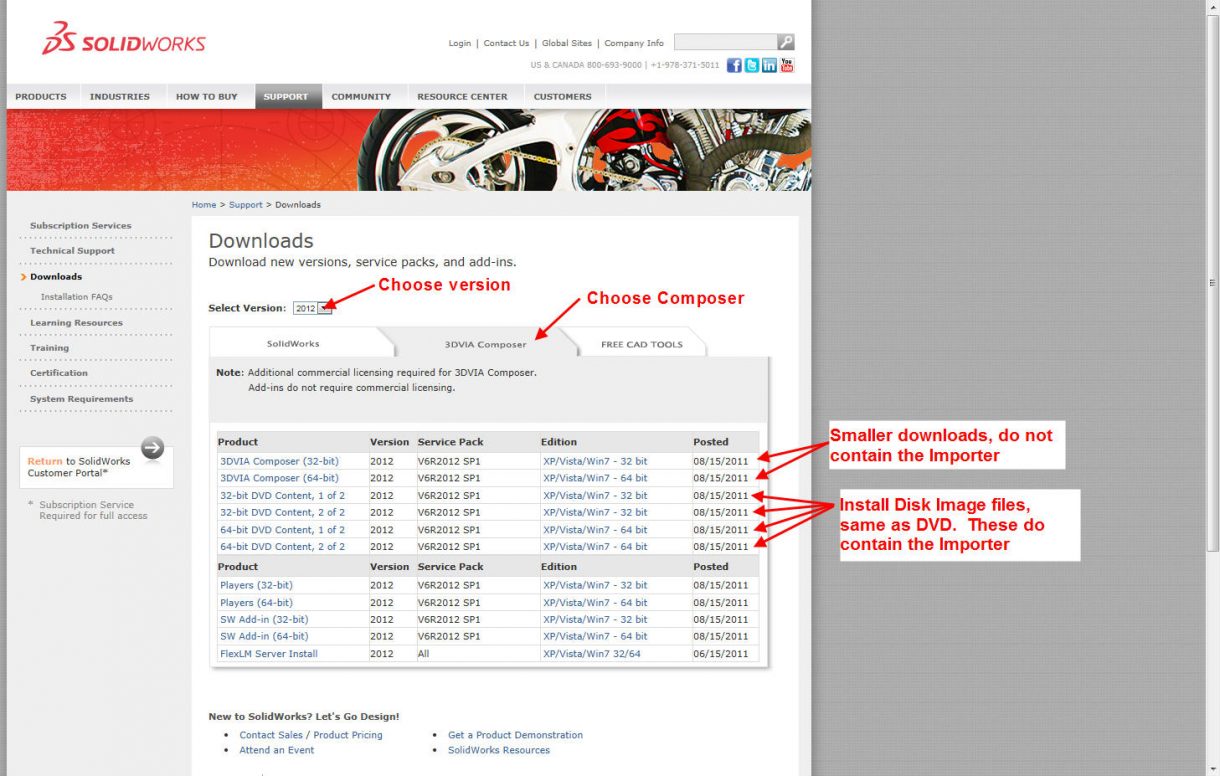
Install tips for SolidWorks Composer
When installing SolidWorks Composer there some things that are good to know before you start the install. Here is some background…
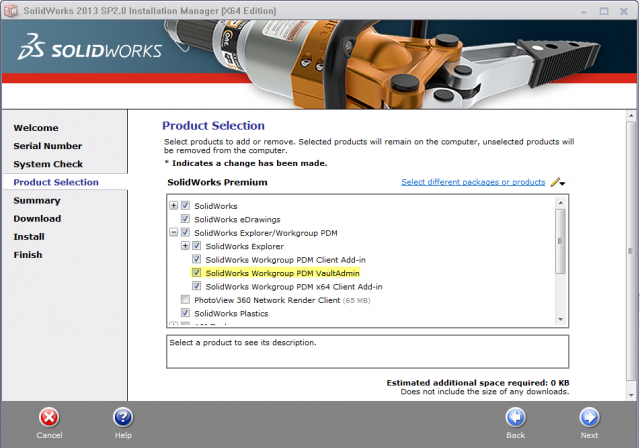
Installing the VaultAdmin
By default, the SolidWorks Workgroup PDM VaultAdmin is not installed during the installation of SolidWorks. In this article we will…

How to Setup an Objet 3D Printer Host Computer
Its time to upgrade the computer you’re using to send your models to your Objet 3D Printer, do you need…

Repairing SOLIDWORKS with the Installation Manager Step-by-step Guide
If you encounter problems with an installed SOLIDWORKS product (e.g. SOLIDWORKS Premium, Simulation, PDM, Inspection, Electrical etc.) you can use the…

Is your Antivirus application affecting your your SOLIDWORKS installation?
This post is regarding one of those topics that I repeat daily when speaking with our customers: temporarily disabling any…