


Blog Tag
Showing 1-5 of 5.
SOLIDWORKS View Orientation
Tech tips, tutorials, and best practices for SOLIDWORKS View Orientation from the Javelin technical team
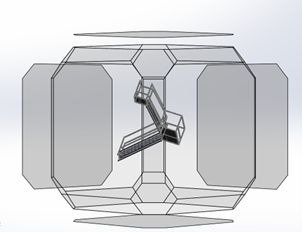
How to Reorient SOLIDWORKS Model Views
Knowing how to reorient SOLIDWORKS model views is critical for creating accurate drawings, assemblies, and presentations. Whether you’re preparing a…

SOLIDWORKS Graphics Window: Reorient Your Models Like a Pro with 3 Easy Navigation Tips
Enhance your SOLIDWORKS design workflow with our expert guide on the SOLIDWORKS Graphics Window. Learn three simple methods to navigate and view your models like a pro.

SOLIDWORKS Reference Triad for Changing View Orientation [VIDEO]
The SOLIDWORKS Reference Triad in the lower left corner of your graphics window is very useful to determine the orientation…
Preserve current orientation with the SOLIDWORKS View Selector [VIDEO]
The new SOLIDWORKS View Selector introduced in SOLIDWORKS 2013 is great for re-orienting your models with ease and precision, but,…
How to Select the Back Facets of the SOLIDWORKS View Selector Tool
This is one more example of a new SOLIDWORKS functionality introduced by a service pack and a great reason for…