


Javelin / TriMech Author

Sawyer Gara
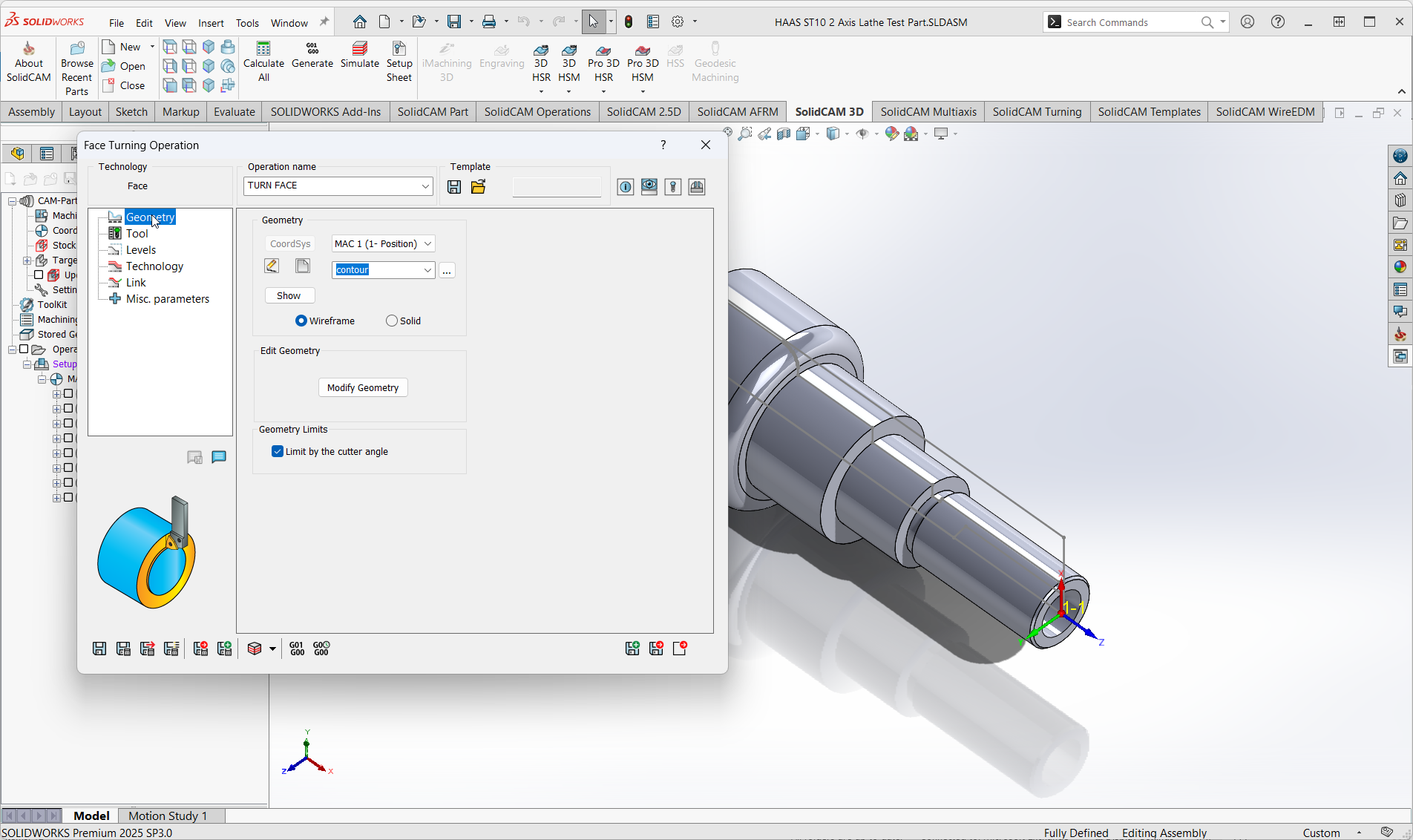
SolidCAM Turning is, quite simply, one of the best CAM solutions available for the CNC Programming market. It allows your CNC programmer to apply an advanced suite of turning technologies to any design with ease. Today’s machine tools are leaps and bounds more advanced than…
Solving Communication Breakdown in Your Business
 By Sawyer Gara on May 12, 2025
Communication breakdown is the toughest challenge that plagues businesses and internal processes most often. We regularly hear the phrases “This is how we’ve always done it” or “It gets the job done,” but is settling for good enough where we want to hang our hats?…

Increasing tool life and increasing the efficiency of your CNC programs are crucial for staying on the cutting edge with your manufacturing processes. A broken or quickly worn-out tool combined with excessive cycle times drives up the cost per part and increases your shop’s waste….

SolidCAM is your Ecosystem for Digital Manufacturing, providing a best-in-class CAM solution that makes it effortless to control CNC machines. The SolidCAM software can program basic 2-Axis Routers all the way up to advanced Mill-Turn and Swiss Machines. There is a ton of embedded functionality…
How SOLIDWORKS PDM Helps Santa’s Workshop Prepare for the Holiday Season
By Sawyer Gara on December 20, 2024
Learn how Santa and his elves streamline toy production at the North Pole at Santa’s workshop by implementing SOLIDWORKS PDM, leading to a more efficient holiday season.

Although you may have not had to do so in the past, there are a couple of reasons you may need to refresh SOLIDWORKS Network Licenses through the Network License Manager.

eDrawings software is jam-packed with functionality including the ability to view custom properties, move components or explode assemblies, and view content in AR/VR environments. Learn about the differences between eDrawings Viewer and eDrawings Professional.
Panel Assembly Instructions using SOLIDWORKS Electrical & Composer
By Sawyer Gara on September 20, 2024
This blog explores how combining SOLIDWORKS Electrical Schematic, SOLIDWORKS Electrical 3D, and SOLIDWORKS Composer can provide a cohesive view of electro-mechanical assemblies, enhance design accuracy, and streamline the creation of assembly instructions and technical documentation.
Harness the Power of SOLIDWORKS Electrical 3D Cable Fabrication
By Sawyer Gara on August 21, 2024
One of the biggest benefits that using SOLIDWORKS Electrical Schematic and SOLIDWORKS Electrical 3D brings us is the ability to get a single cohesive view of my electro-mechanical assembly. As a design team, we can showcase our designs from a 2D schematic perspective as well…
SOLIDWORKS PDM History Lesson: Who Accessed my Data, When, and Why?
By Sawyer Gara on August 16, 2024
The SOLIDWORKS PDM History has a wealth of information that we can leverage to make more informed decisions. The answers to Who, What, When, and Why of those changes might just be a few clicks away.
AutoCAD Electrical vs SOLIDWORKS Electrical: Did you know that?
By Sawyer Gara on August 14, 2024
When comparing AutoCAD Electrical vs SOLIDWORKS Electrical the seemingly offer the exact same electrical schematic design capabilities, but if you dig a little deeper and ask around, you’ll quickly learn there’s a deeper story to uncover.
Letting SOLIDWORKS Simulation Tools Do The Heavy Lifting – Part 2
By Sawyer Gara on August 5, 2024
If you just finished reading the first part of our SOLIDWORKS Modeling and Simulation Exploration, then you’re ready for the finale to see us push the model to its absolute limits. The best part about virtually validating parts and assemblies is that we don’t break…
Raising the Bar: Modeling with SOLIDWORKS CAD – Part 1
By Sawyer Gara on August 5, 2024This is the first part of a two-part series that will explore modeling with SOLIDWORKS CAD and Simulation using SOLIDWORKS Simulation.
SOLIDWORKS Graphics Window: Reorient Your Models Like a Pro with 3 Easy Navigation Tips
By Sawyer Gara on May 29, 2024
Enhance your SOLIDWORKS design workflow with our expert guide on the SOLIDWORKS Graphics Window. Learn three simple methods to navigate and view your models like a pro.

These days, there is no better pairing than combining our team’s Electrical and Mechanical information to get a full picture of what is going on with a SOLIDWORKS Electrical BOM in PDM.