SOLIDWORKS 2025 Overview

Video by TriMech Solutions, LLC updated September 16, 2024

Like this Video? Get Live Online Training from Javelin
Take a live online training course with a Certified Instructor and become a SOLIDWORKS Expert.
About the Video
SOLIDWORKS 2025 is here, and this year we’ve got a data set from our friends at Proteus to help show you some of the latest and greatest enhancements. What new tools can we look forward to this year? There are plenty of improvements this year, meaning this could just be the best release ever. Here are the highlights from our SOLIDWORKS 2025 overview:
10. User Experience Delighters
We’ve all been there. You rebuild your SOLIDWORKS model only to find that you’ve got missing references and broken relations in your sketches. Well, now you can streamline the correction of these sketches with the ability to reattach broken sketch relations and dimensions. But also repeat these for all dangling dimensions.

9. Cut List Property Editor
Being able to edit the cut list property information of multi body parts has always been incredibly useful. However, copying these properties from one item to another has always been rather time consuming.
In 2025, we can simply choose specific properties to copy to either all items or just specific ones, potentially saving lots of time with those models with large amounts of cut list items. This release sees the ability to edit assemblies in large design review mode faster, with breadcrumb selections that make the selection hierarchy much clearer than in previous releases. A simple but effective improvement.

8. Improved Output with Immersive Rendering
We can now create compelling, immersive content to inspire your customers by automating the creation of photo-realistic renderings, by leveraging SOLIDWORKS Visualize with the SOLIDWORKS API. Take advantage of the latest advancements in GPU technology with real time interactive ray tracing based on the open standard Vulcan API for 3D graphics and computing.

7. Streamlined ECAD to MCAD Collaboration and Design
In 2025 CircuitWorks is now available to all SOLIDWORKS users. Another nice addition is that we can now import internal and external copper features, including VRS traces and shapes from ECAD to SOLIDWORKS using IDX files.
This enables more accurate mass, thermal structural shock, and even electromagnetic analysis with access to more detailed copper trace information in the PCB. Streamline the ECAD to MCAD collaboration process for a more complete PCB design and simulation workflow.

6. More flexible 3D Dimensioning and Tolerancing
Now you can enjoy faster, more flexible 3D dimensioning and tolerance. In SOLIDWORKS 2025. It couldn’t be easier. Now that you can create DimXpert dimensions from sketch dimensions.
We also have the ability to get DimXpert dimension support for drafted geometry. A huge time saver when dealing with molded components requiring geometric dimensioning and tolerances. In 2025. We can communicate our product manufacturing information or PMI downstream with increased flexibility and control with the new and improved STEP242 export settings.

5. Improved Detailing of Drawings
Reduce the need for manual workarounds and streamline your drawings approval by enforcing company rules with multi approval stamps on drawings.
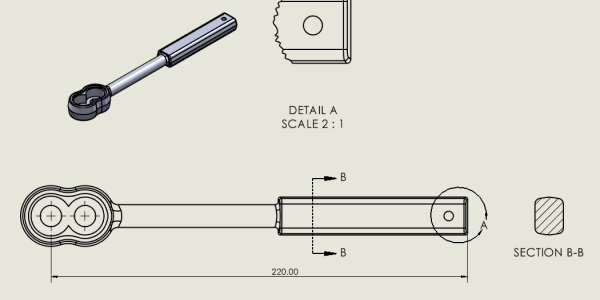
Any time on any connected device. When it comes to creating bills of materials on our drawings, we can now choose whether to display the quantity for structural members in the BOM table as either quantity or length x quantity. This can be a huge time saver when it comes to accurate information for manufacturing.

4. Faster Assembly Modeling
We’ve long been able to accelerate assembly design by copying assembly components along with their mates. Well, now in 2025 this has been improved by allowing us to copy components along with their associated advanced and mechanical mates. This year there are improvements with the interference detection tools.
Now we’re able to highlight interference between surface bodies or surface and solid bodies, useful for designs that include a mix of geometries. We are also able to detect interference while in large design review mode, saving us valuable time when it comes to evaluating assemblies with large numbers of components.

3. Improved Performance
Every year, SOLIDWORKS offers its users big improvements in performance, and this year is no exception. We can now create highly simplified parts and make them associative to the parent part by using the silhouette feature method. These tools can offer significant performance gains when working with parts and assemblies with large amounts of detail.
We can also boost productivity by adding SpeedPak configurations at the top level of your assemblies, without needing to modify any of the sub-assemblies that might be contained within it. Also, new in 2025 is the ability to accelerate the calculation of mass properties for assemblies with previously calculated values for parts and bodies.
For example, when a change of material is made to a part within an assembly, the mass properties calculation for that assembly is recalculated in an instant.

2. More Effective Collaboration and Data Management
We can now deliver innovative products faster with improved collaboration and data management capabilities. Within SOLIDWORKS 2025. We can connect and collaborate easily with industry peers by accessing communities directly from SOLIDWORKS.
Stay up to date with real time notifications, ensuring that you are always working with the latest file versions during collaborative design processes. SOLIDWORKS PDM has been instrumental for years in allowing SOLIDWORKS users to safely and securely manage their data.
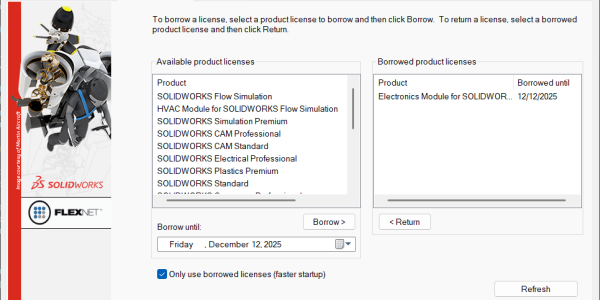
Well, new this year SOLIDWORKS PDM is now supported for SOLIDWORKS Connected users. This is a great enhancement for customers who value the licensing and deployment capabilities of SOLIDWORKS Connected, but want to leverage an existing SOLIDWORKS PDM environment.
And you can still benefit from secure collaboration by sharing your designs with others, allowing them to view and mock up your designs.

1. Greater Part Modeling Flexibility
Create the exact geometry needed for your design more efficiently with this year’s release. In 2025, we can boost efficiency by leveraging selection accelerators for the chamfer command to rapidly select multiple edges.
We can create smoother, variable size fillets with a new option to continuously blend fillets edges. This can save his time when trying to manage variable radius fillets. And finally, we can now also automatically create customizable bend notches on the flat patterned bend lines of a sheet metal part, perfect for those requiring that extra level of detail.

Content related to 'SOLIDWORKS 2025 Overview'