


Javelin / TriMech Author

Brandee Hendrix
Using SOLIDWORKS Zoom Techniques to View Hidden Models
 By Brandee Hendrix on May 13, 2024
Learn how use a combination of different SOLIDWORKS zoom techniques and tools to tell if you have a stray or outlying component in your assembly.
How to project a SOLIDWORKS Sketch onto a Curved Surface using Split Line
By Brandee Hendrix on March 13, 2024
Have you ever tried to apply extrude boss or cut on a curved surface in SOLIDWORKS, but not have been successful? We have the solution for you.

Sometimes, when creating a STEP file to send to a client or a vendor, there are certain elements that are necessary when exporting, such as reference planes. Learn how to export planes in this tech tip.

The SOLIDWORKS Feature Scope tool within many features in SOLIDWORKS, will allow you to specify which body or bodies are being selected for the desired feature.
Tab and Slot Feature – Same Parts in One Assembly
By Brandee Hendrix on October 31, 2023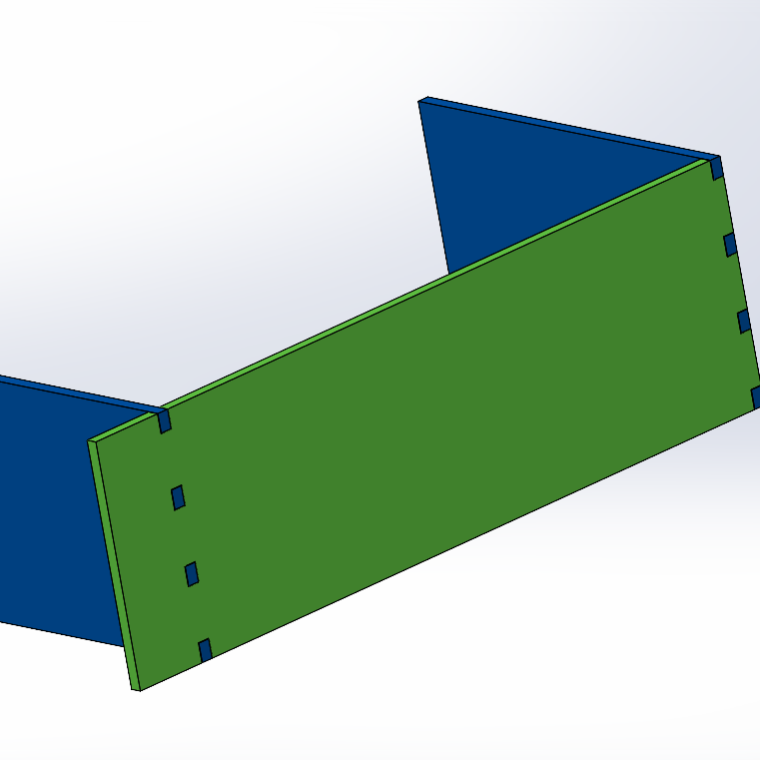
The Tab and Slot feature is very handy when it comes to working with models that require parts to be assembled and interlocked. This feature can be used on single bodies, multibody, and parts in the context of an assembly. Not only can you use…

In this article, we will go over the steps on how to repair a missing SOLIDWORKS File Utilities Manager in both Windows 10 and Windows 11. As the File Utilities can sometimes be hidden, or not appear at all. We will first take a look…
Inserting Surfaces in SOLIDWORKS Drawing Views
By Brandee Hendrix on April 9, 2015
Surfaces do not appear in SOLIDWORKS drawing by default. If the model is made up of a combination of solids and surfaces, the surface bodies are considered ‘construction reference’ bodies. With them being used as reference geometry, surfaces are usually not required in a production…