


Blog Tag
Showing 1-15 of 244.
Drawing
Drawing tech tips and tutorials from the Javelin team

Introducing the Start Page in DraftSight 2026
Before DraftSight 2026, users were met with an empty drawing when launching the software. While this can let you immediately…
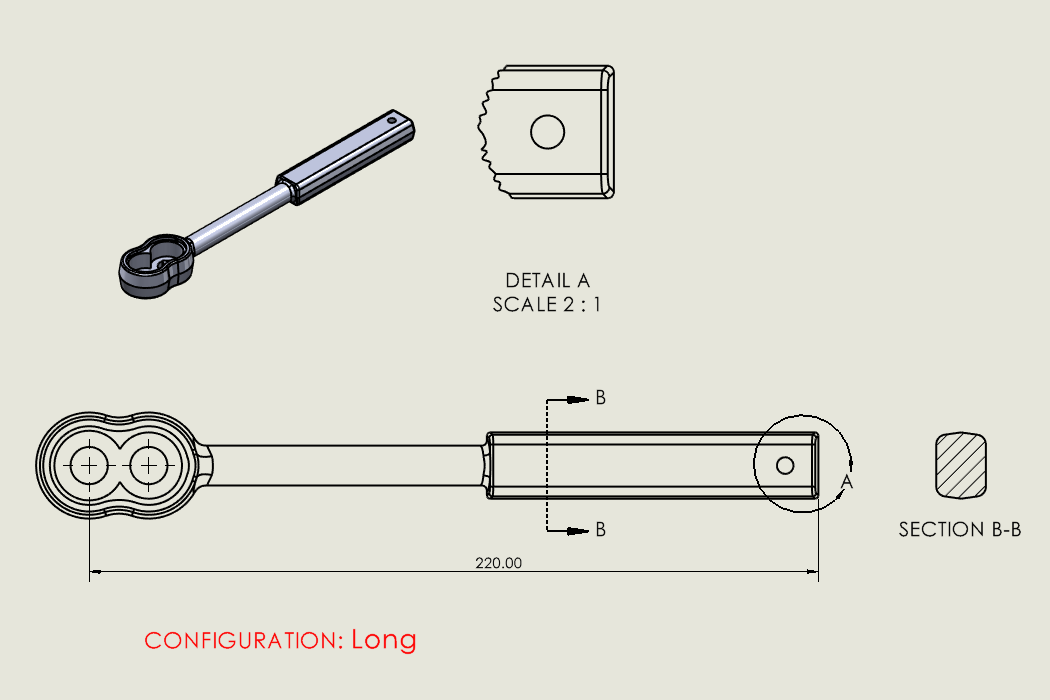
Using Detail and Section Views to Add Intelligence to SOLIDWORKS Drawings
Detail and section views are commonly used in SOLIDWORKS drawings and are an easy way to communicate important details. These…

Best Practices for Taming the SOLIDWORKS View Palette
SOLIDWORKS has many options designed to increase speed, efficiency, and user convenience. Unfortunately, they aren’t always the same, and improvements…

Your Complete Guide to Import Legacy Drawings from DXF/DWG
A while back, I inherited a project from a retiring engineer who’d been with the company since the ’90s. His…

Setting Up Drawing Blocks from Downloaded SOLIDWORKS Content
SOLIDWORKS includes libraries for hydraulic and electrical schematic drawing blocks, which can be downloaded for use in your designs. Within the Design Library tab in the task pane, SOLIDWORKS Content is available for users.

Fixing Corrupted SOLIDWORKS Drawing Views
Recently, I was working with a SOLIDWORKS drawing that had several sheets in it, and every possible kind of view…

Opening a Drawing with SOLIDWORKS Detailing Mode
One of the biggest benefits of taking certified, instructor-led SOLIDWORKS training is the knowledge shared by our team to help…

Minimize SOLIDWORKS Drawing save time
Is your SOLIDWORKS drawing save time slow? As in, seemingly forever and ever? This article might have both the explanation…

Making the Most of the SOLIDWORKS Pack and Go Tool
SOLIDWORKS Pack and Go is an important utility to copy or share projects. This provides the ability to make a…

How to locate hidden or newly-imported annotations in SOLIDWORKS Drawings
In our earlier article, we demonstrate how to hide and show dimensions: How to Hide SOLIDWORKS Drawing Dimensions and make…

The “Easy Bake” recipe for Displaying Cosmetic Threads
Are SOLIDWORKS Cosmetic Threads a ‘Nice to have’, or a ‘Nuisance’? Depending on your organizations standards, SOLIDWORKS Cosmetic Threads can…

Update Training that will help you become a SOLIDWORKS Power User!
When it comes to learning what’s new in SOLIDWORKS there are many resources available to you. There are literally 100s of…

SOLIDWORKS Mirror Drawing View
In SOLIDWORKS 2017, you can Mirror SOLIDWORKS Drawing View, including display model, relative to model, and predefined drawing views without having…

Using Location Labels in SOLIDWORKS Drawings
A major difference between a good and a bad drawing is how well it can communicate the necessary information. A good drawing is…
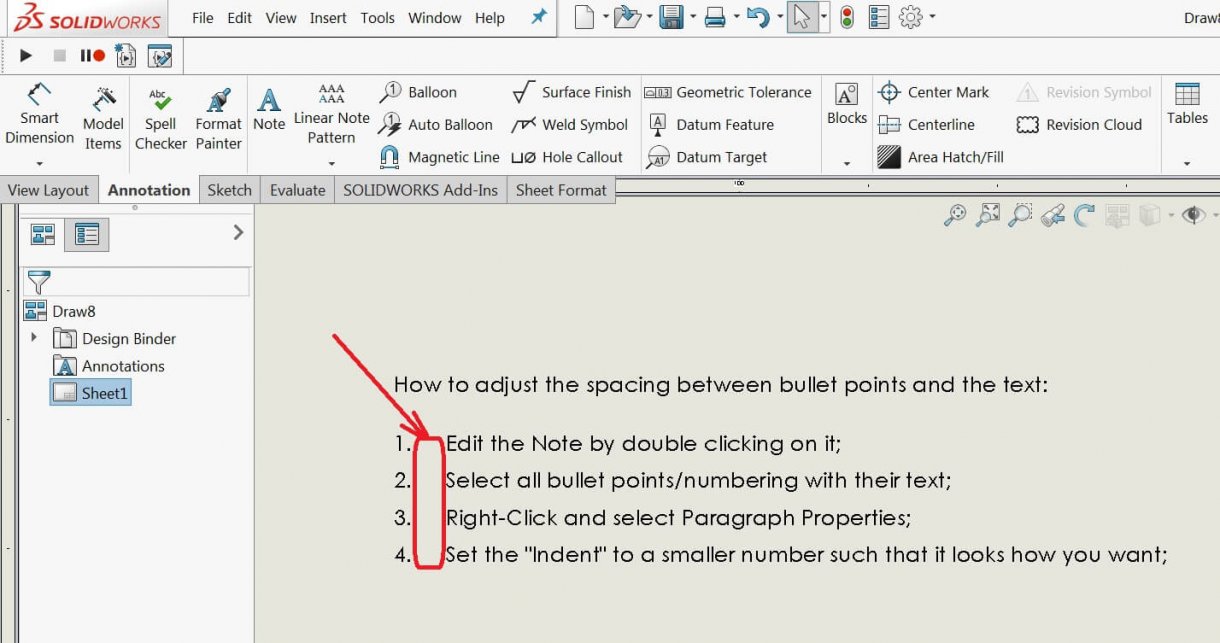
How to manage SOLIDWORKS Drawing Note bullet/number spacing
We recently received questions about how to adjust the spacing between a SOLIDWORKS drawing note bullet or number and the associated text. The problem is…