


Javelin / TriMech Author

TriMech Solutions, LLC

When I was in my high school drafting class, my teacher used to have this very fancy red pen he would use to grade our blueprints. He would always jokingly tell us, “When you have a red pen, it makes you all-powerful” as he would…

Hatching drawings is easy in DraftSight. Creating color fills and gradients, like the below example, is just as easy. We’ve already covered using the HATCH command in a previous article. Now we’ll turn our attention to the FILLAREA command. Hatch vs Fillarea command The HATCH…
Structure Systems and Weldments Comparison Functionality
 By TriMech Solutions, LLC on January 2, 2023
How are members defined in SOLIDWORKS weldments or structure systems? Let’s look at the different options that are available for either method. The obvious place to start is with sketches. Both planar and 3D sketches are useful in weldments and structure systems. Once we start…
5 SOLIDWORKS Tools You Might Not Remember You Have
By TriMech Solutions, LLC on December 30, 2022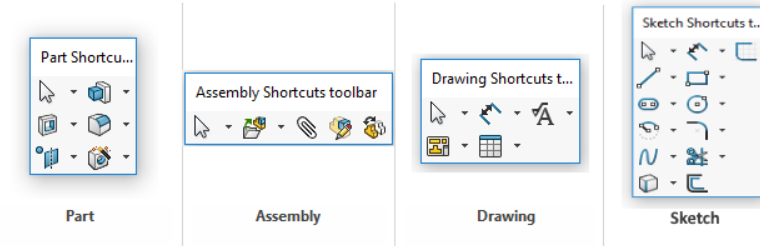
SOLIDWORKS is such an advanced CAD software, that it can be easy to overlook some valuable tools that could help you increase efficiency in your work environment. It is a good practice to use shortcuts and hotkeys whenever possible to get the most out of…
4 Tips for Using Bookmark Editor on the 3DEXPERIENCE Platform
By TriMech Solutions, LLC on December 28, 2022
On the 3DEXPERIENCE Platform, the Bookmark Editor app allows you to view and manage your cloud-hosted data. In Bookmark Editor, you can build out a set structure based on products, departments, projects, or however else you might organize your files. Keep reading to learn four…
SOLIDWORKS Flow Simulation Component Explorer
By TriMech Solutions, LLC on December 23, 2022
A lesser-known feature in SOLIDWORKS Flow Simulation that can help speed up the review of any thermal management models such as large electronics assembly models is the Component Explorer. Why use the Component Explorer? Use this feature to view a list of components where Flow…
Reuse SOLIDWORKS Flow Simulation Study Setup by Means of Templates
By TriMech Solutions, LLC on December 22, 2022
Virtual product testing using simulation tools have become a core strategy to meet evolving needs of the product development processes. Therefore, it is critical to improve simulation productivity by capturing and reusing the simulation data and process. When it comes to testing product performance for…

An often-overlooked but powerful assembly function in SOLIDWORKS is Multiple Mate mode. Multi-Mate Mode allows you to simultaneously mate multiple components to a single reference, such as a face or axis, depending on what type of mate you are conducting. The command can be used…
Communication Between Design and Manufacturing Teams is Essential for Success
By TriMech Solutions, LLC on December 20, 2022
A colleague of mine sent me a rather hilarious video entitled “Why We Hate Engineers.” The basic premise of the video is that engineers and machinists often don’t communicate well. Sometimes the cultures become so divided that the engineering department is seen as the “inner…
Customize Drawing Template and Save Time!
By TriMech Solutions, LLC on December 19, 2022
Whenever you open a drawings document in SOLIDWORKS, you must choose a template and a sheet format to begin your drawings. Do you know you can customize drawing templates and sheet format to display all the information you require automatically? You can even add your…
What is the SOLIDWORKS CAM Technology Database?
By TriMech Solutions, LLC on December 16, 2022
You may have read a blog post or watched a webinar about SOLIDWORKS CAM and have heard the term “Technology Database” and how we say it’s like having a machining handbook in your back pocket. You may have also thought to yourself “Well that sounds…
SOLIDWORKS PDM Troubleshooting – “Error accessing a file on the Archive Server” or “The Archive Server could not find the file with the specified ID”
By TriMech Solutions, LLC on December 14, 2022
The back end of PDM has many tools available for troubleshooting errors in the vault. If you are running into “The Archive Server could not find the file with the specified ID” or “Error accessing a file on the Archive Server” error messages, it could…
Soft Selection provides easy control of movements in 3DEXPERIENCE xShape
By TriMech Solutions, LLC on December 13, 2022
The new R2023x update to 3DEXPERIENCE Works has seen many changes to existing roles and even some new roles added to the platform. One of the changes has created a new command for users of the 3D Sculptor Role xShape App, the browser-based subdivision modeling…
Mechanical Design Certifications from SOLIDWORKS
By TriMech Solutions, LLC on December 9, 2022
The SOLIDWORKS Certification Program includes a dizzying number of certifications you can earn. They cover a wide range of the SOLIDWORKS family of products and areas of expertise, including Electrical and Mechanical Design, PDM, Simulation, CAM, Additive Manufacturing, the 3DEXPERIENCE platform, and more. That’s a…
Where Did This Neutral CAD File Come From?
By TriMech Solutions, LLC on December 8, 2022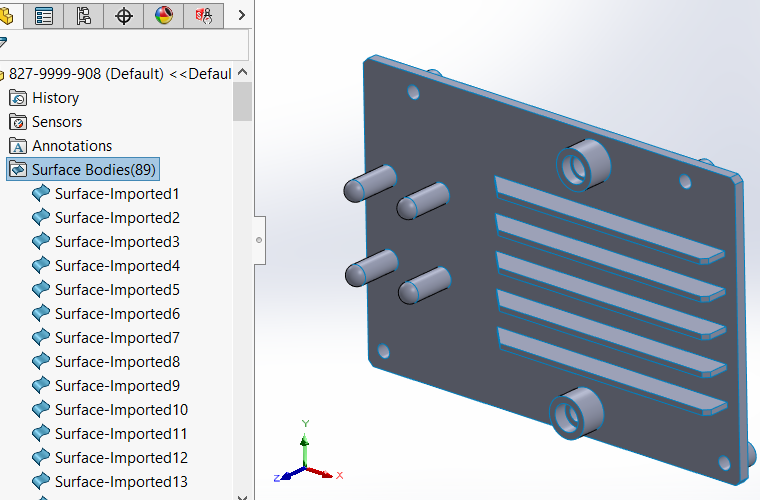
We live and work in a multi-CAD world and we must often use neutral CAD files such as IGES and STEP. These files are provided by clients, collaborators, and vendors and maybe commercial-off-the-shelf (COTS) parts that you incorporate into your design or ancillary or complimentary…