


Blog Tag
Showing 1-8 of 8.
SOLIDWORKS Nonlinear Simulation
Tech tips, tutorials, and best practices for SOLIDWORKS Nonlinear Simulation from the Javelin technical team
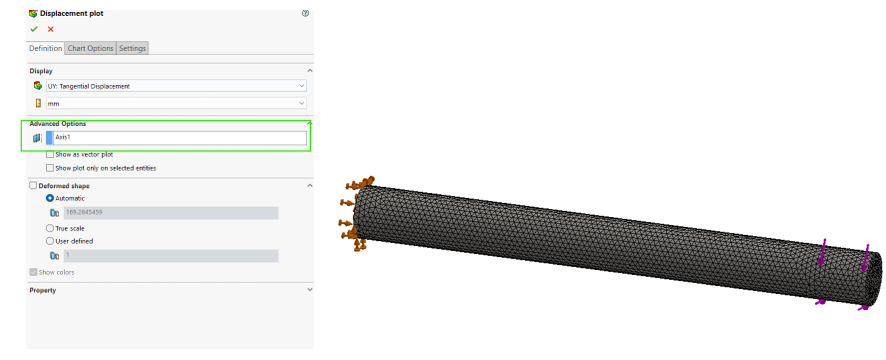
Evaluating Angular Deformation using SOLIDWORKS Simulation
When post-processing simulation results, we may want to evaluate the angular displacement of components. Angular deformation represents the rotational displacement…

Linear Vs Nonlinear Finite Element Analysis Explained
For some designers, finite element analysis (FEA) can feel like a complicated venture. The truth is, if you know SOLIDWORKS,…

SOLIDWORKS Simulation 2018: Factor of Safety Plot for Nonlinear Static Studies
SOLIDWORKS Simulation 2018 includes the ability to define a factor of safety (FoS) plot for Nonlinear Static studies. Herein, the factor…

SOLIDWORKS Nonlinear Simulation 2016 Releasing Prescribed Displacement
The better simulation software is the one with more capability to mimic the realistic engineering phenomena. Imagine that you have…

SOLIDWORKS User-Defined Materials
If you use a material from the SOLIDWORKS database, you are limited in how you can change the material properties. However, SOLIDWORKS…

SOLIDWORKS Simulation Incremental Nonlinear Simulation Results
In SOLIDWORKS Simulation you can visualize intermediate results during an Incremental Nonlinear Simulation. By getting visual feedback of the results…

SOLIDWORKS Simulation Nonlinear Analysis – Stepping Options
One of the most daunting tasks in creating nonlinear simulations is the proper settings of the time stepping options. This…

What is the Singularity Elimination Factor?
Often times, when running a nonlinear static analysis, we receive an error shown in the image below. One of the…