


Blog Tag
Showing 1-9 of 9.
SOLIDWORKS Simulation 2018
Tech tips, tutorials, and best practices for SOLIDWORKS Simulation 2018 from the Javelin technical team

SOLIDWORKS Simulation 2018: Mesh Refinement for Stress Singularities Hot Spot Diagnostic
The Stress Hot Spot Diagnostic Tool introduced in SOLIDWORKS Simulation 2017 helps engineers find hot spot regions in their model and…

SOLIDWORKS Simulation 2018 Mass Properties Sensor
One of the enhancements in SOLIDWORKS Simulation 2017 was ‘Simulation Mass Properties’. Wherein, you could calculate mass properties of all…

SOLIDWORKS Simulation 2018 Improved Pin Connector
SOLIDWORKS Simulation 2018 pin connector has been enhanced. Now you can define a pin connector through more than two cylindrical surfaces…
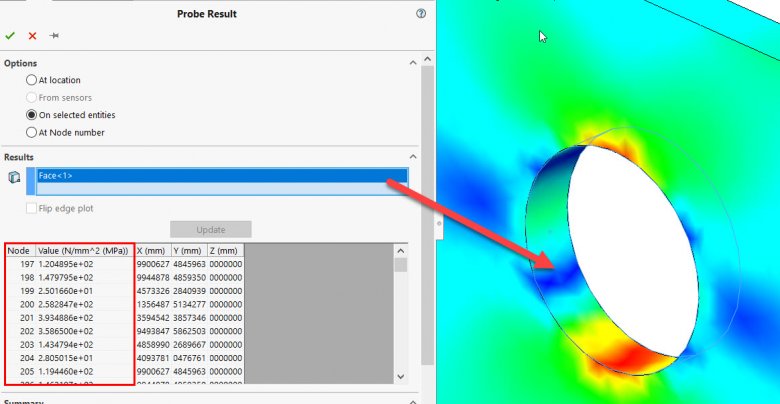
SOLIDWORKS Simulation 2018 can now Plot Imported Results
In SOLIDWORKS Simulation 2018, you can now create simulation result plots by importing data from an external file. Here is…

SOLIDWORKS Flow Simulation 2018 adds Noise Prediction
Noise prediction capability is available in SOLIDWORKS Flow Simulation 2018. The ‘Acoustic Power’ option activates the calculation of a noise…

SOLIDWORKS Flow Simulation 2018 Introduces Free Surface Simulation (Part 1: Theory)
SOLIDWORKS Flow Simulation 2018 allows you to model the flow of two immiscible fluids with a free surface. Liquids are…

SOLIDWORKS Simulation 2018 Dismiss Message
New in SOLIDWORKS Simulation 2018 is the ability to dismiss pop-up messages. For example every time you re-mesh a model…

SOLIDWORKS Simulation 2018 Email Notifications for Completed Studies
SOLIDWORKS Simulation 2018 now includes the ability to automatically send notification emails to track the status of your studies. The…

SOLIDWORKS Simulation 2018 Import Study Features from Parts/Sub-assemblies into Upper Level Assemblies
SOLIDWORKS Simulation 2018 introduces an option to import existing Simulation study properties in a part or sub-assembly to a new…