


Blog Tag
Showing 76-89 of 89.
SOLIDWORKS Sketch
SOLIDWORKS Sketch tips and tricks from the Javelin team

Using the Wrap Feature to Create a Barrel Cam
Let’s model together a barrel cam. Watch this video first:

How to Split and Join SOLIDWORKS Sketch Entities (Lines, Arcs, Splines) [VIDEO]
Today I will show you a little SOLIDWORKS magic, a thing of beauty. Did you know that you can split and join SOLIDWORKS…

How to prepare pictures of real parts or hand drawn sketches as input for SOLIDWORKS 3D models
As SOLIDWORKS users, sometimes we have to convert hand drawn sketch into SOLIDWORKS model provided by a creative professional, such…

How to Insert a Virtual Sharp in a SOLIDWORKS Sketch or Drawing
While teaching a SOLIDWORKS Essentials training course, a customer attending the class asked for the best practice on how to…

Managing the Automatic Sketch Relations options
Occasionally while sketching in SolidWorks you may not wish your sketch entities to automatically snap to existing geometry. This can…
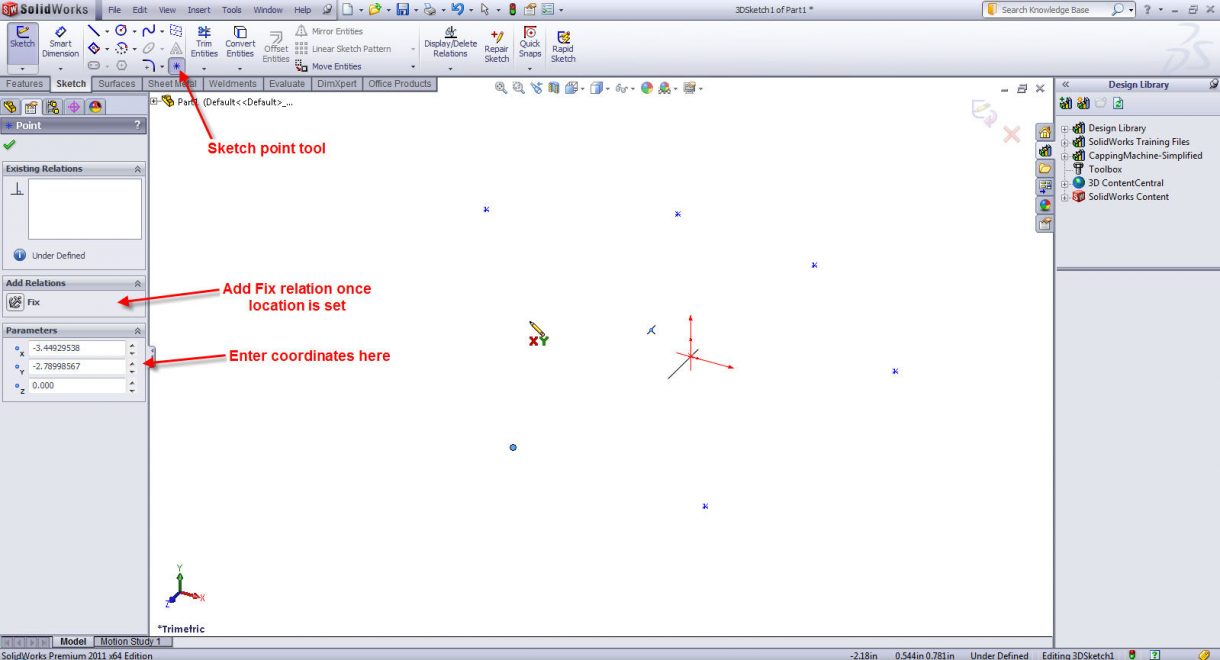
3D Sketching Techniques – Insert points and Connect the Dots
This method assumes that you have a list of points that you wish to sketch to. Start a 3D sketch…
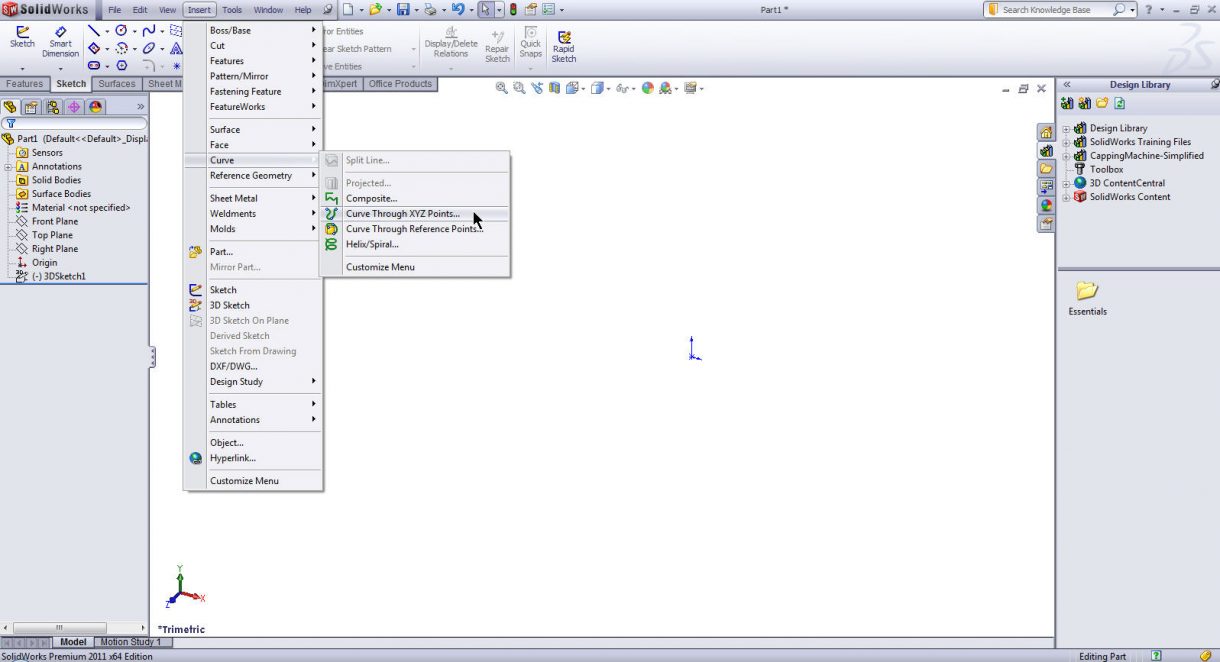
3D Sketching Techniques – Create a Curve From a Text File or Table of Values
Use the command: Insert -> Curve, Curve through XYZ points. Either enter the values into the table manually or open…
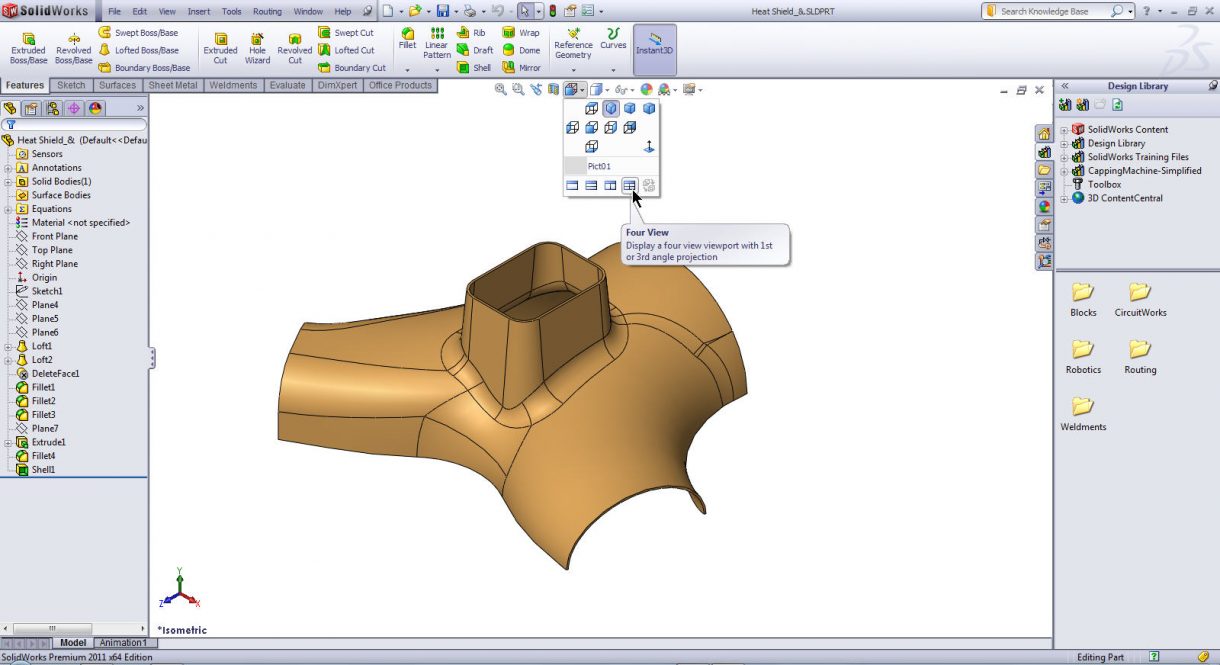
3D Sketching Techniques – Multiple Viewports
Although a 3D sketch in SolidWorks does allow us to draw in 3D, we are more or less limited to…

3D Sketching a Helix for a Pipe Route for SOLIDWORKS Routing
When using SOLIDWORKS Routing, a simple way to have a coil of tubing for strain relief or packaging reasons, is to…

How to Dynamically Avoid Adding Automated Tangent Relations in SolidWorks Sketches
I have always loved simple tips and tricks. You know… those shortcuts that save time and always make you look…

Hot, hot, hot! Dynamic Undo during Power Trimming
Not too long ago, if you would had asked me what is my favourite SolidWorks command, I would have answered…

Speed up your sketching with “on screen numeric input on entity creation”
Introduced in SolidWorks 2009 is the option to “Enable on screen numeric input on entity creation”. Though it’s name doesn’t…

How to check if a SOLIDWORKS Face is Planar / Flat
How can you check if a face is planar or not?