







Britespan Building Systems Inc. is North America’s authority in steel-framed, fabric-covered buildings. Considering the company’s rapid growth – as much as 20% a year over the last five years – Senior Estimator Trevor Ortlieb knew it was time to find the right technology to modernize their complex and time-consuming manual quoting process. The solution? DriveWorks sales configuration and design automation software for manufacturers of custom products.
Custom engineered structures
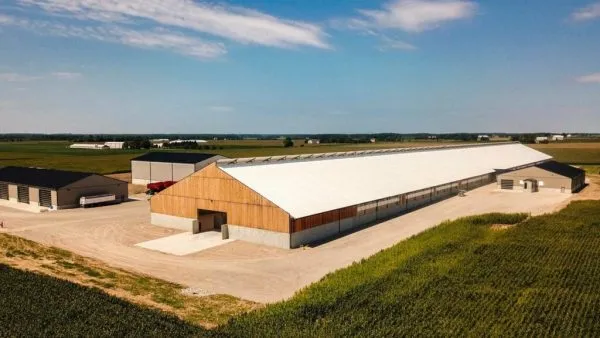
Britespan designs, engineers, and manufactures custom buildings that protect valuable operations and assets in sectors such as agriculture, public works, recreation, and commercial warehousing.
The scalable structures can be permanent or temporary, and each one is engineered to suit the customer’s application, location, and environment.


A challenge to solve
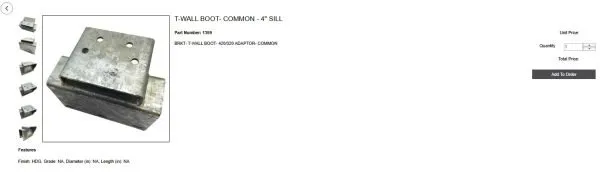
When preparing a quote, the salespeople in Britespan’s dealer network faced a pricing book of up to 50 pages long. Even for those familiar with the list, wading through structure options and accessories was cumbersome. If a customer required special galvanized fasteners, for example, a salesperson not familiar with the option would have to spend time calling customer service for help.
When a quote turned to a sale, the salesperson had to transcribe the fine details of an order into an Excel form, leaving room for errors. The customer service team cleaned up orders to ensure accurate pricing and valid engineering information. This inefficient process could take days to complete.
The Solution: DriveWorks
Trevor and his team chose DriveWorks, sold and supported by TriMech in the U.S. and Javelin in Canada.
He explained, “We were looking for a long-term solution that was cost competitive, user friendly, scalable, integrated with SOLIDWORKS, and backed by a strong support team. DriveWorks from TriMech checked all those boxes.”
DriveWorks automates repetitive design, quoting, and documentation tasks. As a CPQ (configure, price, quote) platform that integrates tightly with SOLIDWORKS, DriveWorks generates customized CAD models, drawings, BOMs, and sales quotes, reducing errors and speeding up the sales and manufacturing process.
DriveWorks CPQ System

Systems Sales Configurator
Perfect for a dealer network
Britespan has more than 60 dealers, each with a few salespeople. Their chosen CPQ solution had to support a large number of users. With DriveWorks, Britespan can initiate an unlimited number of quotes, serving current needs and allowing for future growth.
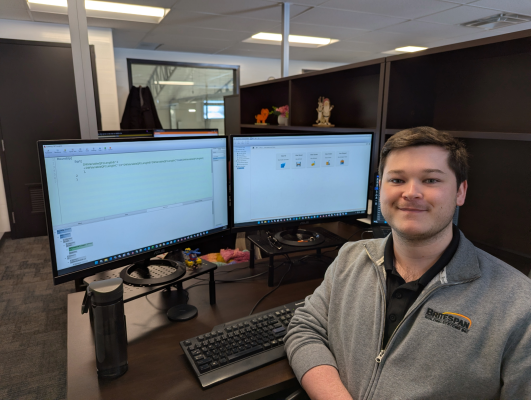
Britespan Senior Estimator Trevor Ortlieb
“Our dealers are located all over North America. An online approach means that any of our salespeople can simply access our website – anytime and from anywhere.”
Trevor was also pleased to discover that tailoring DriveWorks didn’t require any prior software development experience.
“DriveWorks is understandable, user-friendly, and well documented. A quick search turns up answers to any questions you have. This was reassuring for us.”
Smooth integration
To reduce manual data entry and transfer, DriveWorks is designed to integrate with other key systems – design, product data management (PDM), manufacturing, and sales/ERP/CRM.
It is specifically built to work seamlessly inside SOLIDWORKS. DriveWorks captures the data from existing SOLIDWORKS files and generates new versions and related documentation automatically. The Britespan team is in the early stages of taking advantage of this compatibility. Next steps include automating the preliminary building layouts that are sent to dealers and the drawings that are sent to the manufacturing team.

Britespan DriveWorks Order Integration
Support through implementation
Britespan relied on TriMech’s expertise throughout the development process, which took about 12 months. An initial scope was defined, then adjusted based on priorities. The TriMech integration team established a clear path to reach a minimum viable product.
On the client side, Trevor’s team spent some time learning DriveWorks basics, testing both standard and less common product configurations, and fixing any errors. They also designed a pleasing user interface.
Using insight gained during testing, Trevor had DriveWorks handle even more items that were traditionally custom quoted.
“This expansion further reduced manual work and allowed complex projects to be costed immediately instead of waiting several days.”
The final step before going live was testing with a small group 15 to 20 users. Upon full launch to a much higher user count, a few performance issues popped up and were quickly resolved.
Trevor noted the support of the knowledgeable people at TriMech, especially Joe Harrison, one of TriMech’s design automation and DriveWorks specialists.
“We were very reassured throughout the process, and Joe in particular was helpful in making sure design and implementation went smoothly. It has been a very good experience.”
Key features and benefits
- Britespan’s quoting tool collects information exactly as required for a usable and complete order. Engineering-based restrictions like maximum truss spans are built in. The DriveWorks rules engine ensures that mandatory fields are completed before moving on. Real-time validation of inputs minimizes errors.
- Configuring a custom building is like an online shopping experience. The user makes selections to customize options, such as building layout, fabric color and ratings, and door openings. Pages of pricing information has transformed into simple drop-down menus.
- Popup info boxes provide extra detail for configurable options. Even newer users can understand the nuances of standard and upgraded items, resulting in better decisions and cleaner orders.
- A user simply clicks “Add” to put a configured product in the shopping cart. Upon clicking “Quote,” DriveWorks generates all the documents and emails them to the user.
- When the order is placed, the customer service team is automatically alerted. There’s no delay and no confusion.
- To capture user feedback, Britespan’s system includes bug reporting and a suggestion box.

Order → Engineering Info Tab
Select Configurator

Bug Reporting Dashboard

Suggestion Box
Results since launch
Since implementing DriveWorks about six months ago, Britespan has improved operational efficiency, workflow, and user experience in quoting and order processing. Examples of the positive impact include:
- Salespeople in Britespan’s dealer network appreciate the depth of the system and a faster, smoother sales process. They have noted the ease of quoting complex items independently and better accuracy in costing.
- DriveWorks forces critical data to be correct, so there are fewer errors throughout configuration and ordering.
- Better insight and data management is contributing to better tracking of and delivering on KPIs.
- Using CPQ automation for complex orders has already resulted in a 10 to 20% decrease in custom quote requests to customer service.

Future drawing automation using SOLIDWORKS will allow dealers to quickly receive preliminary sales drawings (which are then sent to customers for approval) and will get cover drawings to the manufacturing team faster. A further 10 to 15% in time savings is expected as a result of further applications of DriveWorks.
Trevor said people are freed up for high-value projects.
“More time is now allocated to supporting the most complex, high-value projects, as well as to developing more ways to standardize and automate that were not possible before the power of CPQ.”
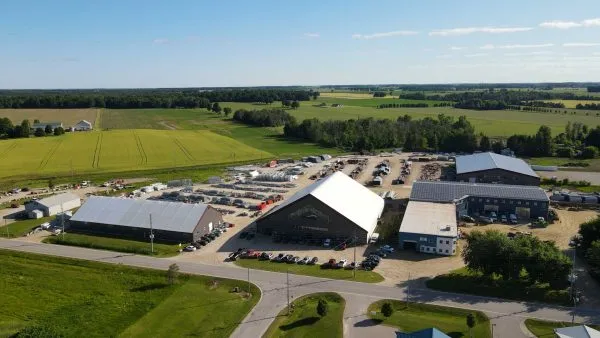
Keep up to date with Britespan Building Systems Inc. online at https://britespanbuildings.com
For more information on how TriMech Group and DriveWorks can support your engineering, design, and automation needs, contact us »
Technologie en vedette :
DriveWorks
Configurateur de produits en ligne
Mettre à la disposition de votre équipe de vente, de vos distributeurs et même de vos clients un configurateur de produits en ligne est un outil de vente très puissant. Utilisez-le pour guider les personnes non techniques à travers les options de produits personnalisés disponibles, fournir une réponse rapide aux demandes de vente et configurer rapidement des devis précis.