


SOLIDWORKS Recent Documents now provides Open options

Article by Scott Durksen, CSWE updated November 21, 2013
Article
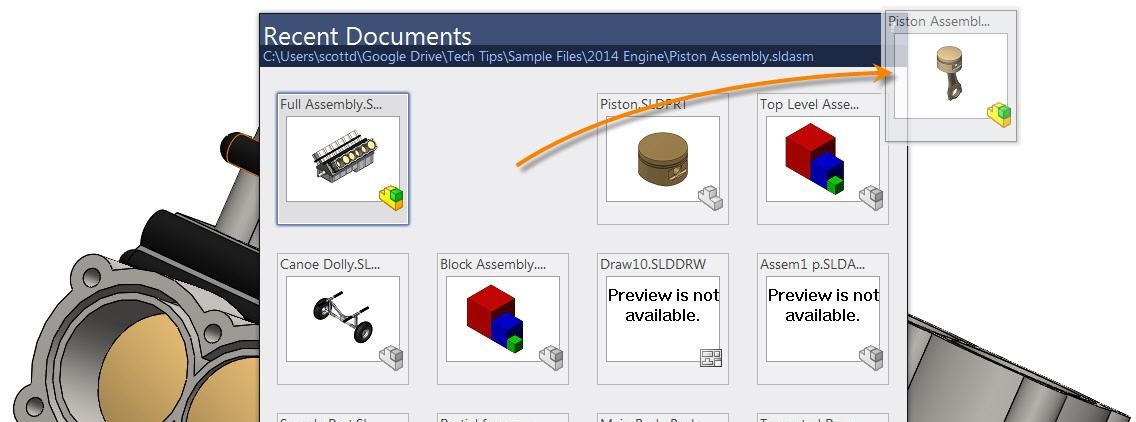
Enhancements have been added to the SOLIDWORKS Recent Documents window. The SOLIDWORKS Recent Documents dialog can be opened through File > Browse Recent Documents, or press the keyboard shortcut “r”.
Now in SOLIDWORKS, hovering over a recent document has the option to expand the Open options. You now have all the same options as you do in the Open dialog window.


You also have the option to drag and drop files from the Recent Documents window into other files. Drag components into assemblies, derived parts into other parts, parts and assemblies into drawings to create a new view, or open a file by dragging onto the SOLIDWORKS background (no files open). You can also drag into Windows Explorer to create a copy of the file to that directory.
Related Links
Certified SOLIDWORKS Services available from Javelin
Javelin can help you to:
Posts related to 'SOLIDWORKS Recent Documents now provides Open options'
