


Javelin / TriMech Author

Jay Khajuriwala
Complete Guide to SOLIDWORKS PDM Folder Permissions
 By Jay Khajuriwala on June 29, 2026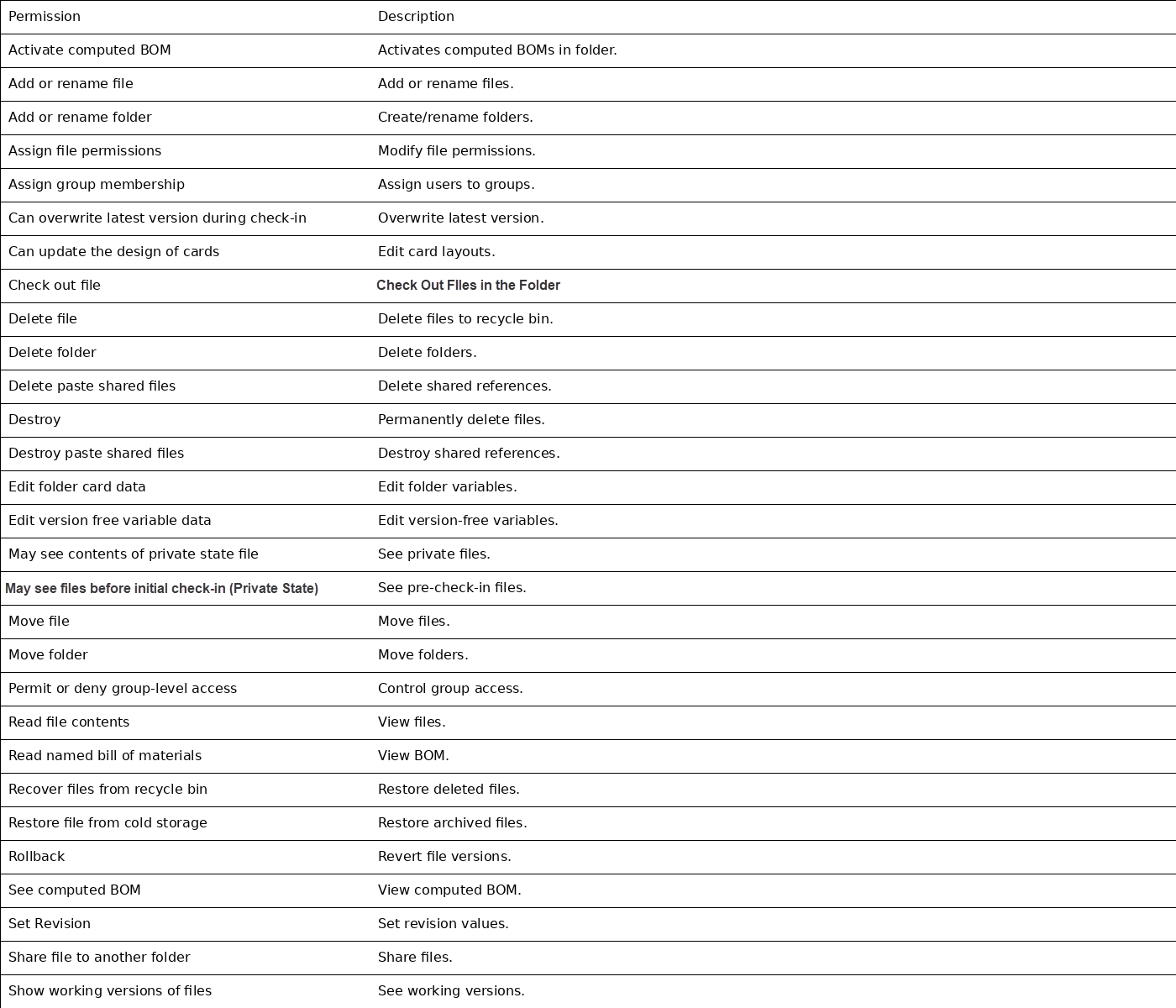
SOLIDWORKS PDM folder permissions control what users and groups can do within folders and files in the vault. It is often the culprit of many folders disappearing or hidden files. Understanding permissions can save time and avoid headaches when troubleshooting file or folder access. What…
How to Fix “Class Not Registered” Errors for SOLIDWORKS PDM Add-Ins
By Jay Khajuriwala on June 22, 2026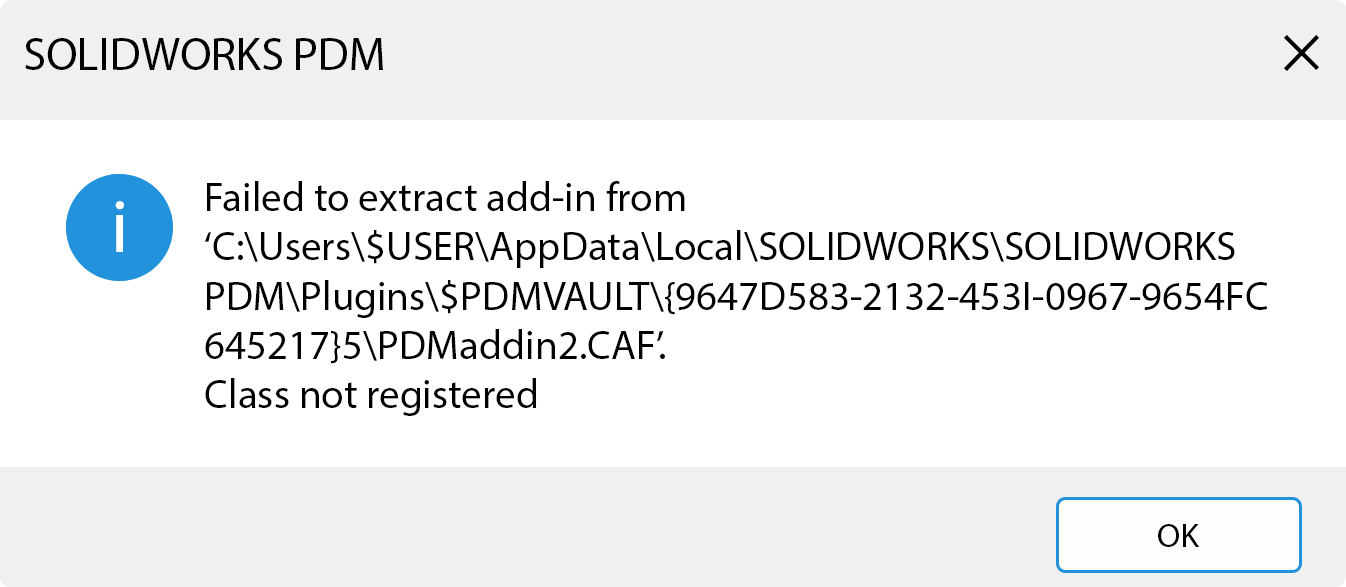
When logging into SOLIDWORKS PDM, you may be given a message like “Failed to extract add‑in… Class not registered”. This is one of the more common SOLIDWORKS PDM errors seen, especially after upgrades, Windows updates, or changes to custom add‑ins. This error might not stop…
How to Resolve the “Could not read reactor table version” Error for SOLIDWORKS PDM
By Jay Khajuriwala on March 13, 2026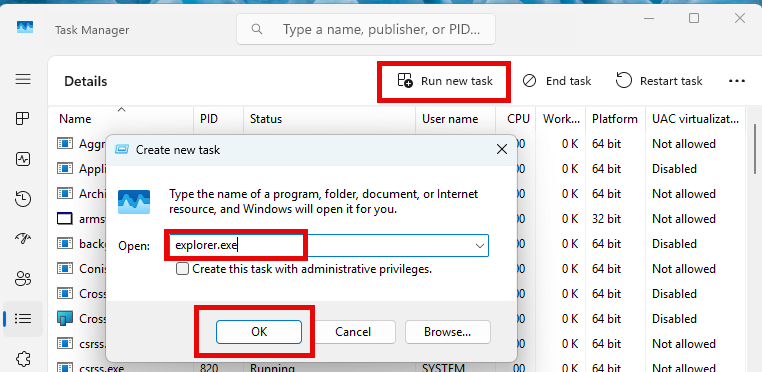
If you’re working with SOLIDWORKS PDM and encounter the warning message “Could not read reactor table version”, you’re not alone. Fortunately, there’s a straightforward way to resolve this and get your SOLIDWORKS PDM vault running properly. What Causes the “Could not read reactor table version”…
Using The SOLIDWORKS PDM Move Tree for Efficient File Renaming and Organization
By Jay Khajuriwala on September 10, 2025
Renaming files inside a SOLIDWORKS PDM vault can be intimidating, especially when they’re linked to assemblies, drawings, or other referenced files. Luckily, the Move Tree function in SOLIDWORKS PDM offers a safe and efficient way to rename and/or relocate files without breaking references. In this…
How to Cancel Stuck Tasks in SOLIDWORKS PDM
By Jay Khajuriwala on August 28, 2025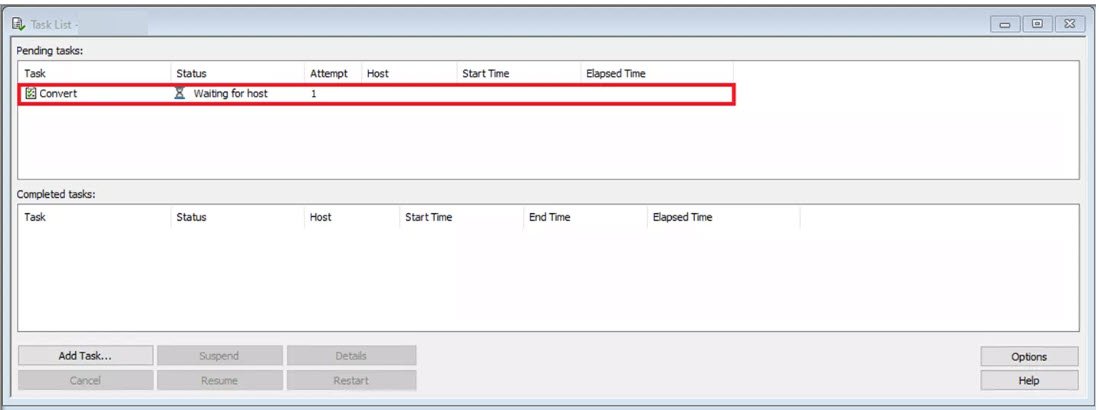
In SOLIDWORKS PDM, tasks running within the system may occasionally become unresponsive and fail to progress. When SOLIDWORKS PDM tasks stall out, it is necessary to cancel the stuck tasks from the Task List. This guide provides a step-by-step approach to resolving such issues using…
SOLIDWORKS PDM – How to Map Variables to File Properties and Custom Variables
By Jay Khajuriwala on April 21, 2025
Dive into our step-step guide on how to map variables to both predefined properties, like Title and Author, as well as to custom-named properties within SOLIDWORKS files.
How to Set Up a SOLIDWORKS PDM Local Vault View Using a .cvs File
By Jay Khajuriwala on November 6, 2024
This article covers the process of creating a SOLIDWORKS PDM local vault view using a .cvs file. It explains how to configure the LVV Setup.
Troubleshooting SOLIDWORKS PDM: Windows 11 File Explorer Not Updating Correct Folder Path in SOLIDWORKS PDM File Vault
By Jay Khajuriwala on July 17, 2024Is Windows 11 File Explorer not updating correct folder path in SOLIDWORKS PDM File Vault? This problem may impact Windows 11 client systems with the Windows configuration update from September 26, 2023 (KB5030509) installed. Systems experiencing this issue do not show folder names in the…
How to Backup Your SOLIDWORKS PDM Database
By Jay Khajuriwala on February 17, 2022
Now that your organization has invested in a SOLIDWORKS PDM system, it’s important to ensure that the data it manages is properly protected. A well-planned backup strategy helps safeguard your intellectual property and enables recovery in the event of hardware failures, accidental deletions, system corruption,…
Specifying a New License Manager Server Location for SOLIDWORKS PDM
By Jay Khajuriwala on August 20, 2020
When server components are moved, particularly in the SOLIDWORKS Solid Network License Manager, the new server location must be updated to ensure continued access to licenses. This update is performed within the SOLIDWORKS PDM Administration tool. Updating the License Manager Server in SOLIDWORKS PDM To…
SOLIDWORKS PDM Warning: ‘The file format of file is not recognized’
By Jay Khajuriwala on November 12, 2018
Have you ever encountered the error “The file format of file is not recognized”? When trying to open a SOLIDWORKS file in PDM? When checking in files that contain configurations, a SOLIDWORKS PDM user may receive a message show below. ‘The file format of file…
Verify SOLIDWORKS PDM Connectivity with an ODBC Test
By Jay Khajuriwala on June 15, 2018
To verify that a PDM Client computer or Archive server can communicate with the SQL (Database) Server, a SOLIDWORKS PDM ODBC test can be performed. ODBC (Open Database Connectivity) is accessed from the Windows Administrative Tools: The testing is defined from the System DSN tab, by clicking…
Installing and Setting Up the SOLIDWORKS PDM License Manager
By Jay Khajuriwala on August 2, 2017
SOLIDWORKS PDM Standard and Professional versions use a License Manager to control access to their respective licenses. With SOLIDWORKS PDM Professional, installations are purchased separately. The number of installations purchased, dictates how many users can access PDM at any one time. With SOLIDWORKS PDM Standard,…
SOLIDWORKS PDM methods for optimizing disk space usage on archive server
By Jay Khajuriwala on May 24, 2016
There are a few built in options provided by SOLIDWORKS PDM for managing archive server disk space and reducing folder size used: Cleanup – Remove deleted files Deleted files and folders are not available from the vault but still exist within the archive. To completely remove…
EPDM: Resolve the “Attached: Missing Information” Error.
By Jay Khajuriwala on January 15, 2015
When creating a new vault view in SOLIDWORKS PDM, you may encounter the confusing message: Attached; Missing Information This typically indicates leftover or corrupt registry entries, or incomplete vault view files from a prior installation. Below is the structured method for completely cleaning and recreating it…