


Managing SOLIDWORKS PDM Professional Search Favorites

Article by Andrew Lidstone, CSWE updated May 26, 2017
Article
In SOLIDWORKS PDM Professional, users can set up custom Search Favorites to dramatically speed up the process of finding relevant files. This is great functionality that can be a huge time saver, however, sometimes things can get a little out of hand and Search Favorites can become too much of a good thing.
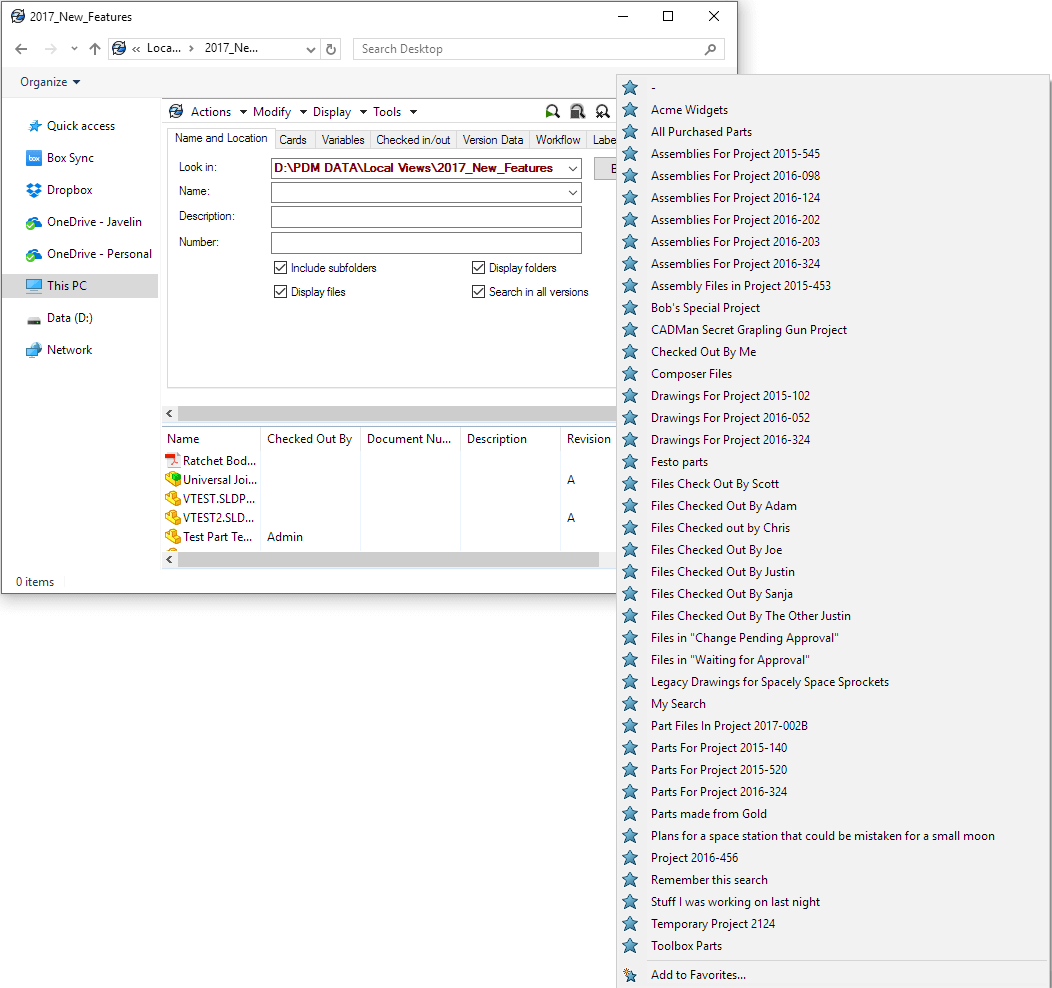
Editing and Deleting SOLIDWORKS PDM Search Favorites
While creating Search Favorites is a pretty easy process, deleting, or editing the existing Search Favorites isn’t quite as clear. In fact this cannot be done through the integrated Search within the vault view. Search Favorites can only be managed through the standalone PDM Search Tool.
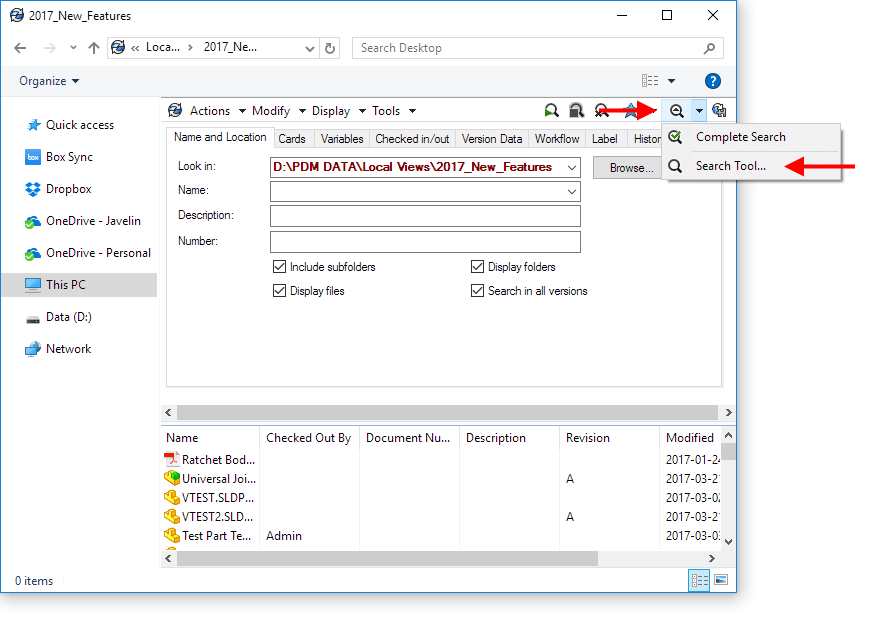
To launch the Search Tool, click the drop arrow beside the Search icon on the PDM toolbar in the vault view and select the “Search Tool …”
In the standalone PDM Search Tool, it’s possible to right-click on each Search Favorite in the list and either edit Properties, or Delete the Search Favorite entirely.

Learn more about SOLIDWORKS PDM
Attend our Using SOLIDWORKS PDM Professional Training Course either in a Canadian classroom near you or live online.
Related Links
Want to do more with SOLIDWORKS PDM?
Our Certified SOLIDWORKS PDM Experts can help you to:
Posts related to 'Managing SOLIDWORKS PDM Professional Search Favorites'
