


SOLIDWORKS Virtual Sharp Display Options

Article by Scott Durksen, CSWE updated March 14, 2018
Article
A SOLIDWORKS Virtual Sharp in sketches and drawings provide the ability to dimension to the imaginary point where two lines would intersect in space. Our previous blog posts show how you can add a virtual sharp using the Point tool or using Find Intersection with the Smart Dimension tool.
Did you know you can change the display style of virtual sharps? By default there are two extension lines that cross at the point.

You can change the style in Options > Document Properties > Virtual Sharps.
There are 5 options that I’ll demonstrate below. The first two will only show the point whereas the last three will include the extension lines.

Here are examples of the different Virtual Sharp options:
-
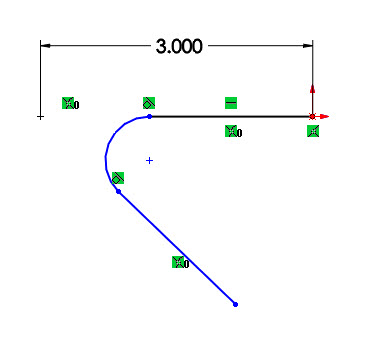
- Virtual Sharp – Plus
-

- Virtual Sharp – Star
-

- Virtual Sharp – Witness
-

- Virtual Sharp – Dot
-

- Virtual Sharp – None
Related Links
Certified SOLIDWORKS Services available from Javelin
Javelin can help you to:
Posts related to 'SOLIDWORKS Virtual Sharp Display Options'
