


Blog Tag
Showing 1-15 of 18.
Rendering
Tech tips, tutorials, and best practices for Rendering from the Javelin technical team

How to Use SOLIDWORKS Configurations in SOLIDWORKS Visualize
One major advantage of SOLIDWORKS Visualize Professional is the ability to use SOLIDWORKS configurations and toggle between multiple configurations within…

Using SOLIDWORKS Visualize to Render a SOLIDWORKS Motion Study
Motion studies in SOLIDWORKS Motion Simulation inject life and movement into our models through realistic physics-based motion analysis. Pairing motion…
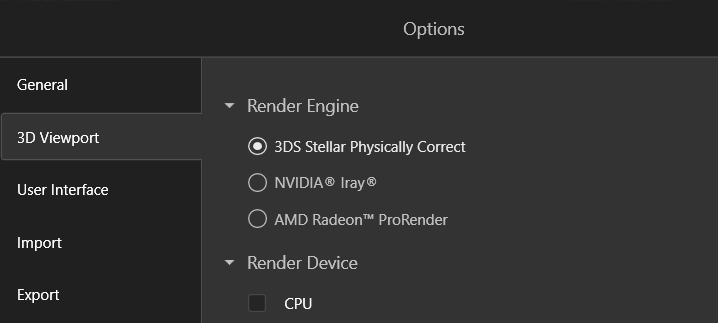
Choosing Between The SOLIDWORKS Visualize Render Engines
The final part of the SOLIDWORKS Visualize workflow is rendering out images or an animation. During the final export, you…
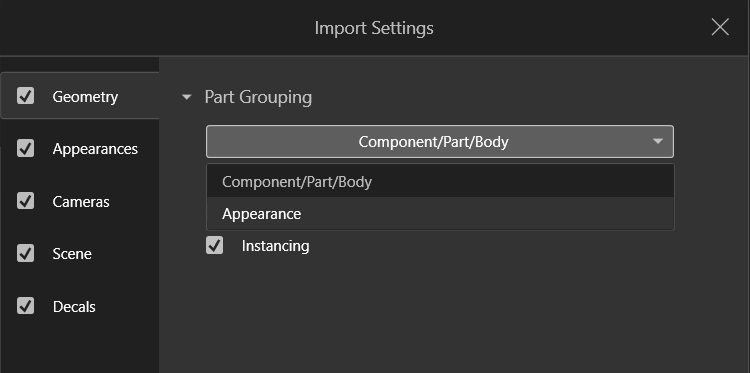
Appearance Grouping in SOLIDWORKS Visualize
SOLIDWORKS Visualize is an incredible tool for sales and marketing opportunities to create renderings of products with realistic and intricate…

How to Use SOLIDWORKS Visualize Professional’s Rendering Queue for Streamlined Design
Imagine a world where your most complex renderings come to life while you sleep, transforming your workflow and maximizing productivity. SOLIDWORKS Visualize Professional offers just that, with its robust Rendering Queue feature.

Try the ‘Easy Mode’ wizard to create renderings with SOLIDWORKS Visualize
Watch the video below and follow the steps for creating rendering with SOLIDWORKS Visualize Easy Mode Getting started with Easy…

Bunkspeed Rendering now part of the SOLIDWORKS product line from Javelin
I am excited to share the news that Bunkspeed rendering and animation product are being offered by Javelin Technologies. This is in…

Including the PNG Image Background in a PhotoView 360 Rendering [VIDEO]
In a previous article we explained how you can save a PNG file from Photoview 360 with a transparent background,…

Add more realism to your SolidWorks view with Ambient Occlusion
Perhaps you need to grab a quick screenshot or show someone your model in SolidWorks and you want to add…

Network Rendering Client – VIDEO
The PhotoView 360 rendering tool in SolidWorks can produce some astounding photo realistic renders. However large, high quality renders don’t…

How to render transparent backgrounds in PhotoView 360 [VIDEO]
SOLIDWORKS PhotoView 360 does a really great job of creating amazingly realistic renderings. We’ve discussed before how to add your…

Accessing Additional PhotoView Appearances [VIDEO]
A great new feature in SolidWorks 2013 is the ability to use Luxology native appearances for PhotoView 360 renders. This opens up to…

3DVIA Composer: Creating Fast and Easy Renderings
For this blog post I am going to show you how to take existing CAD data and render it using…
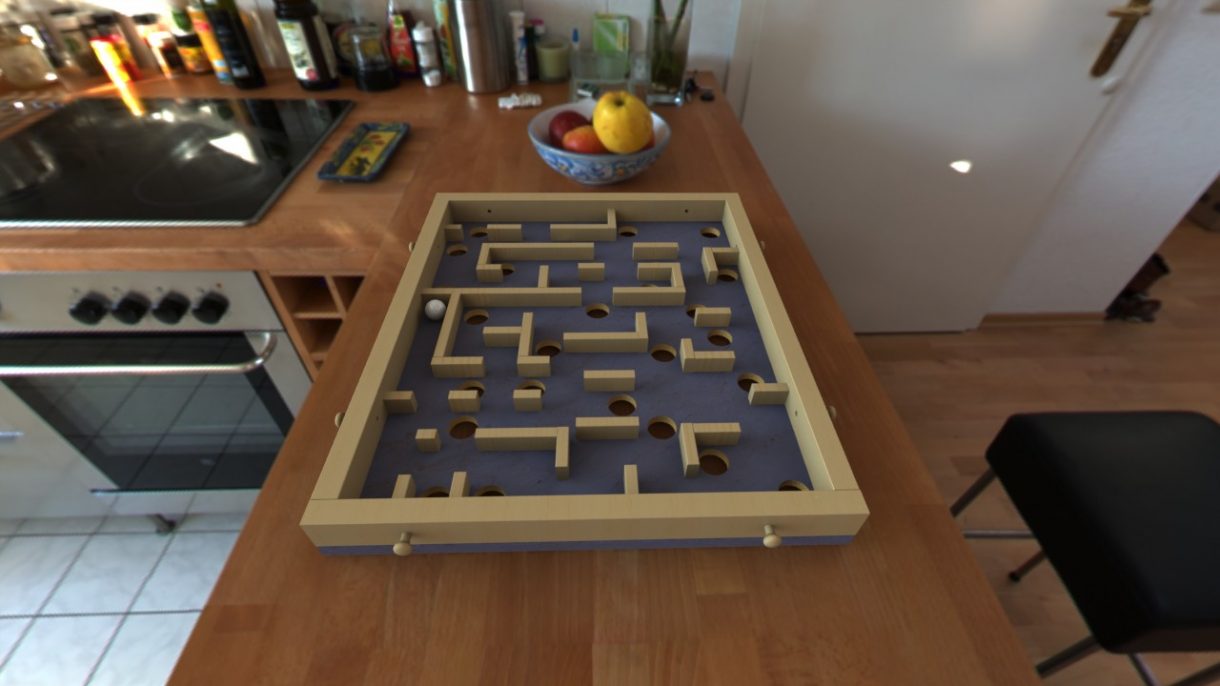
Designing a Labyrinth game with SolidWorks
I’ve been a fan of the game of Labyrinth for a while. I spent hours as a kid mastering the…

PhotoView 360: When is interference a good thing?
When you have layers of transparent materials in your model (like a glass containing water), you get a better result…