


Javelin / TriMech Author

Chris Duchaine
How to Install SOLIDWORKS for Makers | A Step-by-Step Guide
 By Chris Duchaine on May 20, 2026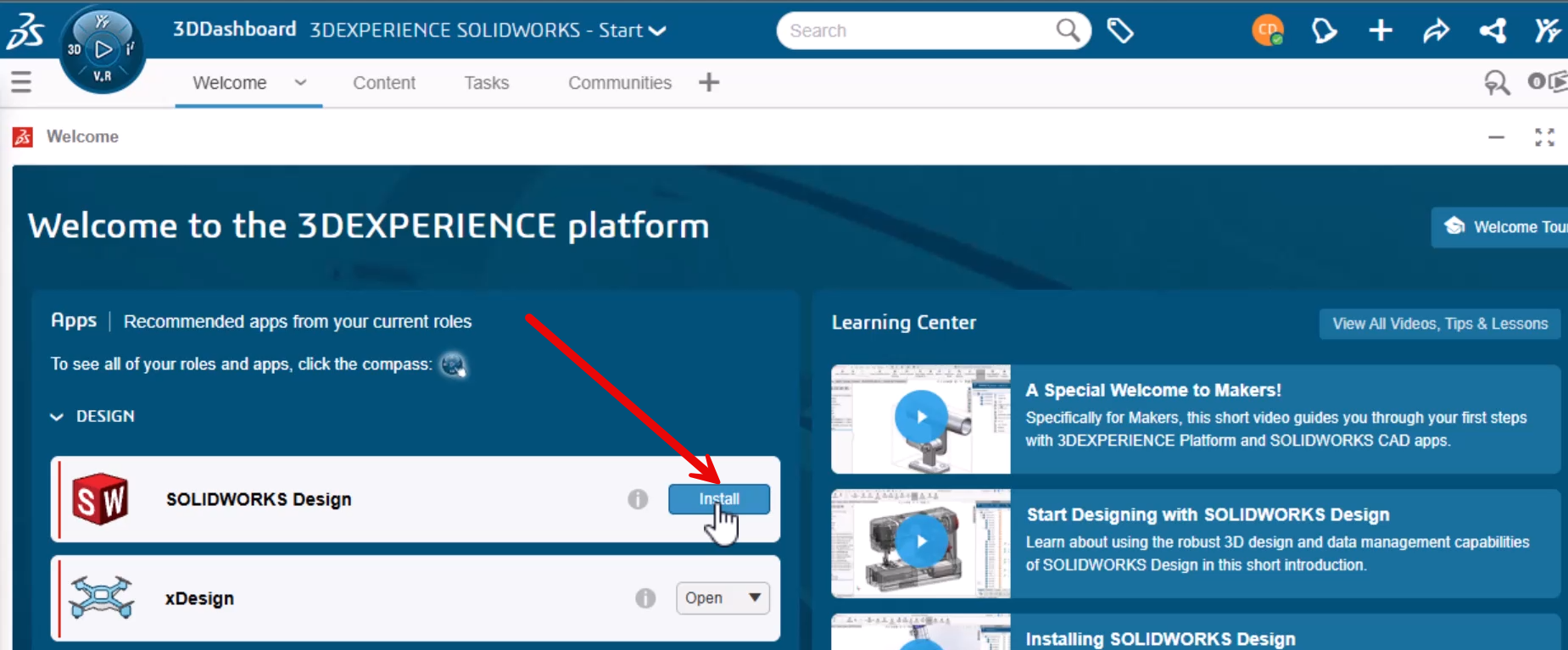
Installing SOLIDWORKS for Makers can alleviate some of the difficulties encountered when considering new CAD software. These include permission issues and failing to locate the installer. If issues arise, this step-by-step walkthrough covers the entire installation process, so you can solve problems and save time….
How to Use the Preview Sketch Dimension Tool
By Chris Duchaine on December 1, 2025
The Preview Sketch Dimension tool, introduced in SOLIDWORKS 2024, enables you to fully define and place sketch dimensions without needing to use the Smart Dimension command. Creating a design in SOLIDWORKS usually follows a straightforward process by starting a sketch, dimensioning it, and extruding a…
Using the Component Preview Window to Speed Up Assembly Mates
By Chris Duchaine on October 15, 2025
When working with complex assemblies in SOLIDWORKS, the process involves mating every component into place and ensuring that each component is well-defined. This can be time-consuming, as you often need to zoom in and rotate the view repeatedly while applying mates. Focusing on a single…
Is It Time to Make the Switch to SOLIDWORKS?
By Chris Duchaine on July 9, 2025
The only constant in business today is change. Changes are everywhere in the business climate now. To adapt to change as quickly as possible, you must always evaluate all your business tools, including your engineering tools, especially your CAD platform, to see if they’re still…
Ignite the Flame: Bringing the Olympic Torch to Life with Animated Fire in Visualize
By Chris Duchaine on August 2, 2024
The 2024 Paris Olympics will surely inspire millions worldwide, and what better symbol of this inspiration than the Olympic torch itself? To get into the Olympic spirit, we have created our own TriMech Design Olympic torch, a key symbol of the games, representing the real…
How to Use SOLIDWORKS Visualize Professional’s Rendering Queue for Streamlined Design
By Chris Duchaine on June 24, 2024
Imagine a world where your most complex renderings come to life while you sleep, transforming your workflow and maximizing productivity. SOLIDWORKS Visualize Professional offers just that, with its robust Rendering Queue feature.
How to create Turntable Animations with SOLIDWORKS Visualize Professional
By Chris Duchaine on June 12, 2024
Unlock the advanced capabilities of SOLIDWORKS Visualize Professional with this straightforward guide on creating turntable animations.
Make the Super Bowl Trophy Yours: A Journey from CAD to Realism with SOLIDWORKS Visualize Add-in
By Chris Duchaine on January 31, 2024
Watch as we transform a SOLIDWORKS CAD model of the iconic Super Bowl trophy into a breathtaking visual masterpiece using the SOLIDWORKS Visualize add-in.