


Windows User Account Controls (UAC)

Article by Scott Durksen, CSWE updated January 17, 2011
Article
Windows includes a feature called User Account Controls (UAC) which prevents applications from making changes to your system. This can help protect your computer from possible security breaches trying to make changes that are unwanted.
SOLIDWORKS recommends keeping it on the default setting: Notify me only when apps try to make changes to my computer. The latest releases of SOLIDWORKS have been tested with the default level of security enabled to ensure full functionality.

In previous releases (prior to SOLIDWORKS 2016), some SOLIDWORKS functionality would be affected with User Account Controls enabled. This can be disabled completely through the Windows settings.
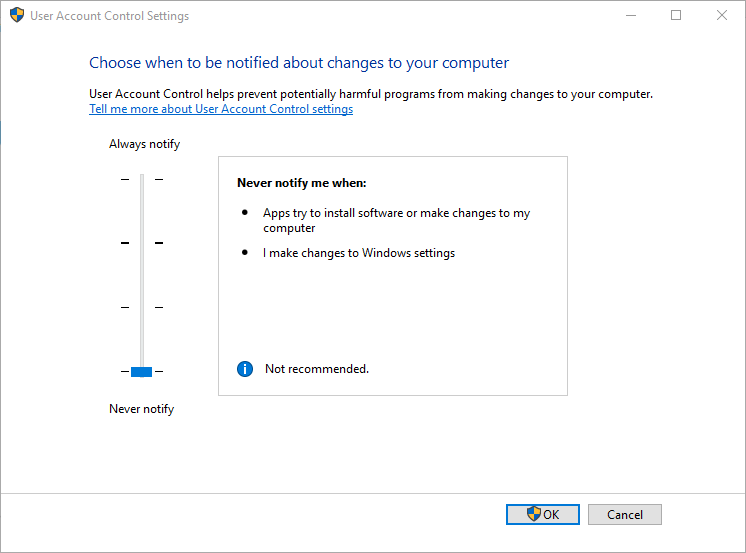
To disable Windows User Account Controls:
- Go to Start > type UAC in the search box and press Enter
- Slide the bar down the bottom for “Never notify“
Related Links
Certified SOLIDWORKS Services available from Javelin
Javelin can help you to:
Posts related to 'Windows User Account Controls (UAC)'
