


Routing: How the “Flip Relation” Option Can Speed Up Routing Sketch Edits

Article by Rob Greer, CSWP updated March 26, 2012
Article
Occasionally when modifying a routing sketch (or other 3D sketch) you may run into a scenario where a spline tangent needs to be flipped or reversed. See the image below.

Spline before flip
Well, thankfully there is a way to quickly flip it. Simply select the spline, and then right-click on the appropriate tangent relation and choose “Flip Relation”. That’s it!

Spline relation
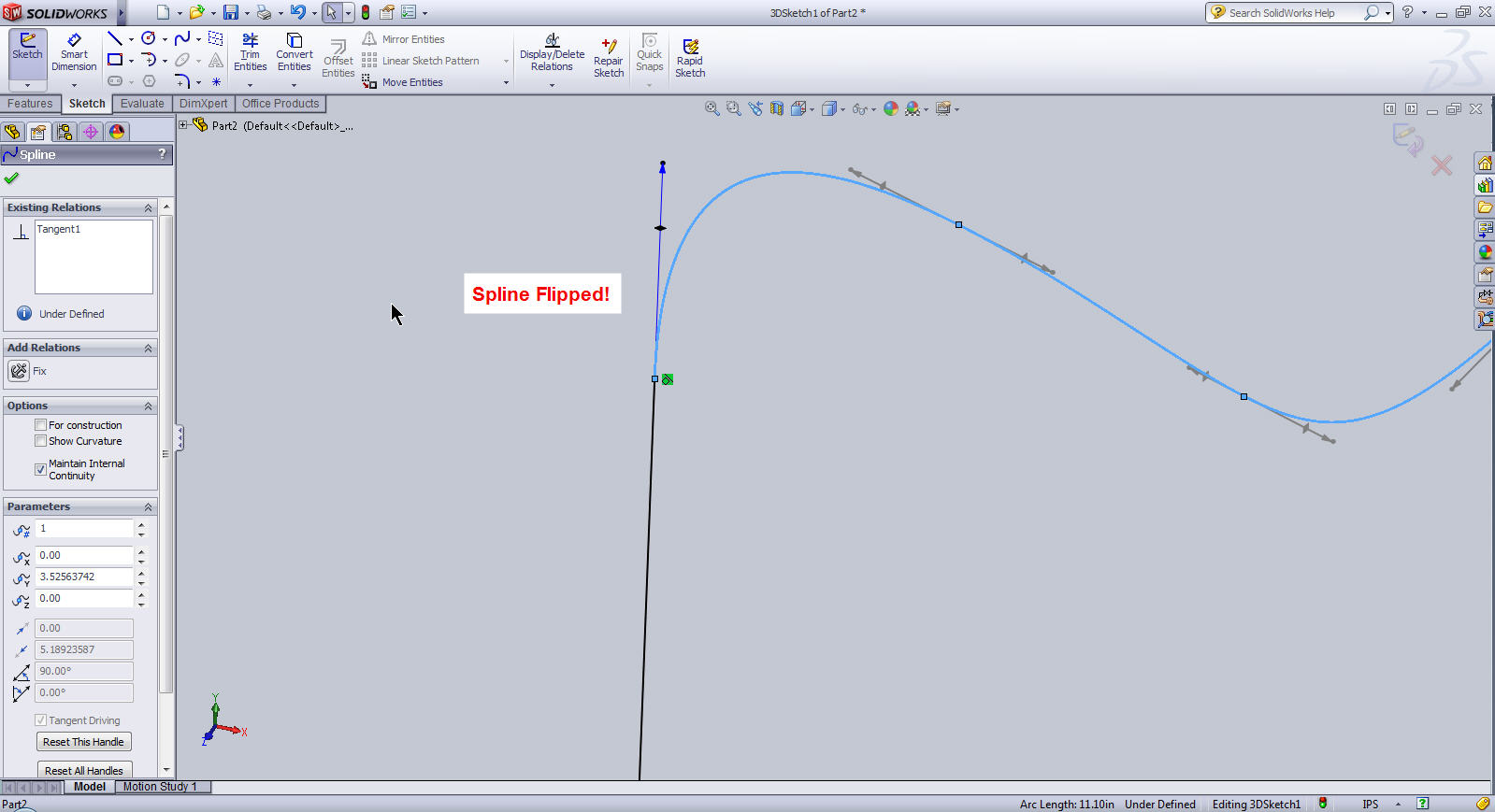
Spline Flipped
Related Links
Certified SOLIDWORKS Services available from Javelin
Javelin can help you to:
Posts related to 'Routing: How the “Flip Relation” Option Can Speed Up Routing Sketch Edits'
