


Guide to Educational Watermarks in SOLIDWORKS Models

Article by Lily Bar updated July 17, 2026
Article
SOLIDWORKS Design comes in a variety of offerings to support commercial, educational, entrepreneurial, and research applications. Making sure your team is using the right license type protects you from compliance and manufacturing issues.
Educational watermarks in SOLIDWORKS prevent the use of a SOLIDWORKS educational license for profit endeavors, which would violate the terms of service.
Why is there an Educational Watermark on My Drawing?
Unlike the commercial or entrepreneur licenses, SOLIDWORKS Educational licenses are meant to allow students to explore SOLIDWORKS in a classroom setting. This is particularly troublesome if that student is working as an intern for an organization that uses SOLIDWORKS.
A student intern using a company machine and license, either existing or through the SOLIDWORKS Skillforce program, will not have files containing a watermark. However, if they open that commercial file in SOLIDWORKS for Students on their personal laptop, it will be permanently watermarked.
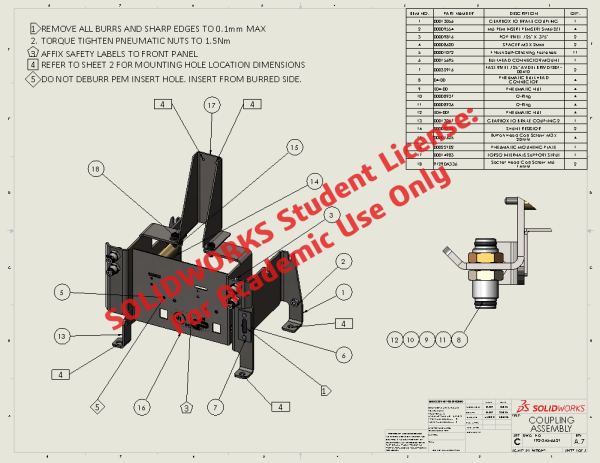
Educational watermarks in a SOLIDWORKS drawing
The educational watermark is also common when downloading files from online CAD libraries because users can upload files regardless of the license used. For a hobbyist, this is not an issue, but manufacturers do not allow the use of watermarked files, which halts the design process.
Differences in SOLIDWORKS Educational vs Commercial Versions
The SOLIDWORKS Educational license is for academic teaching, skill-building, and school projects, while the commercial license gives you full rights to design and manufacture.
While there are no functional differences between the educational and commercial versions of SOLIDWORKS, a watermark will appear on prints of files made in the educational version due to the restrictions on profit-making ventures.
How to Remove Educational Watermarks in SOLIDWORKS
For non-critical files, the only way to get rid of the watermark is to remake the part.
There are two ways to do this:
- Build the part from scratch by recreating the sketches and features used in the original model.
- Convert the SOLIDWORKS model into a neutral format and only use it for downstream applications.
Rebuilding the part is more time-consuming, but also the most accurate result since it is a direct replacement for the original. This is the perfect solution for when you need to make changes to the models in the future or it is key component.
Converting the model into neutral formats, like STEP or IGES, is useful for third-party parts or files that don’t need massive changes in the future. You can dynamically load FeatureWorks to make changes to dimensions, but is not ideal because the file is no longer truly a SOLIDWORKS model.
Removing Educational Watermarks on Critical Files
For models or datasets that are deemed business-critical, the educational watermark may be able to be removed automatically. This process is facilitated by our Technical Support team and is at the sole discretion of Dassault Systèmes.
To be considered for watermark removal, you must provide:
- Why was the SOLIDWORKS Educational license used in a commercial setting
- How are these files being used
- Why the files are critical and why they cannot be recreated
- A declaration that the watermark was accidental
Once this information is provided, our team can submit a Watermark Removal Request form on your behalf and request approval. If approved, you will need to provide the affected files and wait for the watermark to be removed.
When Does “For Instructional Use Only” Show?
For Instructional use only appears on documents created in SOLIDWORKS Education and then printed from SOLIDWORKS commercial versions. This indicates that the files were created in a non-commercial version of SOLIDWORKS and will follow the files to other machines.
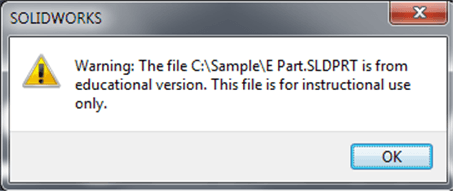
For instructional use only warning message on a SOLIDWORKS part
Even if you upgrade to a commercial seat from an educational seat, files created in an educational version will always display the watermark. Files created in a commercial seat may display the watermark if the templates created in the educational seat are still in use.
Using Watermarks for Your Benefit
Watermarks do not have to be an accidental warning that you are using a non-commercial version of SOLIDWORKS. They can be used to mark the state of drawings, denoting if the document is preliminary, in process, pending approval, or released.
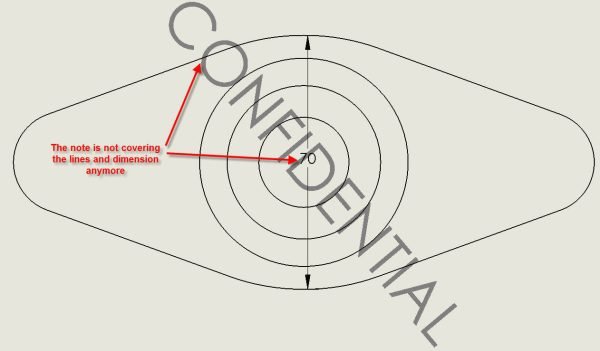
Example of watermark in SOLIDWORKS
Watermarks can be made with text or an image file and automatically applied to SOLIDWORKS files with SOLIDWORKS PDM. They serve as a visual representation of file metadata that may be missed without them.
Moving on from Educational Licenses
SOLIDWORKS Educational licenses are a great way for students and educators to improve their skills and learn the industry-leading CAD platform. They are meant for educational purposes only and can cause issues when you attempt to use them in a commercial environment.
If you have short-term student needs or are scaling your startup from dorm room to board room, Javelin is here to help make the transition as straightforward as possible. We partner with organizations to find the perfect software solution, giving you capabilities for current and future success.
To contact our team about purchasing a commercial version of SOLIDWORKS, click here.
Related Links
Certified SOLIDWORKS Services available from Javelin
Javelin can help you to:
Posts related to 'Guide to Educational Watermarks in SOLIDWORKS Models'
