


Javelin / TriMech Author

Cody Foley
How to Use the Report Generator in SOLIDWORKS PDM Professional
 By Cody Foley on July 15, 2026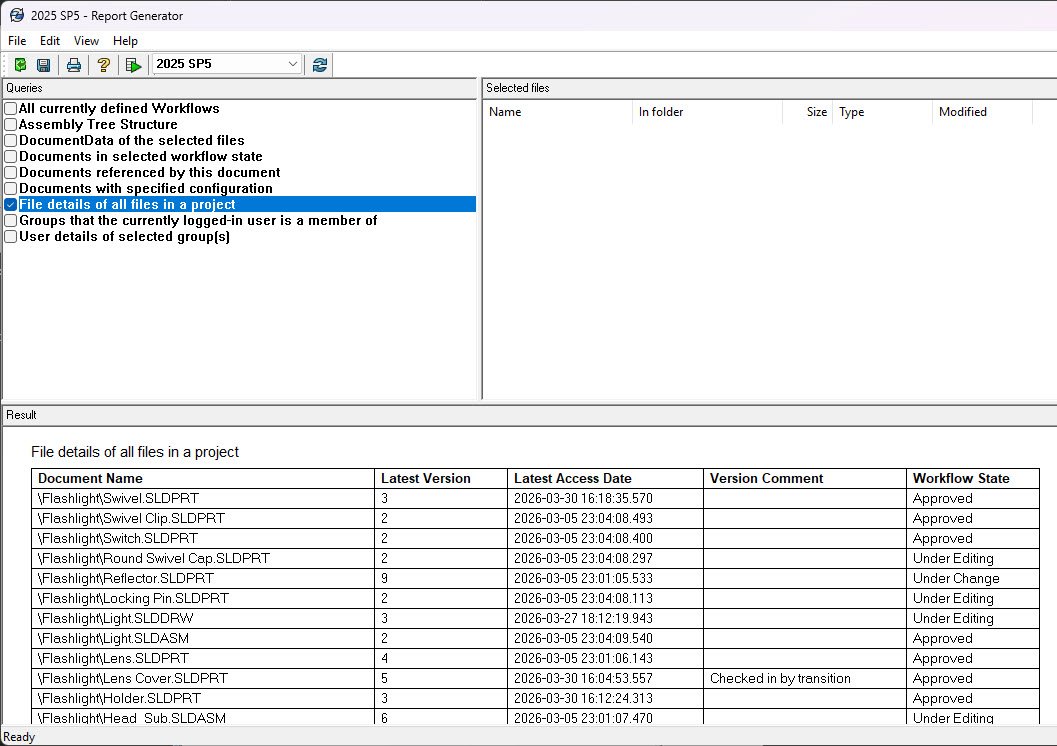
The Report Generator in SOLIDWORKS PDM Professional enables you to query and display information stored in the database server. However, this remains a largely unknown feature to even the most experienced administrators and users. Accessing the Report Generator in SOLIDWORKS PDM Professional will take you further…
What are File Version Icons in SOLIDWORKS PDM?
By Cody Foley on June 1, 2026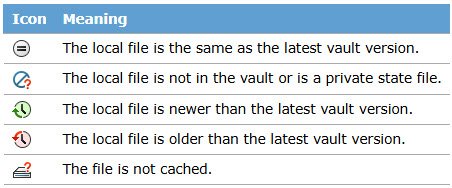
File version icons in SOLIDWORKS PDM provide quick status information for vaulted files. The status icons are available in both Windows File Explorer and through the SOLIDWORKS add-in. The file version icons can be used to quickly verify information about a file to determine if…
Setting Up Windows Users in SOLIDWORKS PDM Professional
By Cody Foley on March 4, 2026
SOLIDWORKS PDM has the ability to make ad hoc users or groups with their own usernames and passwords, not tied to any other system. This works for some organizations to have users remember login information for both Windows and SOLIDWORKS PDM, but some require single…
How to Access the Windows Event Logs for Application and System Logs
By Cody Foley on February 2, 2026
When troubleshooting SOLIDWORKS PDM issues, a helpful resource to diagnose an issue is the Windows Event Logs. In particular, the Application log and System log can prove immensely helpful in finding the root cause of an issue with SOLIDWORKS PDM. What is the Application Log?…
How to Work Offline with SOLIDWORK PDM
By Cody Foley on December 2, 2025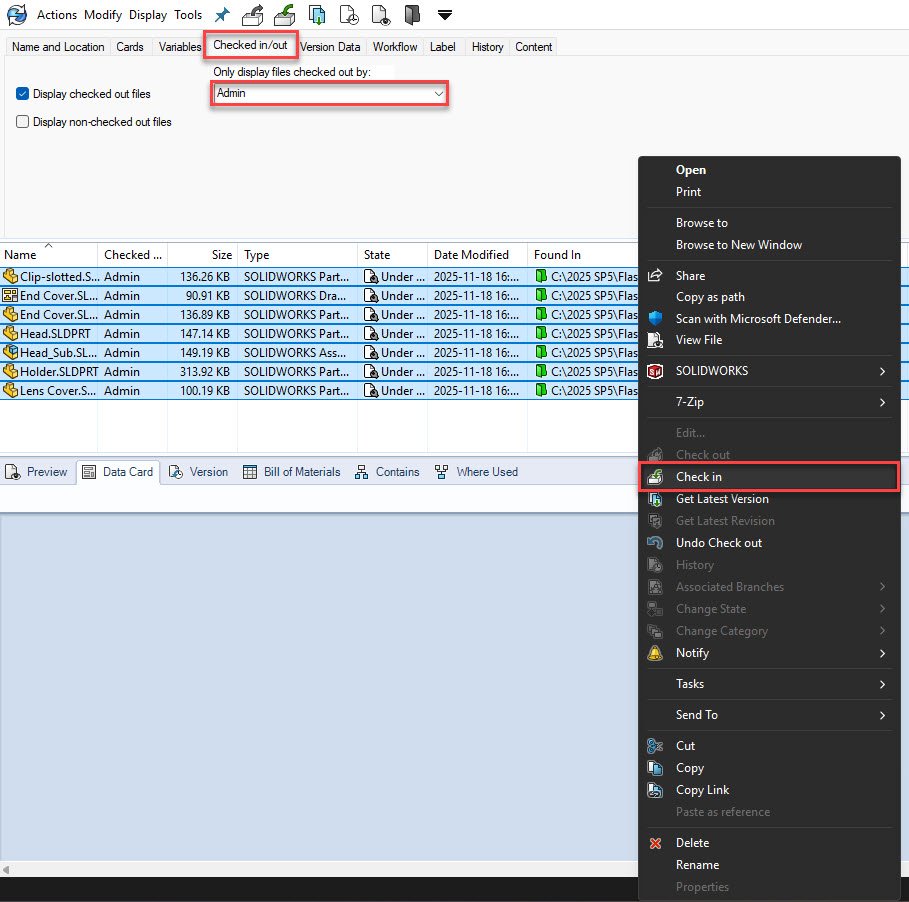
SOLIDWORKS PDM is a server-based product and requires a connection to the application and database servers for smooth operation. However, there are times that you may need to disconnect from the server for a length of time, but still want to interact with the vault….
How to Locate and Save the SOLIDWORKS PDM Archive Logs
By Cody Foley on July 29, 2025
When troubleshooting SOLIDWORKS PDM issues, a helpful resource you can utilize is the SOLIDWORKS PDM Client logs. These log files let you see SOLIDWORKS PDM events from the local client. It reports activities such as logins, vault connection attempts, and database access events. As a…
How to Locate and Save the SOLIDWORKS PDM Client Logs
By Cody Foley on July 24, 2025
When troubleshooting SOLIDWORKS PDM issues, a helpful resource you can utilize is the SOLIDWORKS PDM Client logs. These log files let you see SOLIDWORKS PDM events from the local client. It reports activities such as logins, vault connection attempts, and database access events. As a…
How to Change Your SQL SA Account Password for SOLIDWORKS PDM
By Cody Foley on March 5, 2025
In this article, we will walk you through the three most common ways to change the password and get back into your SQL SA account.
Enable “Always work with latest version of files” and how it works
By Cody Foley on January 27, 2025
With SOLIDWORKS PDM you can ensure every time you open a file with subcomponents, those sub-components are always referencing the most recent version in the vault with the “Always work with latest version of files” setting.
Checked out file opening as “Read-only” from SOLIDWORKS PDM
By Cody Foley on August 23, 2024Have you ever checked out a file in PDM, made changes only to realize that when you wanted to do a “Check in” you couldn’t as the file was “Read-only”?

Before your SOLIDWORKS PDM users can start working in the vault they will need to be set up within SOLIDWORKS PDM first, to do this follow the steps below.
SOLIDWORKS PDM Sandbox Vault for Modification and Troubleshooting
By Cody Foley on May 30, 2024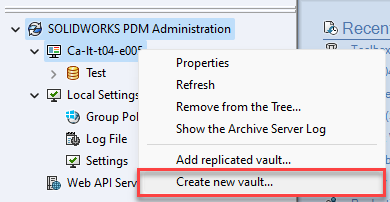
A SOLIDWORKS PDM Sandbox Vault (test vault) should be used when modifying or troubleshooting your vault. Working with a SOLIDWORKS PDM Sandbox vault can help prevent problems, with your production vault, when you make changes.

In SOLIDWORKS PDM, the information a user receives when trying to add a duplicate file has been enhanced. When an attempt is made to add a file with a duplicate file name, a dialog box is displayed that identifies the file name, the location of the…

If you have ever needed to restore deleted PDM users that have been prematurely deleted in previous versions of PDM you were pretty much out of luck and all you could do was to create a new user with an identical name. This recreated user…
SOLIDWORKS PDM Upgrade Checklist
By Cody Foley on October 29, 2020
If you are looking into a SOLIDWORKS PDM Upgrade to a newer version release of PDM, I would recommend starting the preparation by making sure you understand the general process and the pitfalls of doing so. I would recommend taking a look at our SOLIDWORKS…