


Javelin / TriMech Author

Rachel Jackson
Introducing Model-Based Definition to your SOLIDWORKS Workflow
 By Rachel Jackson on January 5, 2026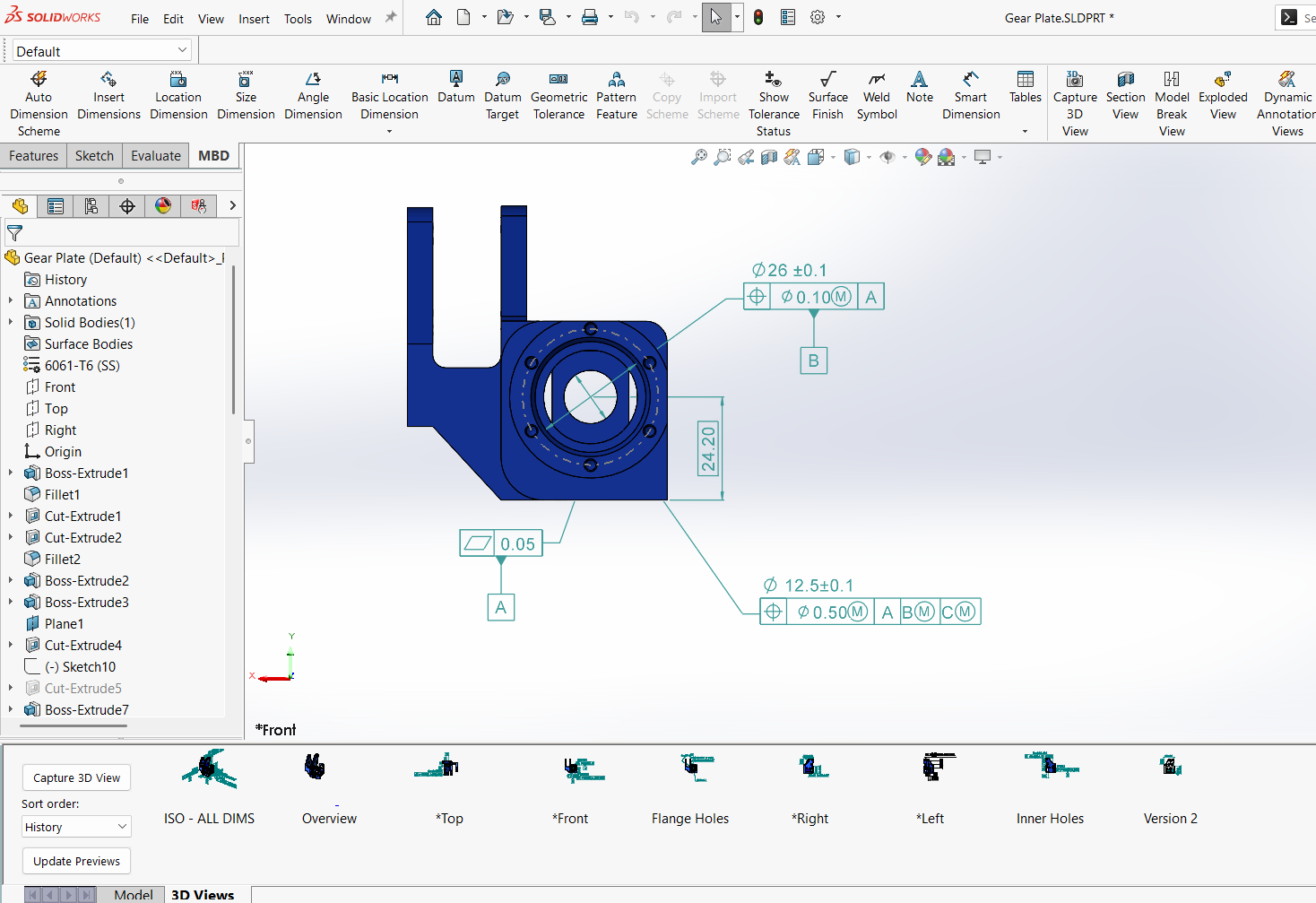
Engineers have always relied on 2D drawings to help convey design intent and communicate critical information about their models. However, model-based definition (MBD) provides a unique opportunity to provide product and manufacturing information directly on the 3D model. With the emerging standards for MBD, it…
Top 10 Tips for SOLIDWORKS Assembly Modeling
By Rachel Jackson on November 21, 2025
In the world of computer-aided design, SOLIDWORKS Assembly Modeling stands out as a powerful tool for creating intricate assemblies. Whether you’re designing complex machinery or elegant consumer products, mastering SOLIDWORKS can significantly enhance your productivity and efficiency. However, to truly unlock its potential, it’s essential to follow best practices for modeling assemblies. In this blog post, we’ll explore some key tips and techniques to help you streamline your assembly modeling process and achieve optimal results.
Getting to Know the Loft Feature to Take Your Modeling to New Heights
By Rachel Jackson on May 7, 2025
Creating complex and smooth transitions between different shapes is a crucial skill in 3D modeling, and SOLIDWORKS offers a powerful tool to achieve this: the Loft feature. Whether you’re designing sleek automotive parts, intricate consumer products, or innovative architectural elements, understanding how to effectively use…
Creating Features and Accessing Properties in xDesign
By Rachel Jackson on April 18, 2025
Like the other browser-based modeling tools available through the SOLIDWORKS xDesign bundle, the xDesign app enables users to design and collaborate with their team anywhere and anytime. Whether you have been modeling for years or are new to 3D CAD environments, xDesign provides intuitive tools…
SOLIDWORKS Simplified Interface: A Welcome Setting for New Users
By Rachel Jackson on April 14, 2025
New to SOLIDWORKS and feeling overwhelmed by the number of tools and tabs to learn? Don’t fret, we have a solution for that! The release of SOLIDWORKS 2025 SP1 introduced the ability to change your current workspace to a Simplified Interface. The Simplified Interface streamlines…
Measuring Projected Area of Bodies within SOLIDWORKS Assemblies
By Rachel Jackson on June 3, 2024
In 2024, DS SOLIDWORKS released an update that allows users to measure the projected surface area of bodies, faces, and components. Learn how to use the measure tool in this tech tip.
TriMech Tips & Tricks: SOLIDWORKS Sweeps and Threads
By Rachel Jackson on January 16, 2024
In this webinar we explore the difference between the SOLIDWORKS Sweeps and Thread features.