


Javelin / TriMech Author

Sarah Taylor
SOLIDWORKS Composer Silhouette Styles: Crest, Per Actor, and Model
 By Sarah Taylor on December 29, 2025
When creating technical illustrations in SOLIDWORKS Composer, selecting the right display styles is crucial for conveying technical information. In the Technical Illustration Workshop, showing silhouettes adds clean, distinct outlines to the model views. There are three SOLIDWORKS Composer Silhouette styles: Crest, Per Actor, and Model….
The Difference Between Saving and Checking In With SOLIDWORKS PDM
By Sarah Taylor on December 22, 2025
When working in SOLIDWORKS PDM, there are many ways to collaborate and track changes to files. From the automated workflows, integrated approvals, and derivative content generation, your team can find great comfort in the available tools. But what about the basics? It is critical for…
Choosing the Best Sketch Method for SOLIDWORKS
By Sarah Taylor on December 12, 2025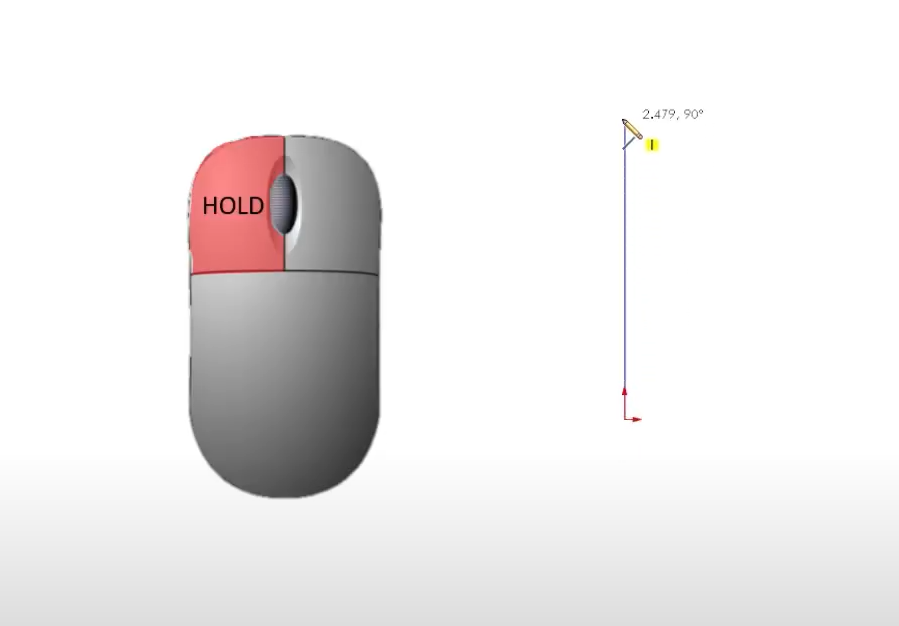
If you’ve ever struggled to get clean, closed contours or found yourself fighting with uncooperative SOLIDWORKS sketches, this post is for you. Choosing the best sketch method might seem straightforward at first, but it depends on the type of sketch tool used and the desired…
SOLIDWORKS Display Data Mark Best Practices Guide
By Sarah Taylor on November 25, 2025
When working with configurations in SOLIDWORKS, the Display Data Mark option can be enabled, which saves the geometric display data into the file for quick access downstream. The display data is primarily used in Quick View and Large Design Review modes, as well as in…

DWG and DXF are widely accepted formats in the manufacturing world because they allow seamless communication between design and production teams. These formats are compatible with many CAM systems, CNC machines, and laser cutters, making them ideal for transferring precise geometry. Converting SOLIDWORKS data into…
Prevent External References Between Components in an Assembly
By Sarah Taylor on October 3, 2025
External references, also known as in-context references, are created when a SOLIDWORKS sketch or feature utilizes reference geometry outside of the part that it was created within. This can help define the design intent while allowing for flexibility if and when models need updating. A…
Using Paste as Reference to Create Links Between Files in SOLIDWORKS PDM
By Sarah Taylor on September 26, 2025
Everyone knows that SOLIDWORKS files are interconnected and fully associative by default. Drawings, Assemblies, and Part files reference one another so that design changes automatically update without having to manually track the modifications through a long list of files. However, outside of SOLIDWORKS, sometimes manual…
Dimension an Angled Line without Unnecessary Reference Geometry
By Sarah Taylor on July 25, 2025
When sketching in SOLIDWORKS, angled lines can sometimes pose a challenge when it comes to defining their angle relative to some “global” horizontal or vertical reference. This is critical because an undefined angle can lead to misaligned parts or unexpected changes when the design updates….
Parameters vs. Smart Dimensions in SOLIDWORKS Sketches
By Sarah Taylor on July 16, 2025
One of the biggest benefits of taking certified, instructor-led SOLIDWORKS training is the knowledge shared by our team to help avoid common pitfalls or committing a SOLIDWORKS rookie mistake. While trying to learn on your own has the potential to go smoothly, it often leads to…
Using Arc Tools in SOLIDWORKS
By Sarah Taylor on July 11, 2025
If you’re just getting started with SOLIDWORKS, one common habit you may have picked up is reaching for the circle tool any time you need to sketch an arc. It seems like the obvious choice, but it often leads to extra work. Using the arc…
SOLIDWORKS PDM Services from TriMech
By Sarah Taylor on June 6, 2025
Product Data Management (PDM) plays a crucial role in how engineering teams handle their design files, collaborate across departments, and maintain version control. At TriMech, we offer a comprehensive suite of SOLIDWORKS PDM services that help organizations implement, maintain, and optimize their data management environments….
Bolster Regulatory Compliance with SOLIDWORKS PDM
By Sarah Taylor on May 21, 2025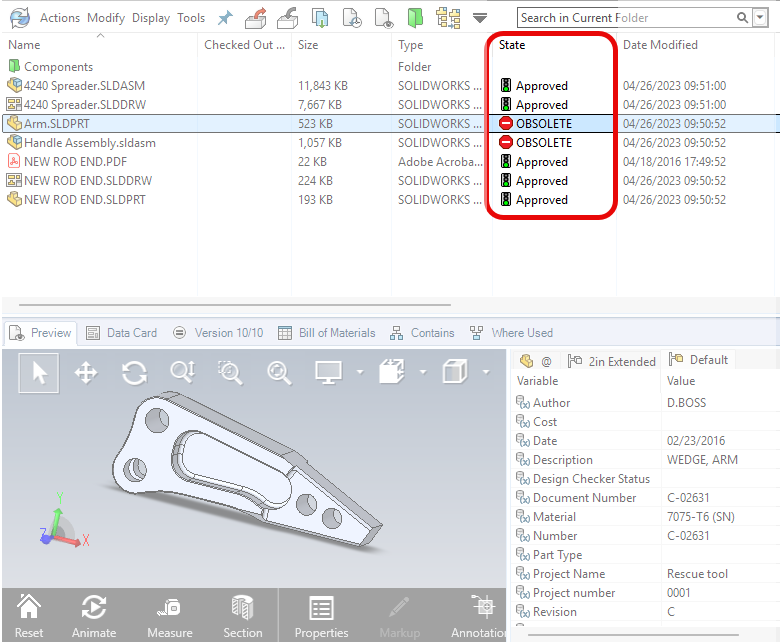
Companies operating in regulated industries may be required to comply with standards like ISO 9001, ITAR, or FDA (21 CFR Part 11). These regulations ensure product quality and safety, as well as data integrity and security. Complying with these regulatory agencies/standards isn’t just about avoiding…

A common SOLIDWORKS rookie mistake is not using the SOLIDWORKS Calculator and relying on an external one when placing dimensions with calculations.
Align Your First SOLIDWORKS Sketch to Origin
By Sarah Taylor on March 19, 2025
Not relating your first SOLIDWORKS sketch to origin leads to confusion and often requires the time-consuming process of refactoring your model later when errors occur. Watch the video to learn more.
SOLIDWORKS Rookie Mistake: Not Using the Mouse to Pan in SOLIDWORKS
By Sarah Taylor on March 7, 2025
A common SOLIDWORKS rookie mistake is using the mouse wheel far too often to navigate the graphics area. Discover the best ways to pan in SOLIDWORKS.