


Blog Tag
Showing 121-135 of 244.
Drawing
Drawing tech tips and tutorials from the Javelin team

Three SWUGN Meetings in Ontario this month = Free SolidWorks Training, Dinner, and Prizes!
Some people attend the SOLIDWORKS User Group Network Meetings for the high quality presentations that are delivered absolutely free of…

Why is SOLIDWORKS unable to locate my Assembly Components?
I’m sure you’ve seen this before. After opening up a SOLIDWORKS assembly file, there is a message that a file cannot…

EPDM – What’s New 2014 – Extracting Hidden SolidWorks BOMs
Even if a SolidWorks BOM is hidden in a SolidWorks assembly or drawing, the BOM can still be accessed through…

SolidWorks Sheet Metal – Why is my Flat Pattern Displayed as a Bent Part?
When the Flat pattern drawing view of a SolidWorks sheet metal part displays the part in the bent condition, this…

Save Each Sheet as its own Drawing, or Combine Multiple Drawings into a Multi-sheet SOLIDWORKS Drawing [VIDEO]
Some companies like to have one drawing file with multiple sheets, where each sheet contains the detail drawings of each…

How to SHIFT More CTRL to the SOLIDWORKS User (using CTRL, SHIFT and ALT keys)
Greetings, fellow SolidWorks users. A question we are sometimes asked is for a comprehensive list of all the things that Ctrl,…

Working with SolidWorks Files on a Network
The Typical Problem Often times when you work in a multi-user environment, it seems like a good idea to store…

The SolidWorks World 2014 Series: 1. Preparing for the Conference
SolidWorks World 2014 starts in two days in San Diego and the Javelin Blog intends to keep you up to date…

SOLIDWORKS Workgroup PDM Pack And Go Files Out of the Vault [VIDEO]
If you are managing your SOLIDWORKS files using Workgroup PDM, you may have wondered how you can package up file…

Add-in Series 5 – Handle Selections [VIDEO]
The mouse events are triggered quite frequently, and many times nothing in SolidWorks has changed. It is possible to use…

Add some Perspective to your Drawings
By now, you are probably well aware that one of the display modes that SolidWorks has is the “Perspective” mode,…

SOLIDWORKS Recent Documents now provides Open options
Enhancements have been added to the SOLIDWORKS Recent Documents window. The SOLIDWORKS Recent Documents dialog can be opened through File…
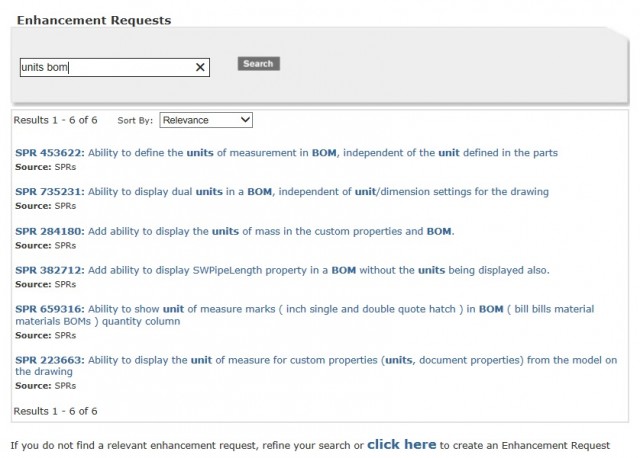
Showing or switching SOLIDWORKS BOM Units [VIDEO]
NOTE: This article is relevant for SOLIDWORKS 2023 and prior. SOLIDWORKS 2024 introduced new functionality to link custom properties to…

How to Replace Model in SOLIDWORKS Drawing View
The latest version of SOLIDWORKS has the ability to replace model in SOLIDWORKS drawing view when the drawing is open….
SOLIDWORKS Lightweight Mode [VIDEO]
Greetings, fellow SOLIDWORKS users! I’m here to help clear up some of the ambiguity of SOLIDWORKS Lightweight Mode that causes many…