


Blog Tag
Showing 16-26 of 26.
FEA
Tech tips, tutorials, and best practices for FEA from the Javelin technical team

Using SOLIDWORKS Simulation Sensors and Selection Sets for common location results
After running a Simulation study you may have common areas of interest where you need to extract results. Whether it…

SOLIDWORKS Simulation Accuracy (?)
A common concern I hear when presenting SOLIDWORKS Simulation is whether or not the results are accurate. This is a difficult…
Happy New Year from the Javelin Simulation Team
It has been an exciting year for SOLIDWORKS Simulation, and, as always, we’ve seen some incredible changes happen to the software….
SolidWorks Simulation Database Files Description
For SolidWorks Simulation Files, the results are contained in one file with the extension CWR. Other information like study properties, materials,…
Don’t Settle for Anything Less with Mirrored Results about Planes of Symmetry in SolidWorks Simulation 2014 [VIDEO]
We have all used symmetry to boost our simulation times, whether it be planar or cyclic and were happy to…
The reaction moment on a fixed face [VIDEO]
Reaction moments are only applicable to element with nodes having degrees of freedom in rotation. This is not the case…

SOLIDWORKS Simulation Shell Elements Symmetry [VIDEO]
Have you ever tried imposing symmetry for shell elements in SOLIDWORKS Simulation 2012 or older? If you have then you…

Show SOLIDWORKS Simulation Results on Selected Entities [VIDEO]
SOLIDWORKS Simulation adds a new post-processing capability which allows the user to show SOLIDWORKS Simulation results on selected entities. These…

What is SOLIDWORKS Simulation Submodeling and how do I use it?
Perhaps the best enhancement for simulation studies is the SOLIDWORKS Simulation Submodeling capability. For studies with a large number of…

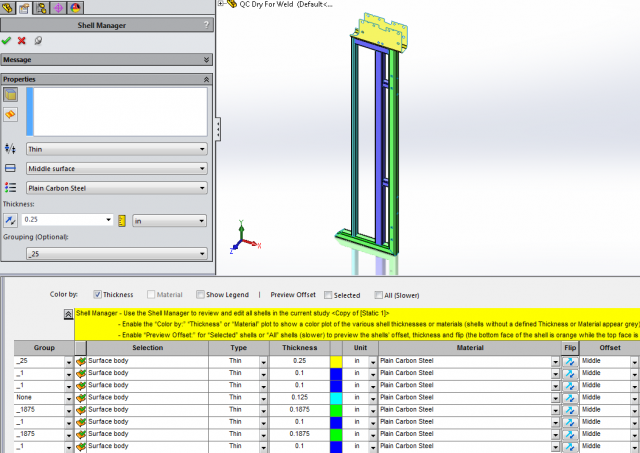
SOLIDWORKS Simulation Render Shell Thickness in 3D
With SOLIDWORKS Simulation you can display the mesh and results of shells using a 3D representation of shell bodies. There…
Fatigue? You mean my assembly is tired? (A Glossary of Terms used in FEA)
New to stress analysis? Ever wondering what they mean by yield or creep or fatigue when performing Simulation studies? Joe…