


EPDM – “SolidWorks Rename” Creates Duplicate File in the Vault

Article by Joe Medeiros, CSWE updated April 26, 2013
Article
The SolidWorks rename option available from the SolidWorks Explorer
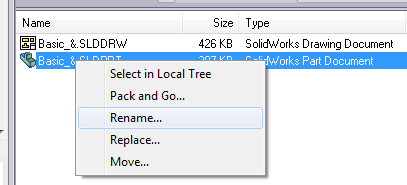
or Windows Explorer

will not handle renaming the vault file correctly as it only processes the locally cached copy of the file. It will not rename the vaulted file but create a brand new file.
EPDM has built in support to rename files. To rename a file in an EPDM vault, right-click the file and select the standard Windows rename menu option.

Provided the user has permission in vault to rename the file, it will rename the file and also handle all versions of the file.
Related Links
Want to do more with SOLIDWORKS PDM?
Our Certified SOLIDWORKS PDM Experts can help you to:
Posts related to 'EPDM – “SolidWorks Rename” Creates Duplicate File in the Vault'
