


EPDM – Don’t Prompt to Save Read Only Referenced Documents.

Article by Joe Medeiros, CSWE updated June 2, 2013
Article
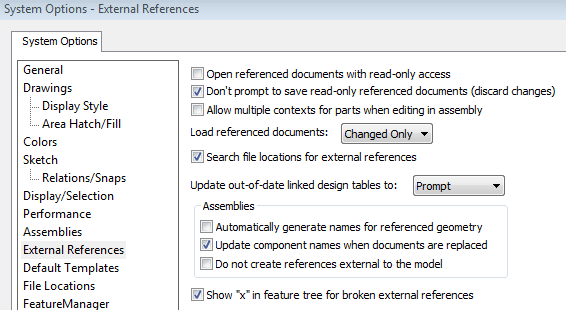
When saving a top level document you may be prompted to save any referenced documents that you do not own. This can result in being prompted multiple times to save these read-only documents. To avoid this, check Don’t prompt to save read-only referenced documents (discard changes). This option is available from the Tools pull-down in Solidworks under System Options>External References.
Related Links
Want to do more with SOLIDWORKS PDM?
Our Certified SOLIDWORKS PDM Experts can help you to:
Posts related to 'EPDM – Don’t Prompt to Save Read Only Referenced Documents.'
