


EPDM – Running a T-SQL Query

Article by Joe Medeiros, CSWE updated January 14, 2015
Article
T-SQL queries can be useful in retrieving information on your vault. This information can be used to look for problems and to help resolve problems. T-SQL queries, as an example, can be used to find duplicate files, files owned by a particular user, or files that have not been replicated. These queries can then become the basis for creating EPDM Reports. In this article we will look at how to open and run an existing query.
Launch Microsoft SQL Server Management Studio

Accessing SQL Server Management Studio
After logging in, from the File pull-down select Open>File
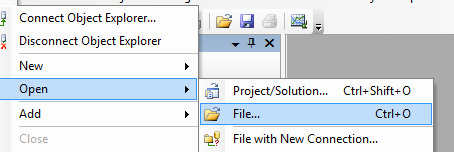
Accessing Open Command
The file extension for queries is sql
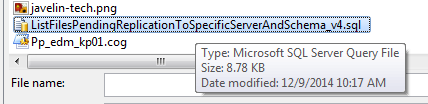
SQL Extension
Some parameters such as the archive server name, may need to be modified. Queries may contain instructions on what needs to be modified.
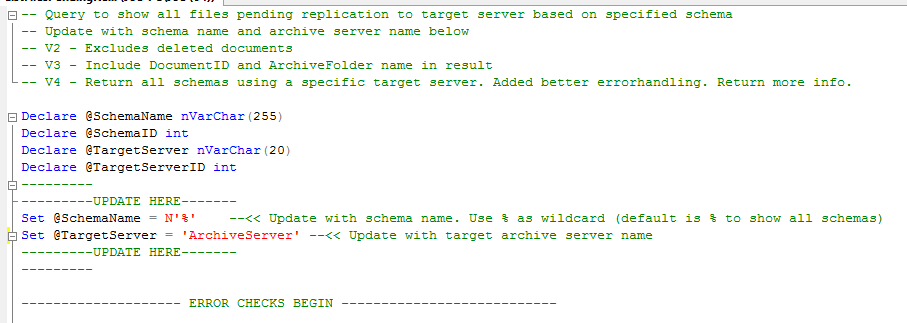
Query Sample
The database that will be used by the query, can be defined from a pull-down.
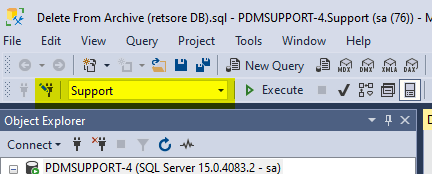
Choosing Database
A query can also be opened by double-clicking on the query file.

SQL Queries In Windows Explorer
Related Links
Want to do more with SOLIDWORKS PDM?
Our Certified SOLIDWORKS PDM Experts can help you to:
Posts related to 'EPDM – Running a T-SQL Query'
