


Blog Tag
Showing 1-15 of 22.
SNL
Tech tips, tutorials, and best practices for SNL from the Javelin technical team

Controlling DraftSight License Timeout Using an Administrative Profile
Ensuring that idle licenses are returned to the license pool after a defined amount of time is typically an essential…

Controlling the License Timeout in DraftSight Enterprise
When managing network licenses of SOLIDWORKS software, you may want to ensure that a license is returned to the pool…

Alternative Method to Move SOLIDWORKS SolidNetWork License
For the most part, moving the SOLIDWORKS SolidNetWork License can be performed, as explained in my colleague’s article, Moving The…

DraftSight Enterprise Installation Guide
DraftSight is a feature-rich 2D and 3D CAD solution for architects, engineers and construction service providers, as well as professional…

The Last Step to Update the SOLIDWORKS SolidNetWork License Server
When updating SOLIDWORKS that has been installed using a floating, network license the latest version, many users will forget the…

Limiting the Borrowing of SOLIDWORKS Network Licenses
The SOLIDWORKS SolidNetWork License (SNL) Manager can distribute licenses to client installations that are directly connected to it through a…
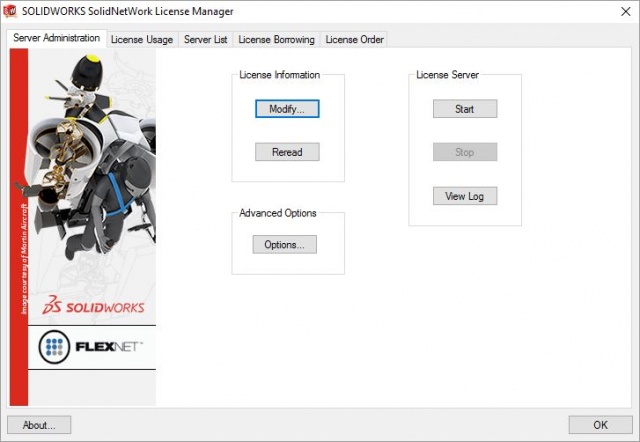
Moving The SOLIDWORKS SolidNetWork License (SNL) Manager
When it comes time to migrate to new servers, moving the SolidNetwork License Manager Server for your SOLIDWORKS software can…

Why is my SOLIDWORKS Network License not being returned to the SNL Server?
If you are using a network license for any SOLIDWORKS product (e.g. SOLIDWORKS CAD, SOLIDWORKS Visualize, SOLIDWORKS Composer etc.), once you close…
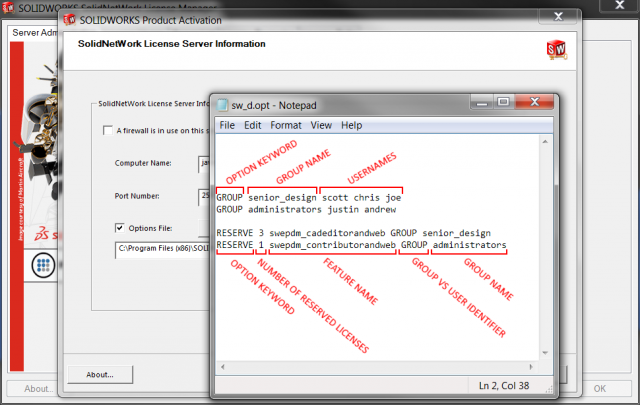
Reserving SOLIDWORKS PDM and SOLIDWORKS Manage Licenses
Sometimes it is necessary to ensure that certain users always have a license of SOLIDWORKS PDM or SOLIDWORKS Manage available….

SOLIDWORKS NetWork License Failed to get string for the Localized Property
When installing, or modifying the installation of the SOLIDWORKS SolidNetWork License Manager, you may encounter the following error: Failed to…
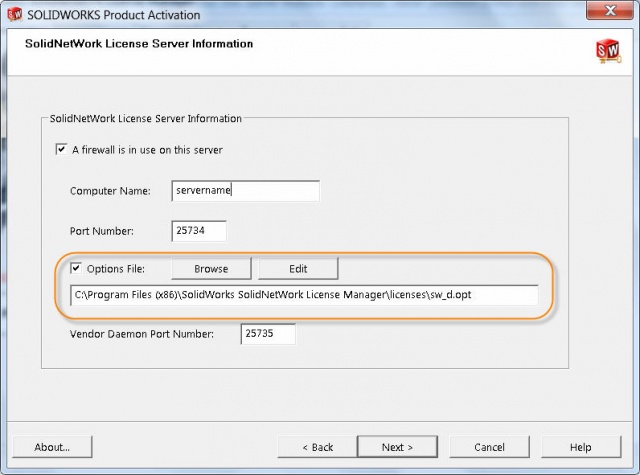
SOLIDWORKS SolidNetWork License Manager Options File provides additional control
The SolidNetWork License Manager runs on FlexNet technology and there is a PDF guide included in the installation with additional…
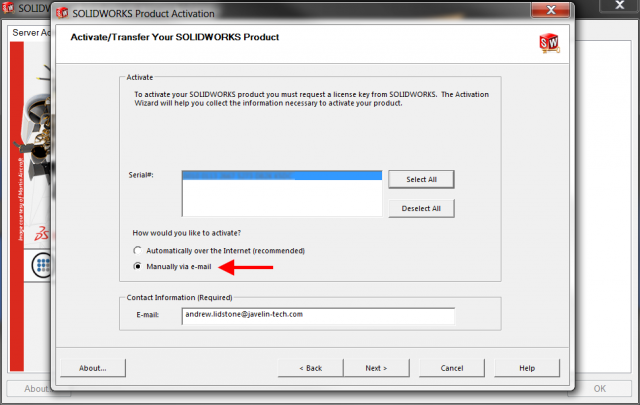
How to Manually Activate a SOLIDWORKS Network License
If the server running the SolidNetWork License Manager is not connected to the internet then the software can be activated manually…

How to change the SolidNetWork License Manager Communication Port
The default ports used by the SolidNetWork License Manager are 25734 and 25735. In some cases though these ports may…

Adding EPDM License[s] to an existing SolidNetWork License Manager [VIDEO]
Starting with the 2015 release SOLIDWORKS Enterprise PDM now uses the SolidNetWork License Manager program instead of a license file….

Using the SolidNetwork License Manager Options File with SOLIDWORKS PDM [VIDEO]
Starting with the 2015 release, SOLIDWORKS PDM licensing is now handled through the SolidNetwork License Manager, instead of through a license…