


SOLIDWORKS PDM Data Card Active Configuration Setting

Article by Michael Nwachukwu updated August 11, 2015
Article
When viewing a PDM data card for a file, by default the active configuration is displayed.
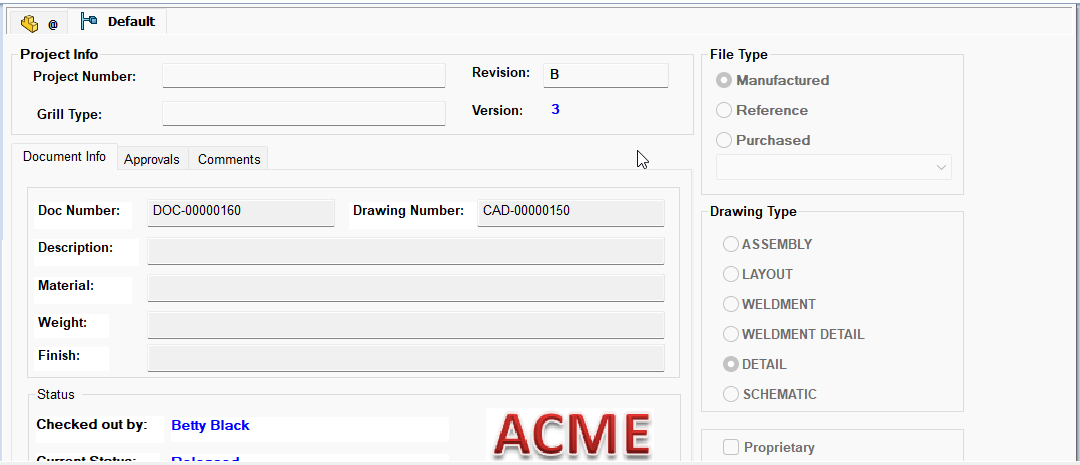
PDM Data Card – Default Active Configuration
PDM Data Card – Display Options
This behavior can be controlled to display the as built (@) configuration instead. This is done by clearing ‘Set focus to active configuration’ from Display > Options.
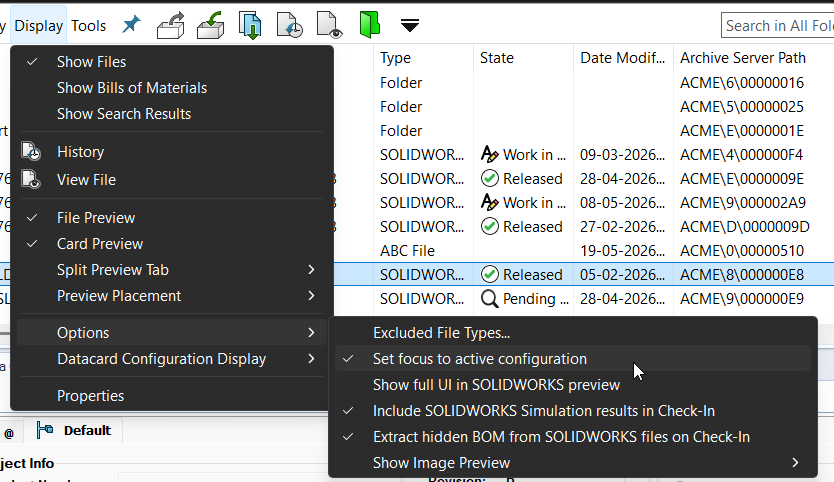
Set focus to active configuration
Related Links
Want to do more with SOLIDWORKS PDM?
Our Certified SOLIDWORKS PDM Experts can help you to:
Posts related to 'SOLIDWORKS PDM Data Card Active Configuration Setting'
