


Javelin / TriMech Author

Michael Nwachukwu
Failed to Obtain a License for SOLIDWORKS PDM Professional | Common Causes and How to Fix Them
 By Michael Nwachukwu on February 18, 2026
When working with SOLIDWORKS PDM Professional, encountering license errors such as “Failed to obtain a license for SOLIDWORKS PDM” can be frustrating and confusing. These errors often stem from misunderstandings about how SOLIDWORKS PDM licenses work. In this article, we’ll explore the most common license…

The PDM File Version Upgrade Tool streamlines the process of saving SOLIDWORKS files in the newest version of the software by automating the checkout, upgrade, and check-in of files within a SOLIDWORKS PDM vault.
Creating a Card List from an SQL Database in SOLIDWORKS PDM
By Michael Nwachukwu on September 16, 2024
Introduction Card lists play a crucial role in managing data within SOLIDWORKS PDM. By setting up T-SQL queries to retrieve values from an external SQL database, you can create custom card lists. In this article, we’ll guide you through the process. Prerequisites Before we begin,…
Accessing the SOLIDWORKS PDM Task Host Configuration
By Michael Nwachukwu on May 8, 2024
One crucial step that is often overlooked when setting up a SOLIDWORKS PDM Task, is specifying in the SOLIDWORKS PDM Task Host Configuration which tasks can be executed on a computer.
Adding Column Sets to a Search Card in SOLIDWORKS PDM
By Michael Nwachukwu on January 8, 2024
Understanding and Utilizing Column Sets in SOLIDWORKS PDM Column Sets are an incredibly useful feature in SOLIDWORKS PDM, offering a level of personal customization that can significantly enhance your PDM experience. This article will guide you through the process of setting up column sets specifically…

SOLIDWORKS PDM Professional 2023 added a number of exciting enhancements that will help improve usability, performance and security. One of these SOLIDWORKS PDM 2023 enhancements was the introduction of a new feature that allows administrators to customize notification templates for a vault. This helps to…
How to perform a synchronization between SOLIDWORKS PDM and SOLIDWORKS Manage
By Michael Nwachukwu on August 19, 2020
Within SOLIDWORKS Manage, there are scenarios (upgrading, etc) where a manual synchronization of the PDM object is required to ensure everything is up to date between SOLIDWORKS Manage and PDM. How to run a synchronization of a SOLIDWORKS ‘PDM’ object Within SOLIDWORKS Manage; Options >…
Adding the SOLIDWORKS Manage Add-in to SOLIDWORKS PDM Professional
By Michael Nwachukwu on October 21, 2019
Once SOLIDWORKS Manage has been installed, SOLIDWORKS Manage can be connected to SOLIDWORKS PDM Professional. The first step in in doing this, is by adding the SOLIDWORKS Manage Add-in, in SOLIDWORKS PDM Professional Administration. To do this, launch SOLIDWORKS PDM Professional Administration and log into…
SOLIDWORKS PDM Data Card Active Configuration Setting
By Michael Nwachukwu on August 11, 2015
When viewing a PDM data card for a file, by default the active configuration is displayed. PDM Data Card – Display Options This behavior can be controlled to display the as built (@) configuration instead. This is done by clearing ‘Set focus to active configuration’…
PDM Templates- How to Add a Folder
By Michael Nwachukwu on July 28, 2013
Templates can be used to create a new folder or even a folder structure. This can be done through a simple right click in the Explorer Vault View.
PDM – Deleting a Search Favorite from the Local Vault View
By Michael Nwachukwu on June 13, 2011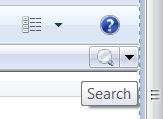
Finding where to delete unwanted Search favorites can be tricky if you don’t know where to look. Next to the Quick Search bar is a drop down menu. From there, you select the Search Tool. List of all favorited searches After clicking on the Search Tool,…
PDM – Safely Deleting and Recreating a Local Vault View
By Michael Nwachukwu on June 13, 2011
Checking in Checked out Files Below are steps to safely delete and recreate a Local Vault View, sometimes abbreviated as a “LVV“. These steps should be performed by a user with PDM Administrative permissions. Before deleing the LVV, it should first be determined which files…