


Adding a Search Favorite in SOLIDWORKS PDM Professional

Article by Justin Williams updated July 22, 2016
Article
In SOLIDWORKS PDM Professional you can add a Search Favorite, making it quicker and easier to access frequently used searches via Windows Explorer. Listed below are the steps to create a SOLIDWORKS PDM Professional Search Favorite:
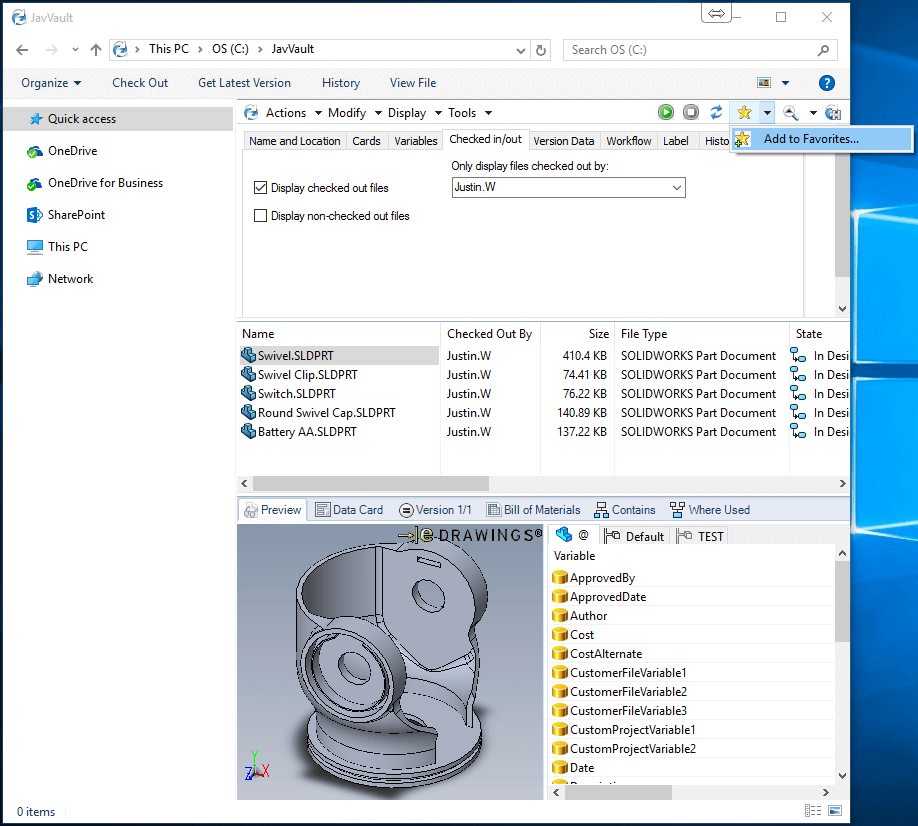
To save a search simply expand the favorites drop-down and select Add To Favorites option as shown in the figure below:
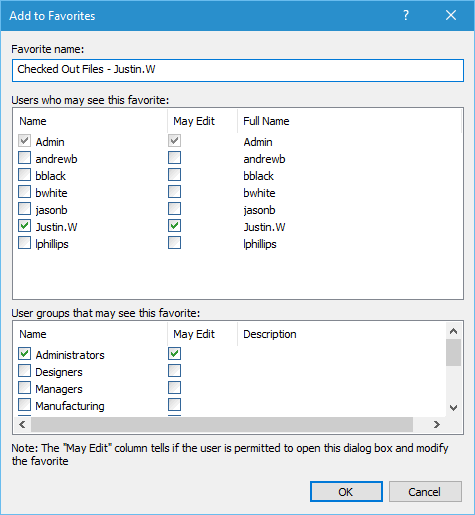
Within the Add to Favorites dialog, give the favorite a name, select the users and groups who may see and edit the favorite.
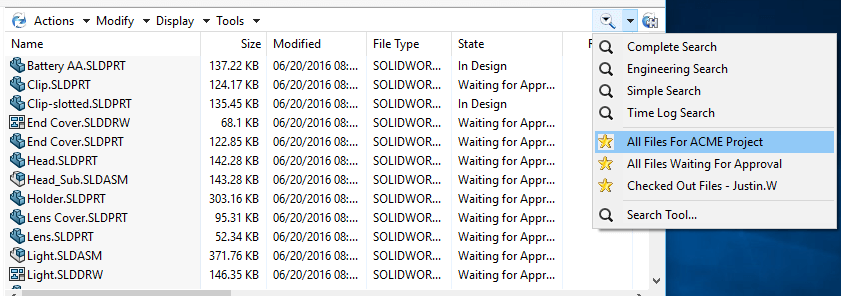
Click ‘OK‘ and the search is saved. Now your search is never more than two clicks away within Windows Explorer:

Learn more about SOLIDWORKS PDM
Attend our SOLIDWORKS PDM Administration training course to learn more about creating custom search cards and administering SOLIDWORKS PDM.
Related Links
Want to do more with SOLIDWORKS PDM?
Our Certified SOLIDWORKS PDM Experts can help you to:
Posts related to 'Adding a Search Favorite in SOLIDWORKS PDM Professional'
