


How to add a Zoom To Fit command to the SOLIDWORKS PDM Convert Task

Article by Justin Williams updated July 2, 2020
Article
The SOLIDWORKS PDM convert task, opens the model, and completes a save as PDF. If the last save of the model was zoomed out, it can result in an excess of empty space, as shown in the example below:

With a small edit to the script, we can add a Zoom To Fit command before the file is converted to PDF.
How to add a Zoom To Fit command to the SOLIDWORKS PDM convert task
- Open the Administration Tool and open the convert task;
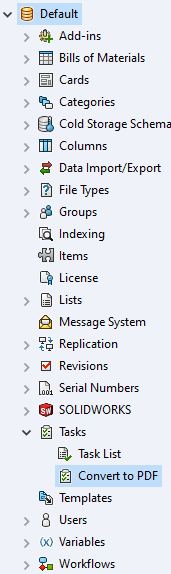
- Within Output File Details select Advanced Scripting Options;

- Add swModel.ViewZoomtofit2 as listed below (line 710)

And the command will be added ahead of conversion;

Related Links
Want to do more with SOLIDWORKS PDM?
Our Certified SOLIDWORKS PDM Experts can help you to:
Posts related to 'How to add a Zoom To Fit command to the SOLIDWORKS PDM Convert Task'
