


Javelin / TriMech Author

Chris Briand, CSWE
Adding Parametric Intelligence to Imported DWG Geometry [VIDEO]
 By Chris Briand, CSWE on June 26, 2013
Ever wonder what SolidWorks can do with DWG geometry. We have some super abilities when it comes to adding intelligence and actually linking the static DWG dimensions to existing DWG geometry – Take a peek and see how!
Equation Reordering in SolidWorks 2013 [VIDEO]
By Chris Briand, CSWE on June 19, 2013How much time have you spent in the new Equation Manager? As it turns out, we all have some nifty new abilities to take advantage of. Our first stop on the path to SolidWorks Equation enlightenment is the ability to re-order our equations super easily.
Linking SolidWorks Equations to an External Text File [VIDEO]
By Chris Briand, CSWE on May 30, 2013With the latest updates to the SolidWorks Equation Manager, we now have the ability to have an externally linked text file drive our Equations within SolidWorks. Take a look at the video below to see how to apply this feature to your equation workflow.
Adding Setback Distances to your SOLIDWORKS Multiple Radius Fillet [VIDEO]
By Chris Briand, CSWE on May 20, 2013
Using the Setback option when creating a SOLIDWORKS Multiple Radius Fillet can award you with a near infinite way to blend adjoining surfaces together to develop smoother transitions on your corners. The video below will take you through the steps. https://youtu.be/cclvkejd0Mg Learn more about Fillets…

During a recent support call, a question was posed regarding any method that a SOLIDWORKS user could use to place their company logo into an eDrawing and ensure that it made it onto any prints that were taken from the eDrawings file. This got me…
Populating cells in Microsoft Excel with EPDM variables
By Chris Briand, CSWE on April 21, 2013In prior posts we have shown you how to link EDPM variables to the custom properties of a Microsoft office document. What if you need to push that data into the cells of a Microsoft Excel Spreadsheet?
Basic Troubleshooting of a Workgroup PDM System – Communication & Ports
By Chris Briand, CSWE on April 15, 2013As it is the time of year when many engineering and IT groups seek to update their software, we thought it might be nice to share some of our troubleshooting tips when it comes to setting up a Workgroup PDM System. Most of the common issues surrounding a SolidWorks Workgroup PDM installation involve communication. Anything that blocks communication on the few ports that the workgroup Server uses to communicate will lead to the server not being available to the client systems. Please ensure that the following ports are open in your Server’s firewall and on the client systems: Port #: 80 Port #: 20000 Port #: 30000 Port #: 40000 Another typical occurrence is that the name of the computer hosting the vault has changed…
Getting Ready to Update your Workgroup PDM Vault
By Chris Briand, CSWE on March 27, 2013I was recently asked by an IT professional, what they should be doing prior to executing a move or an update of the WPDM vault. (Tips on actually moving your Workgroup Vault may be found at https://www.javelin-tech.com/blog/2012/09/moving-wpdm-vault-to-new-server) If possible have all users attached to the vault check in any files they currently have checked out, this will ensure that everyone’s data remains secure during the move and prepares you for the next step in our list. This second tip is not to be taken lightly, it is a fundamental step to ensuring your data remains safe and secure…………BACKUP YOUR WORKGROUP PDM VAULT DATA! – Which essentially means copying your Vault Data folder to a safe location, or a remote Drive. (Default location C:\VaultData) Ensure all…
Translating Parts from Inventor into SolidWorks while maintaining their Features
By Chris Briand, CSWE on March 14, 2013A quick update to this post as our good friends at SolidWorks were kind enough to point out that I had not given the Inventor View Product it’s due. To that end I thought I should clear up some more of the hearsay and rumor surrounding translating files from Autodesk’s Inventor Product. Translation of individual part files from Inventor: Installation of the Inventor View product will only be sufficient for translation if you are looking to obtain Solid Bodies void of any feature data within SolidWorks. If you are attempting to retain the parametric features of your model you will need to install the latest release of Inventor (as compared to your installed release of SolidWorks). The method to accomplish the full translation is to:…
Lost your SOLIDWORKS data in a crash? SOLIDWORKS Auto-recovery can help
By Chris Briand, CSWE on December 13, 2012
Everybody has had it happen at least once…you dig in on an important project and get so carried away by your design you forget to save your work regularly. It’s generally not until there is some sort of complication that we realize that we haven’t…
Always the same story with the Hole Wizard…….Slow Loading
By Chris Briand, CSWE on August 29, 2011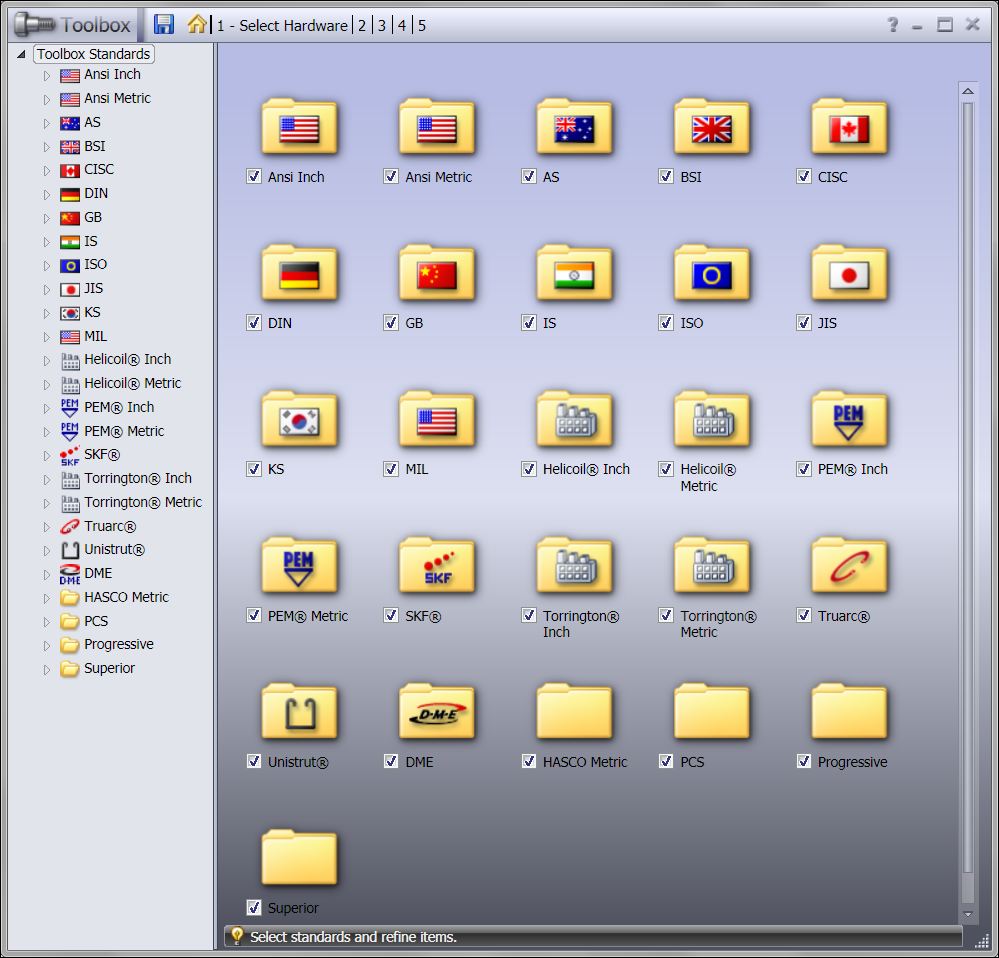
Keeping in Line with my recent theme of performance, when it comes to our blog postings, I thought we should share some insight on a question that comes up month after month, and release after release…….. Why does my hole wizard take so long to…
Easily find the character length of particular file paths.
By Chris Briand, CSWE on August 29, 2011
Finding the maximum file path length…No matter how far we advance through operating systems or other software, we often bump into a 256 character limit when attempting to copy or archive files. The end result is our copy and paste sequence telling us that our…
What is stealing Windows System Resources away from your session of SOLIDWORKS?
By Chris Briand, CSWE on August 9, 2011
Ever wonder what other stuff is running on your PC while you struggle for Windows System Resources to finish the SOLIDWORKS task at hand? The ‘stuff’ I refer to is all of the little extra icons that appear in the Windows Taskbar (under the arrow…
Be careful when adding downloaded SOLIDWORKS Fasteners to your assembly
By Chris Briand, CSWE on August 2, 2011
I recently had a discussion during one of my SOLIDWORKS training classes regarding common websites that everyone was using to download SOLIDWORKS fasteners for use in assemblies. Some of the most popular sites that came up during our discussion were: McMaster Carr Reid Supply Fastenall GrabCAD 3DContentCentral All…
Hold on to your 3D motion controllers folks…they just became a whole lot more useful!
By Chris Briand, CSWE on June 27, 2011
Like many folks, I’ve had a 3D motion controller sitting on or near my desk for years now. One of the things that frustrated me with motion controllers in general, and specifically the motion controllers manufactured by 3DConnexion, was that their usage was limited to…