


Blog Category
Showing 16-30 of 32.
SOLIDWORKS CAM
Learn about SOLIDWORKS CAM add-in software
How to Install SOLIDWORKS CAM Standard and CAM Professional | Step-by-Step Guide
 By Aric Duprey on May 4, 2026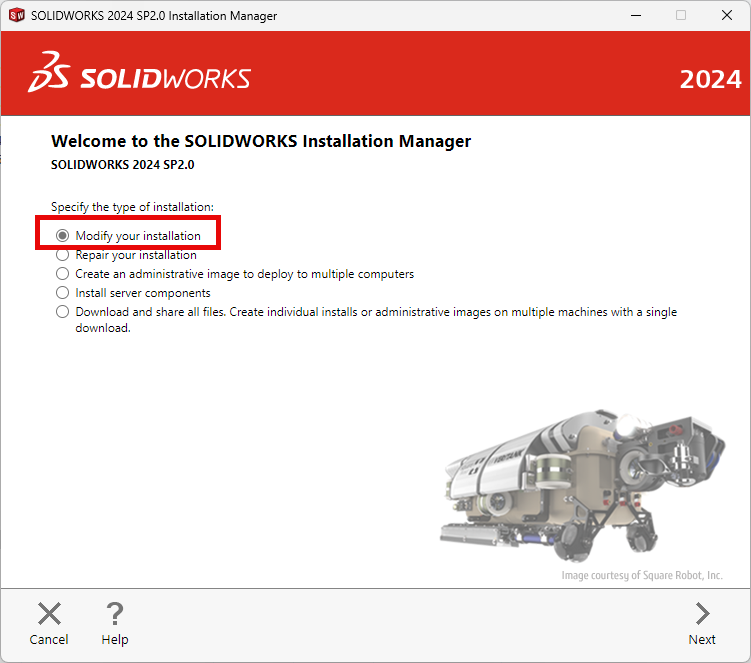
This blog will go over how to install SOLIDWORKS CAM Standard and SOLIDWORKS CAM Pro add-ins. This will give you the ability to create toolpaths on your part then send that information to your CNC Machine to get manufactured. You must have up to date SOLIDWORKS subscriptions for SOLIDWORKS CAM Standard to function.
What is the SOLIDWORKS CAM Technology Database?
 By TriMech Solutions, LLC on December 16, 2022
You may have read a blog post or watched a webinar about SOLIDWORKS CAM and have heard the term “Technology Database” and how we say it’s like having a machining handbook in your back pocket….
Multi-Surface Features and 3 Axis Contouring with SOLIDWORKS CAM
 By Shawn McEachern on June 21, 2021
For milling complex multi-surface features, SOLIDWORKS CAM is equipped with three tool paths to quickly and easily program most challenges. Machine time can be a different story in these cases: Area Clearance: Area Clearance is…
Clearance, Rapid and Feed Planes for Speed and Safety with SOLIDWORKS CAM
By Shawn McEachern on June 18, 2021
Finding the right balance of speed and safety is critical for SOLIDWORKS CAM programmers. Clearance, Rapid and Feed Planes allow us to control how far away the tool will engage or clear the work. Keeping…
Restricting Tool Movement with Contain Areas in SOLIDWORKS CAM
By Shawn McEachern on June 14, 2021
Here is a simple example of how you can restrict tool movement using Contain Areas in SOLIDWORKS CAM. A huge time saver when programming parts with targeted cutting. Contain Areas can be defined by sketches,…

Regardless of what we machine clamping is a reality. SOLIDWORKS CAM Standard Avoid Areas is a great feature to prevent your tool from crashing into a fixture or clamping. Avoid Areas Feature Avoid areas can be…
Setting Default Feature Strategies for AFR in SOLIDWORKS CAM
By Shawn McEachern on May 28, 2021
In SOLIDWORKS CAM 2019 and higher, you may select the strategies you prefer when using Automatic Feature Recognition (AFR). These strategies can be specified for any type of feature. Simply select the Feature and the…
Creating Milling Features Interactively with SOLIDWORKS CAM
By Shawn McEachern on May 20, 2021
Automatic Feature Recognition (AFR) is a powerful time saver. However, you may find yourself in a situation where you may want more control over your program. In SOLIDWORKS CAM, you may define interactively the milling…
Extend Tool Life with High-Speed Roughing in SOLIDWORKS CAM Professional with VoluMill
By Shawn McEachern on May 12, 2021
SOLIDWORKS CAM VoluMill is ideal for complex 3D shapes as its algorithms result in more intelligent toolpaths to machine pockets, slots, and arbitrary shapes. VoluMill toolpaths, unlike a trochoidal toolpath, are designed so that the…

In SOLIDWORKS CAM 2020 we are now able automatically create Tabs on Contour Operations. Whether you are trying to avoid fixtures/clamping or stopping flyers, this new feature is another huge time saver. This feature is…
How to set Milling Feed and Speed in SOLIDWORKS CAM
By Shawn McEachern on June 10, 2020
In SOLIDWORKS CAM there are three places were Milling Speed and Feed information can be utilized. In the tool, by editing any tool and selecting Cutting Parameters we can disassociate the tool from the Material…
How to create Tools and Tool Cribs for Milling in SOLIDWORKS CAM
By Shawn McEachern on June 4, 2020
In order to create a solid program, we need an accurate representation of our tools. SOLIDWORKS CAM has many pre-built standard tools for us to customize for our machining purposes. We may also add our…

Having many programmers sharing one SOLIDWORKS CAM TechDB will dramatically decrease production time while proving consistent results to the shop floor. By placing your TechDB in a network folder all users have share strategies, tools…

Creating chamfers in SOLIDWORKS CAM used to be a tedious experience. Previously chamfers had to be programming into the operation strategies or created with many curve features at the end of the program. New in…
How to Import & Update SOLIDWORKS CAM TechDB to a newer version
By Shawn McEachern on May 14, 2020
The Import Database Function allows you to import changes from another SOLIDWORKS CAM TechDB, as well as, update a TechDB to a newer version of SOLIDWORKS CAM. Here is the default location for the TechDB…

Design Services
From concept to manufacturing to scale, TriMech Design Services helps makers, startups, inventors, small manufacturers get to market.
Most Popular Posts

SOLIDWORKS 2024 Hardware Recommendations
TriMech has compiled this recommended SOLIDWORKS 2024 hardware guide to aid you in the process of upgrading or purchasing new hardware for SOLIDWORKS.

IMPORTANT! Transfer Activation Prior to Upgrading to SOLIDWORKS 2024
Prior to installing SOLIDWORKS 2024, you need to transfer activation from your prior release of SOLIDWORKS to ensure it’s available to activate SOLIDWORKS 2024.

SOLIDWORKS Packages Comparison
What is the difference between SOLIDWORKS® Standard, Professional and Premium 3D CAD software? Learn about the features included in each of the three SOLIDWORKS offerings.