


Javelin / TriMech Author

Andrew Lidstone, CSWE
Inserting A Background Image in SOLIDWORKS PhotoView 360
 By Andrew Lidstone, CSWE on October 11, 2011
In past versions of SolidWorks inserting a background image into a model was a fairly difficult operation requiring changes to system options, creation of special files and normally at least two cups of coffee. The new “Display Manager” introduced in SolidWorks 2011 however makes it…
How to dock a floating SOLIDWORKS CommandManager
By Andrew Lidstone, CSWE on October 3, 2011
Very often new SOLIDWORKS users will at some point accidentally drag the CommandManager ribbon interface out of it’s default position and down into the graphics area. Their first reaction might be to drag the CommandManager back up to it’s original position and expect it to re-dock…
SOLIDWORKS 2012 Beta Program – Why Participate?
By Andrew Lidstone, CSWE on July 25, 2011
The SOLIDWORKS 2012 Beta program has begun. If you have an active SolidWorks support subscription you can join the program and download the Beta here: https://www.solidworks.com/beta/ Why join the SolidWorks 2012 Beta testing program? Here are three great reasons: 1. Learn about SolidWorks 2012 improvements SolidWorks…
Restoring SOLIDWORKS File Associations in Windows
By Andrew Lidstone, CSWE on July 25, 2011
When you double-click SOLIDWORKS files within Windows Explorer do they open up in a new, separate instance of SOLIDWORKS? If they do, then this is one of the symptoms that something is wrong with the SOLIDWORKS file associations in your Windows OS. You can probably fix this by performing…
Repairing SOLIDWORKS with the Installation Manager Step-by-step Guide
By Andrew Lidstone, CSWE on July 19, 2011
If you encounter problems with an installed SOLIDWORKS product (e.g. SOLIDWORKS Premium, Simulation, PDM, Inspection, Electrical etc.) you can use the repairing SOLIDWORKS tool in the Installation Manager to repair the installation of the product. Here are the steps for repairing SOLIDWORKS: Step 1. Make sure you have…
SOLIDWORKS Sheet Metal Bend Allowance Calculations
By Andrew Lidstone, CSWE on July 4, 2011
In SOLIDWORKS there are several options for Sheet Metal Bend Allowance Calculations. These calculations will determine the length of the flattened pattern shape. Three of the most commonly used options are using a K-Factor value, a Bend Allowance value, or a Bend Deduction value. Here are…

We have often received questions about the eDrawings Measure tool not being available in an eDrawings file. If you are finding that you are unable to measure a file in eDrawings, there are a couple possible explanations. Which Release and which Version of eDrawings are…
You may have noticed that Windows 7 x64 is now the recommended operating system for SolidWorks 2010 and 2011 (http://www.solidworks.com/sw/support/SystemRequirements.html). In a recent poll, Windows 7 x64 was reported as the most common operating system that SolidWorks users have chosen to install on. What makes Windows 7 x64 and SolidWorks such a good combination?
IMPORTANT TIP – SolidWorks SNL: How to avoid downtime when upgrading!
By Andrew Lidstone, CSWE on April 19, 2011If you have a SoildWorks network installation your SolidWorks SolidNetwork License (SNL) server may be installed on a computer in a server room somewhere, it may seem simpler to use an RDP (remote) connection when you need to make changes or upgrade your SNL server to the latest version, rather than having to work from the actual computer, especially if the server is far away or hard to access. However it is very important to never use an RDP connection when working with the SNL server, but instead to always make any upgrades or activations from the actual machine where the SNL server is installed.
How to create a SOLIDWORKS Custom Material
By Andrew Lidstone, CSWE on January 10, 2011
SOLIDWORKS comes pre-loaded with a great library of materials ranging from ABS Plastic to Zirconium. The information contained in each of these material library entries includes tensile strength, density and many more material properties that can be used by SOLIDWORKS and SOLIDWORKS Simulation. However what…
Updating Changes To Your Custom Weldment Profiles
By Andrew Lidstone, CSWE on January 10, 2011
Have you created a library of new custom weldment profiles for use in SolidWorks, or have you added custom property information to some of the pre-existing weldment profiles? You may have noticed that if you’ve made changes to the either the profile sketch or some…
Auto vs Corner Relief in SolidWorks Sheet Metal
By Andrew Lidstone, CSWE on December 20, 2010
Sheet Metal functionality within SolidWorks provides designers with powerful tools to create accurate, formable models of their designs. However, a common point of confusion when using sheet metal functions is the difference between the auto relief and corner treatment tools. Auto Relief When…
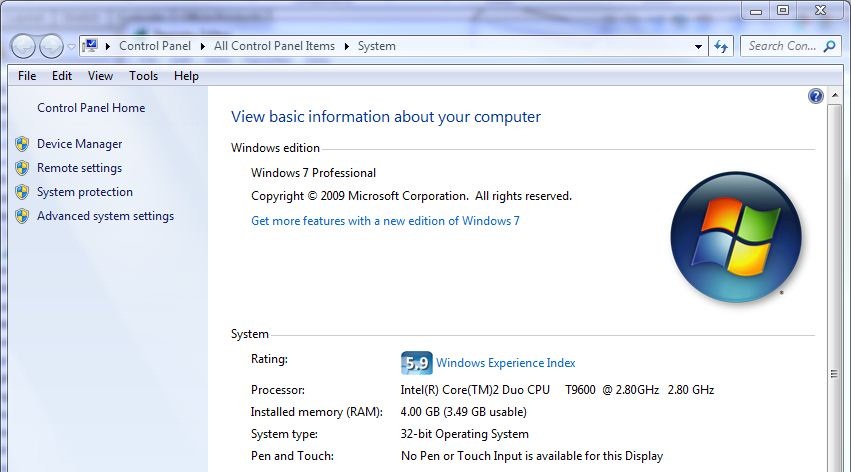
Most of us are likely familiar with a now commonly encountered limitation of 32 bit computer systems, they can only support a maximum 4 gigabytes of physical RAM. But you may wonder, why is this limit there and especially, what does it mean for us…

Want to view your 3D designs on your iOS device? There’s an app for that. In fact there’s two, 3DVIA Mobile for iPhone and iPod touch and new 3DVIA Mobile HD for iPad. These 3D viewers allow you to show off your SolidWorks models on the…
Using and Customizing SOLIDWORKS Mouse Gestures [VIDEO]
By Andrew Lidstone, CSWE on September 22, 2010
With SOLIDWORKS 2010 a new productivity tool was introduced called SOLIDWORKS Mouse Gestures. Once you get used to using them, Mouse Gestures can be a real time saver when using SOLIDWORKS to bring your designs to life. How SOLIDWORKS Mouse Gestures Work: You use Mouse Gestures by pressing…