


Javelin / TriMech Author

Joe Medeiros, CSWE
EPDM – Setting Permissions for Template Documents
 By Joe Medeiros, CSWE on March 24, 2014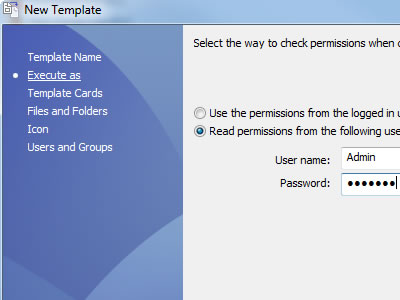
SolidWorks EPDM templates can be used to generate a document, based on an existing document template. For instance EPDM can use an Excel template to generate an Engineering Change Order (ECO). The template can contain predefined fields, that are either entered manually, or entered by…
EPDM – Template Folders and Design Library Components Must be Cached Locally
By Joe Medeiros, CSWE on March 19, 2014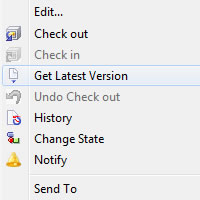
SolidWorks cannot access Template files & Design Library components directly from the Archive server. These files must be cached locally. To ensure that the proper version of the file is being used a “Get Latest” should be performed first. With SolidWorks EPDM 2014, the latest…
EPDM – Automated Cache Management
By Joe Medeiros, CSWE on March 12, 2014
In SolidWorks Enterprise PDM there are now tools that can automatically handle how files are cached. These tools are available for both the User & Group Properties. Clear the local cache during log-out, removes unwanted files which in turn can increase performance and reduce errors related…
Updating the SOLIDWORKS Workgroup PDM Vault
By Joe Medeiros, CSWE on February 4, 2014
When SOLIDWORKS CAD software is updated to the latest release, the SOLIDWORKS Workgroup PDM Vault must also be updated. The following outlines how this can be done. If possible, first: Have all users check in any files they currently have checked out. Ensure all users log…
When to use SOLIDWORKS PDM Categories with Workflows
By Joe Medeiros, CSWE on January 23, 2014
SOLIDWORKS PDM Categories are useful when you have conditions which are shared by multiple workflows. For instance there may be a file path condition, which is common to two or more workflows. Instead of defining this condition in each workflow, we can instead define this…
EPDM – User/Group Settings>Reference Dialog
By Joe Medeiros, CSWE on December 15, 2013
The Reference Dialog options, of User/Group settings, controls how references are handled when file are checked out or when the state is changed. These options can be accessed bey right clicking on a user or group and selecting Settings. Check out files silently without…
Design Checker and Windows UAC (User Account Control)
By Joe Medeiros, CSWE on December 14, 2013
When running the Solidworks Design Checker, or the Design Check Builder, a script error may occur. This is may be related to Windows UAC (User Account Control). Disabling UAC should prevent the scripting errors. To disable UAC, click on Windows Start and enter UAC as the search. …

This message may occur when attempting access a seat of SolidWorks from the SolidWorks License Manager. The message will also include “(66,iActTransactionStartFlxActivateApp()/flxActAppActivationReqCreate() errored[8, 41013, 0])”. This message can be caused if a user uninstalls the SolidNetWork License (SNL) and does not reboot the the system…
EPDM – Mapping a Enterprise PDM File Data Card Variable to Show the Configuration Name of SolidWorks Files
By Joe Medeiros, CSWE on December 7, 2013
To have a data card variable display the configuration name of SolidWorks files, set-up the variable as shown below. The block name mus be set to “SWCfgProperty”. In the above image the configuration name is being mapped to variable, but other configuration specific properties can…
EPDM – Updated API in Solidworks 2013 Requires Updating Tasks.
By Joe Medeiros, CSWE on December 1, 2013SolidWorks 2013 has updated the API/script environment to VBA 7 (Visual Basic for Applications), which means that some of the methods used in the default Enterprise PDM SolidWorks task scripts (Convert, Print and Design Checker) need to be updated to be compatible with the new APIs. Solidworks has provided detailed instructions and the default SolidWorks Enterprise PDM 2013 SP0 based task scripts for comparison. SolidWorks subscription customer can access this information, by logging int the Solidworks Customer Portal at www.solidworks.com and accessing the Knowledgeable. The article can be found by searching S-061260.
EPDM – No Red Plus Icon beside Vault after Upgrading to a Newer version
By Joe Medeiros, CSWE on November 30, 2013For those that have been using SolidWorks Enterprise PDM for a number of years and are updating from version that is number of release back, it may seem surprising that there is no No Red Plus Icon beside Vault in SolidWorks Enterprise PDM Administration. In earlier release with each major release, the archives needed to be updated after the installation SolidWorks Enterprise PDM . In more recent releases this is NOT required as an additional step.
EPDM – Automatic Routing to Multiple States
By Joe Medeiros, CSWE on November 29, 2013
When checking in or transitioning a number of files, you may want to route the files to different states. For instance, you may want to route SolidWorks files to one state and supporting documents to a different state.
EPDM – Troubleshooting the ActiveX Installation of the Web Client
By Joe Medeiros, CSWE on November 23, 2013
The information below is available from the Web Server Guide, which can be accessed from the Help file of SolidWorks Enterprise PDM Administration. I have been asked often enough about this aspect of the Web Server set-up, that I believed it was worth breaking it into its own blog…
Mismatch between SolidWorks and Workgroup Versions and SolidWorks Tasks
By Joe Medeiros, CSWE on November 22, 2013Recently I ran into an issue where a SolidWorks Task failed. The task was set-up correctly and I was able to run the task on separate machine. On both machines the SolidWorks version and service pack were the same, but each installation was pointing a different vault. On the machine where the Workgroup vault was at the same version and service pack as the SolidWorks, the task worked. On the machine where the task failed, the Workgroup vault was on the same release, but on an older service pack. Once the Workgroup vault was updated to match SolidWorks, the task ran as expected. It is recommended to always run both the Workgroup vault and Solidworks at the same service pack.
SOLIDWORKS PDM login operation failed. Could not access the item in the database
By Joe Medeiros, CSWE on October 26, 2013
SOLIDWORKS PDM Login issues can often be the result of communication issues between the server and the client. A ping test as outlined in my article: Testing Connectivity to Archive Server Using the Ping test, can be used to check for communication issues. Some login issues…