


Javelin / TriMech Author

John Lee, CSWE
Save time by linking Notes and Features to Custom Properties in SOLIDWORKS
 By John Lee, CSWE on June 30, 2020
Why should you link notes and features to custom properties in SOLIDWORKS? Well have you ever needed to add a stamp to a SOLIDWORKS part to call out the same info that is already in your custom properties? Ever needed to call that out on…
How to know when the mouse is acting up in SOLIDWORKS
By John Lee, CSWE on May 19, 2020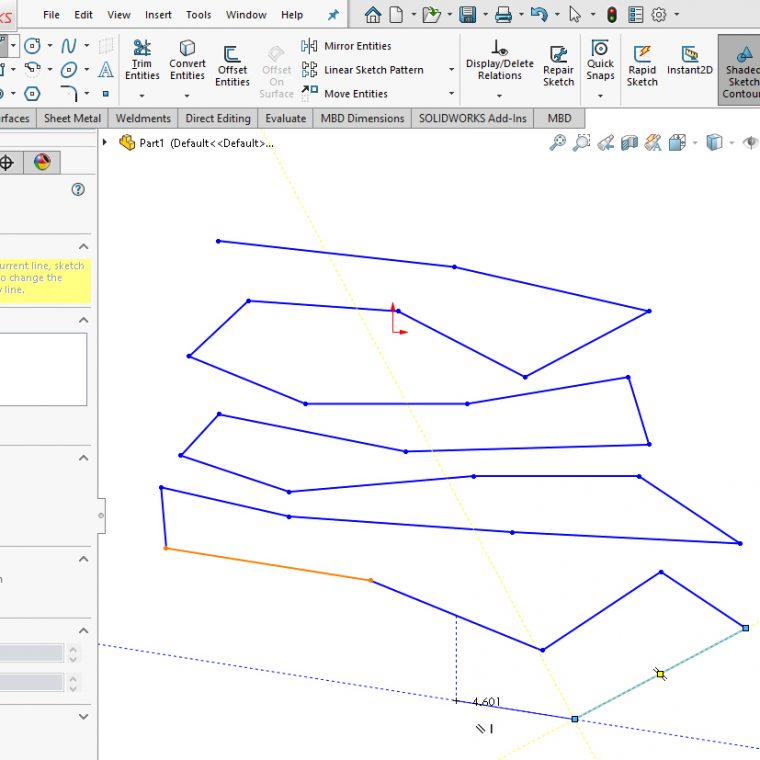
Checkboxes ignoring your clicks? Seeing strange behavior when trying to sketch something? No, you’re not necessarily losing your mind (well, hopefully not today, at least). And it’s likely not a Cylon computer virus trying to learn your system, either. In fact, as we learn on…
Copy Settings Wizard strategy before and after a SOLIDWORKS registry reset fixed a problem
By John Lee, CSWE on May 11, 2020
Restoring SOLIDWORKS custom settings is sometimes necessary, and if much time has been invested in setting them all then it’s not fun to imagine having to restore them all manually. This article discusses restoring custom settings if there was deemed to be a corruption in…
Save time detailing bodies in SOLIDWORKS with Relative To Model view!
By John Lee, CSWE on May 6, 2020
So you’ve got a multibody part, such as a weldment or other non-welded design (doesn’t even need to use Weldment tools) in SOLIDWORKS, and it’s time to detail each body as it would appear before being welded or assembled. With assemblies, common practice is to…
Why did SOLIDWORKS CAM or Visualize fail to obtain a license?
By John Lee, CSWE on April 28, 2020
Are you experiencing a failed to obtain license error for SOLIDWORKS CAM Standard or SOLIDWORKS Visualize Standard? Noticed an expiry date regarding licenses for these products? Why does this happen? If other SOLIDWORKS products still launch, or if you are using SOLIDWORKS Term Licensing, then…
SOLIDWORKS Composer Callout Exponent Shape Option
By John Lee, CSWE on December 31, 2019
In the past, SOLIDWORKS Composer has offered the option to call out quantity as an exponent on an annotation. Now, in SOLIDWORKS Composer 2020, that exponent can be set to utilize a new clarity-enhancing callout option. It’s controlled by a property called Exponent shape. In…
New basic attach type for Annotations in SOLIDWORKS Composer 2020
By John Lee, CSWE on December 27, 2019
New in SOLIDWORKS Composer 2020, is a basic attach type for labels. It is simpler than some of the other attach types, for example, it has no Properties > Label (even though it is a label). True to its name, it is rather basic. There…
Upload STL files to 3DEXPERIENCE Marketplace with eDrawings 2020
By John Lee, CSWE on December 24, 2019
In a previous article, we demonstrated how to access the 3DEXPERIENCE Marketplace from within SOLIDWORKS in order to get parts quoted for manufacture. We can now use eDrawings Professional to get parts quoted using *.stl files. STL (stereolithography) format is one of the most common…
Callout-driven BOM ID visibility is new in SOLIDWORKS Composer 2020
By John Lee, CSWE on December 20, 2019
A handy feature new to SOLIDWORKS Composer 2020 is the ability to filter the BOM table to show only the components which have visible callouts. The setting is a checkbox found in BOM Properties > Filter > Visible Callouts Here are the results of checking…
A new method for applying Callouts to External Cosmetic Threads in SOLIDWORKS 2020
By John Lee, CSWE on December 18, 2019
In prior years of SOLIDWORKS, cosmetic thread callouts were added into drawings either automatically on view creation, or manually this way. Now in SOLIDWORKS 2020, the cosmetic thread callouts can be shown like dimensions, but the prior method is still available. The new functionality in…
Simplify Cosmetic Thread Callouts with SOLIDWORKS 2020
By John Lee, CSWE on December 17, 2019
New in SOLIDWORKS 2020 are simplified callouts to cosmetic threads. In prior years, the callout would automatically include the type of thread. Thread type display is now optional in the callout, thanks to a control checkbox that is available from the Cosmetic Thread Property Manager:…
SOLIDWORKS 2020 Offset Surface now much easier to use!
By John Lee, CSWE on December 6, 2019
Remember that time you tried to offset faces as new surfaces, only to receive an error message that it failed? This can be frustrating, especially when many faces are involved and it is unclear which ones are the culprit. Troubleshooting can become time-consuming as you…
New ways of specifying the Up Axis for View Orientation in SOLIDWORKS 2020
By John Lee, CSWE on December 4, 2019
For years now, SOLIDWORKS has included many useful tools in the View Orientation window. Now in SOLIDWORKS 2020, we can use that same window to specify whether to use Y or use Z for the Up Axis. This will redefine all of the standard views…
SOLIDWORKS Composer 2020 additional formats available for saving video
By John Lee, CSWE on December 2, 2019
In prior years, the only Save As option for a SOLIDWORKS Composer video format was AVI. Now in SOLIDWORKS Composer 2020, we also have the ability to save video as FLV, MKV and MP4 as well as AVI. This can be a time-saver if there…
SOLIDWORKS 2020 Save As Copy and Open: Close the Original Document Option
By John Lee, CSWE on November 20, 2019
SOLIDWORKS Save As Copy has always been a great option for managing references when creating copies of documents under new filenames. In 2020, when doing a File > Save As… > Save As Copy and Open, we can now choose to close the original document…