


Blog Category
Showing 1-15 of 664.
SOLIDWORKS PDM
Tips and Techniques for SOLIDWORKS PDM (Product Data Management) software for Users and Administrators




EPDM – Changing Admin Password
 By Joe Medeiros, CSWE on August 16, 2012
The Admin password has to be changed from the Archive Server Configuration tool which is available from Start > Programs > SolidWorks Enterprise PDM
EPDM – Grey Files/Folders in the Local Vault View???
By Joe Medeiros, CSWE on July 4, 2012
A “grey” file or folder in the vault view means that there is a cached local copy, but the logged in user either does not have read (read file, view working version) permission to that…
EPDM 2012 – Customized Menus
By Joe Medeiros, CSWE on April 30, 2012
In SolidWorks Enterprise PDM 2011 many of the commands that I used from the right-click menu, in Explorer Vault view, were moved to SolidWorks Enterprise PDM menu bar. I missed being able to right-click and…
Modifying the “Admin” user password in SolidWorks Enterprise PDM
 By Andrew Lidstone, CSWE on March 19, 2012
When Enterprise PDM is set up to use the Windows Active Directory for user logins, the EPDM users’ passwords will match their Windows passwords. But what about the special “Admin” user account? This special account…

If you’re reading this post, you’ve likely wondered at some point about how you can help rationalize what may be perceived by some as “intangible” – the return on your investment for implementing a data…

So you’ve implemented SolidWorks Enterprise PDM, you’re seeing some benefits, but what’s next, how can you get more out of SolidWorks EPDM? With the growing list of customers that have invested in SolidWorks Enterprise PDM,…
PDM – How to Check-in Local files if the Local Vault View has been Deleted
By Joe Medeiros, CSWE on February 7, 2012In a previous blog “Safely Deleting and Recreating a Local Vault View”, I looked at how the local vault view can be deleted without losing the local files. But what can be done if the vault view is deleted accidentally or cannot be accessed, thereby making it impossible to perform the steps in the aforementioned blog…
Working Better in 2012 through Data Management
 By Rod Mackay on January 4, 2012
If you’re like most people, you’ve built a list of Resolutions for the New Year. If you’re anything like me, then you’ve put “Find ways to work smarter & faster” on that list of To…
SOLIDWORKS PDM enhances Windows Explorer with more controls and speed!
 By Eric van Essen on December 15, 2011
I laugh sometimes when I deliver demonstrations of SOLIDWORKS PDM because I feel like I’m demonstrating something which everybody lives and breaths every day when they are working with their Windows computers. I’ve even been tempted to…
SOLIDWORKS BOM (Bill of Materials) management and best practices [VIDEO]
By Eric van Essen on December 15, 2011
The Bill of Materials (BOM) is such an important report yet it is surprising the number of users that do not have a formal strategy in place with how their bill of materials is created,…
Installing the VaultAdmin
By Joe Medeiros, CSWE on December 13, 2011
By default, the SolidWorks Workgroup PDM VaultAdmin is not installed during the installation of SolidWorks. In this article we will look at how to include the VaultAdmin during the original installation of SolidWorks or adding…
Draftsight Add-in for SOLIDWORKS PDM
By Eric van Essen on September 30, 2011
I was reading through the “What’s New” material for SOLIDWORKS PDM and I am excited to learn that there is a DraftSight SOLIDWORKS PDM Add-in available for running PDM inside of DraftSight. It does seem like…
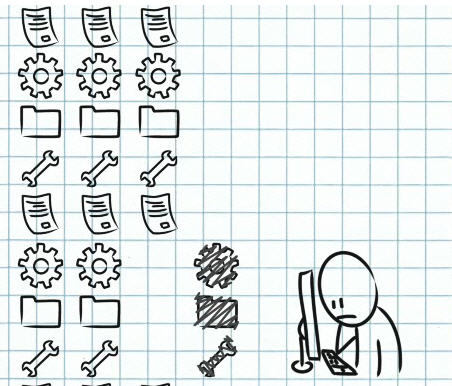
I was very inspired when I saw the new animation that SolidWorks has put together to explain why file management is so important. They have taken all of the top areas of benefit to our…
EPDM – What you Need to Know when Using Update References to Fix Broken References
By Joe Medeiros, CSWE on September 6, 2011File references can be broken when files are renamed, moved, or deleted. Starting with SolidWorks Enterprise PDM 2011, you can use the new Update References command to repair the broken references. My article, Updating Broken File References It is very important to understand that when you check files into the vault, if the Check-In dialogue box…
EPDM – What does “The docfile has been corrupted” message mean???
By Joe Medeiros, CSWE on September 6, 2011There can be many causes for this. One known cause is attempting to save over the network to a NAS or SANS device while exceeding the disk space allowance. If this error is only reproducible while attempting to save over the network, the next step would be to contact the IT department to investigate this…

Design Services
From concept to manufacturing to scale, TriMech Design Services helps makers, startups, inventors, small manufacturers get to market.
Most Popular Posts

SOLIDWORKS 2024 Hardware Recommendations
TriMech has compiled this recommended SOLIDWORKS 2024 hardware guide to aid you in the process of upgrading or purchasing new hardware for SOLIDWORKS.

IMPORTANT! Transfer Activation Prior to Upgrading to SOLIDWORKS 2024
Prior to installing SOLIDWORKS 2024, you need to transfer activation from your prior release of SOLIDWORKS to ensure it’s available to activate SOLIDWORKS 2024.

SOLIDWORKS Packages Comparison
What is the difference between SOLIDWORKS® Standard, Professional and Premium 3D CAD software? Learn about the features included in each of the three SOLIDWORKS offerings.