


Blog Tag
Showing 46-60 of 89.
SOLIDWORKS EPDM
SOLIDWORKS EPDM tips and tricks from the Javelin team
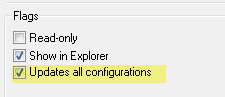
SOLIDWORKS EPDM – Update all configurations does not Update Sheet Tabs
Update all configurations flag in a data card will set the same value for all configurations. This value will be…

SOLIDWORKS EPDM – Filter Workflow using Transition Conditions
Using Transition Conditions, files can be pushed to a branch of workflow, or into a different workflow. This simple workflow illustrates…
SOLIDWORKS Enterprise PDM – Chinese Characters in File Lead to File not Found
On a system where Chinese has NOT been installed for the operating system, Windows Explorer may replace any Chinese characters, with characters that…
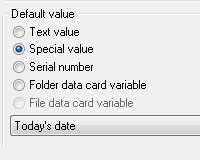
SOLIDWORKS EPDM – Why does the Date Format differ from today’s date and other dates?
When the Special Value “Today’s Date” is used in the control properties of a data card, the date is drawn from…

SOLIDWORKS EPDM – Displaying State as Note in a Drawing
The state of a file can be displayed in a drawing by using Transition actions, to assign a value to…

SolidWorks EPDM – Desktop Shortcut to Local Vault View
Below are two methods for creating a SolidWorks EPDM desktop shortcut to local vault view. Method 1: From the Navigation Pane…

SolidWorks PDM – How to use Conditions in Categories & Workflows
This is another area where I find people often get confused, so I will attempt to demystify this topic. Having…

SolidWorks EPDM – File & Folder Panel not Visible in Local Vault View
On rare occasions, after creating a local vault view, the file and folder panel appears to missing. This can be…

SolidWorks EPDM – Ignore Permissions from Previous States
As a file passes through a workflow, permissions are inherited from previous states. This can result in users or groups,…
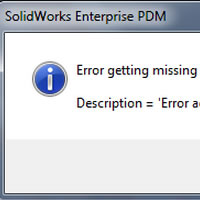
Is that SOLIDWORKS PDM Access Error or Poor Vault Performance a sign of a Full Drive?
When access errors start to occur,the cause may not be a connection issue between the client and the server. Even…
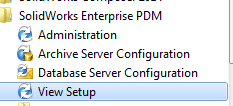
Creating Vault View from Admin Tool in SOLIDWORKS PDM
PLEASE NOTE that this article has been updated to reflect the changes to PDM 2016. This article is still relevant for…
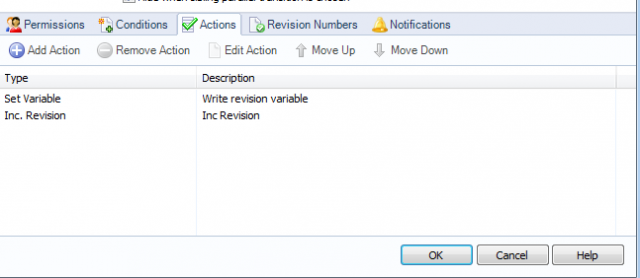
EPDM – Modify/Right Mouse Increment Revision
When a revision is incremented a label is added to the current version using a predefined revision scheme. The revision…

Is Document Management Stressing You Out?
As your organization expands, data volume grows and stress becomes commonplace. If you’ve ever lost data, had your work overwritten or…

EPDM – Using Right-Click SolidWorks Rename
Files can be renamed by right clicking on a file and choosing ‘Rename’ from the SolidWorks fly-out menu. This only renames…

SOLIDWORKS PDM Error: ‘No database is connected to this view’ Adobe Reader XI (11.0.7)
When using SolidWorks Enterprise PDM the ‘No database is connected to this view’ error message may appear when opening a PDF from multiple…