


Blog Tag
Showing 31-45 of 89.
SOLIDWORKS Sketch
SOLIDWORKS Sketch tips and tricks from the Javelin team

How to quickly create a SOLIDWORKS Sketch Normal to Curve
Here is a quick method to create SOLIDWORKS Sketch Normal to Curve without having to create a plane first, and…

SOLIDWORKS Virtual Sharp Display Options
A SOLIDWORKS Virtual Sharp in sketches and drawings provide the ability to dimension to the imaginary point where two lines…

Mirror Sketch Entities using Reference Planes and Planar Faces in SOLIDWORKS 2018
In all versions of SOLIDWORKS in the past, we had to draw a center-line to be used with the Mirror…

SOLIDWORKS 2018 Automatic Solve and Undo for Sketches
Using Automatic Solve specifies whether SOLIDWORKS should automatically do the computation to solve the sketch geometry of your part as you…
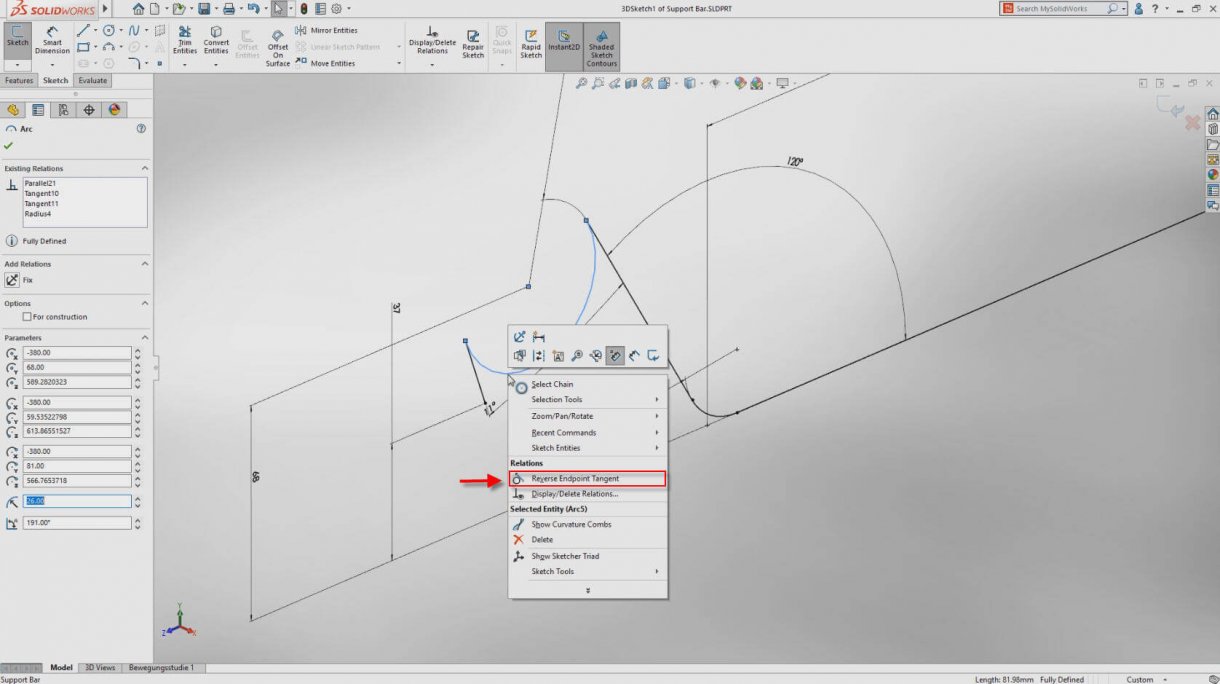
An option to reverse arc and spline tangency is now available with SOLIDWORKS 2018
For the longest time when creating a tangential arc in a SOLIDWORKS sketch it was hit or miss if the…

Select the outside of an Arc rather than the center when adding a dimension in SOLIDWORKS
When adding arc dimensions, you should always select the actual arc rather then the centre point. Doing so will give…

SOLIDWORKS Quick Snaps Toolbar
Imagine you have a very crowded sketch in your part. Let’s say you want to pick an end point but…

Show a SOLIDWORKS Sketch in a Specific Drawing View while Hidden in all other Views
Let’s assume we have a sketch drawn in a part file and we have not used it to create a…

SOLIDWORKS Sheet Metal Sketch Transformations
SOLIDWORKS Sheet Metal includes a Sketch Transformation folder in the Flat Pattern feature when a sketch is added to a…

Is your SOLIDWORKS Sketch Dimension difficult to Delete or Modify?
To delete a SOLIDWORKS Sketch Dimension you typically select the dimension and hit Delete. To edit the value of the…

Arc Measurements in SOLIDWORKS
In this post I’ll show you how to use the Smart Dimension Tool to add SOLIDWORKS Arc Dimensions. Arc Length…

SOLIDWORKS No Solve Move vs Detach Segment on Drag [VIDEO]
I’ve occasionally run into the issue where a user sketches a closed shape, such as a rectangle, only to find…

Add Dimensions Automatically while Sketching in SOLIDWORKS
Did you know SOLIDWORKS can add dimensions to your sketch automatically? Adding dimensions manually can be a tedious job if you have…
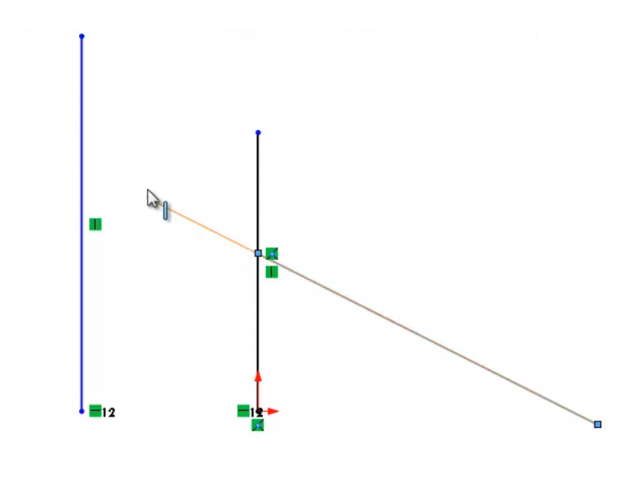
Hold on…the SOLIDWORKS Power Trim tool can Extend too?!
The SOLIDWORKS Power Trim tool is amazing. With a quick click and swipe you can trim a sketch line up…

How to Automatically Add SOLIDWORKS Tangent Relations from Lines to Arcs & Circles
Attaching a line to an arc or circle can be automatically snapped with a SOLIDWORKS tangent relation if you hover over…