


Blog Tag
Showing 31-45 of 146.
SW2017
SOLIDWORKS 2017 Tech Tips and Tutorials

SOLIDWORKS 2017 Hide All Types of Reference Geometry in the Heads-up Toolbar
SOLIDWORKS 2017 gives you the ability to Hide All Types via the Heads-up Toolbar! The screen display can get cluttered when…

SOLIDWORKS 2017 Dynamic Reference Visualization Redesign
In SOLIDWORKS 2017 the Dynamic Reference Visualization has been redesigned! Dynamic reference arrows have been redesigned to improve clarity in the…

SOLIDWORKS 2017 Thread Feature Enhancements
SOLIDWORKS 2017 gives you new options with the thread feature! Thread features can now trim to start or end faces. This…

How to replace SOLIDWORKS Sub-assemblies with Multi-Body Parts while maintaining Drawing References!
As design evolves within SOLIDWORKS we find many customers have a desire to swap sub-assemblies for multi-body components. We could…

SOLIDWORKS 2017 Uninstall will complete even when DLL files cannot be unregistered
This little bit of functionality does not seem to be something that most folks would be interested in at all,…

SOLIDWORKS PDM 2017 Converts DraftSight DWG/DXF to PDF Automatically
SOLIDWORKS PDM Professional 2017 comes with some very useful new Tasks that can be big time savers for users. One…

SOLIDWORKS Inspection 2017 Lock Inspection Balloons to Prevent Renumbering
By default, removing an inspection balloon results in the remaining balloons being renumbered according to the original order. This change…

SOLIDWORKS PDM 2017 can automatically Convert Microsoft Office files as PDF
SOLIDWORKS PDM Professional 2017 has introduced a new Task that can save Microsoft Office documents as PDF. The Task is able to…

Increase SOLIDWORKS performance by disabling Selection Accelerators
SOLIDWORKS 2017 now gives you the ability to disable the SOLIDWORKS Selection Accelerators! The Fillet, Move Face, and Delete Face tools…
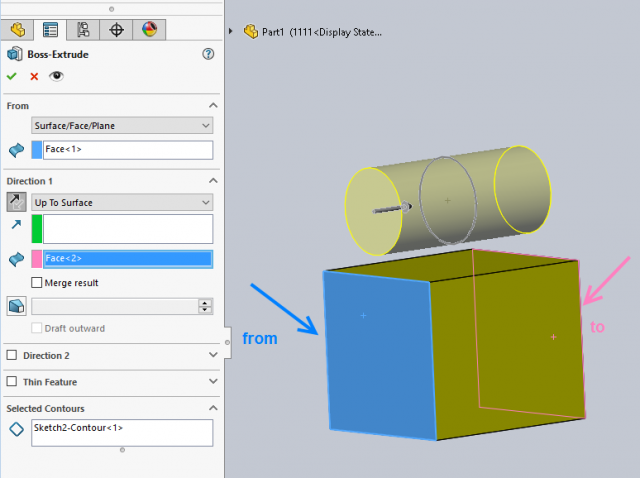
SOLIDWORKS 2017 Extrude Boss/Cut Feature Enhanced
Prior to SOLIDWORKS 2017, extruding a boss or a cut feature from/to a face required the sketch to project within…

SOLIDWORKS Transparent Section Views
SOLIDWORKS 2017 now gives you the ability to create transparent section views! Instead of a section view that completely cuts away…
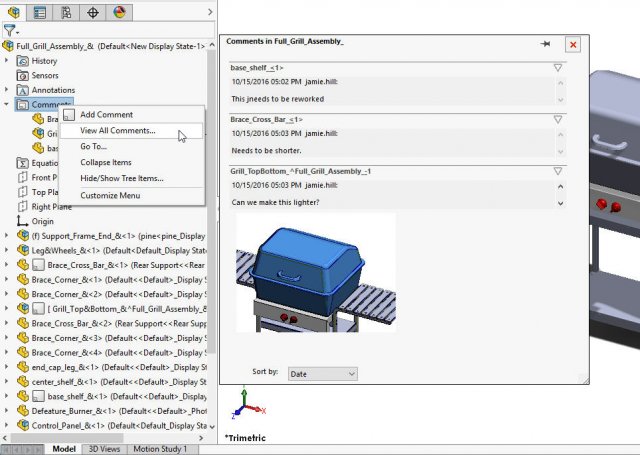
SOLIDWORKS 2017 enhances the Comments functionality
SOLIDWORKS comments have been enhanced in the 2017 release. SOLIDWORKS PDM is great for documenting files, but sometimes we need to comment…

Edit all of your File Locations Options at once in SOLIDWORKS 2017
When I think I have found what is to be my favorite feature within SOLIDWORKS 2017, along comes something better….
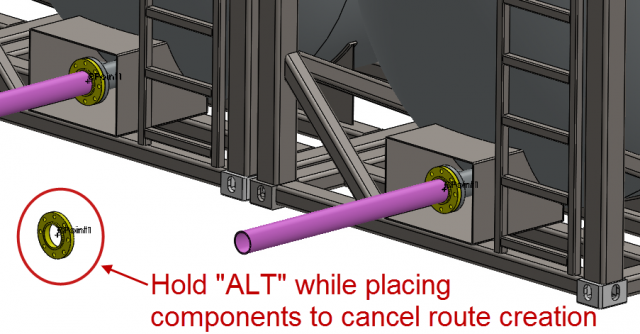
Using the ALT Key while Routing in SOLIDWORKS 2017 will speed up your workflow
The ALT key has been a staple of SOLIDWORKS functionality for a very long time now. It is one of…
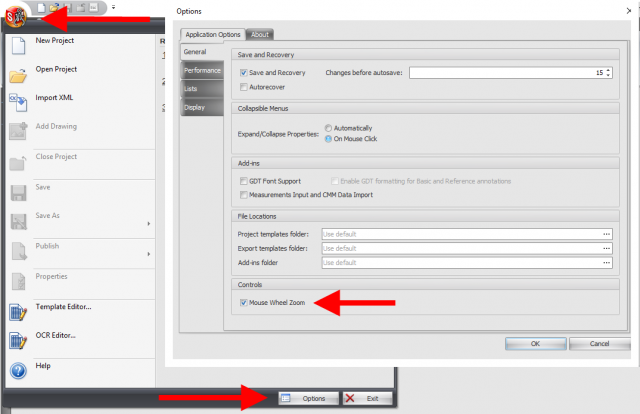
SOLIDWORKS Inspection 2017 Enhancements
Following enhancements have been implemented in SOLIDWORKS Inspection 2017: Ability to lock balloons to prevent renumbering Manual ballooning of inspection…